Acceptance and what happens next
How the customer accepts or declines a proposal with an e-signature, and how acceptance sets up the contract, the ticket, the customer record and the Xero invoice.
When the customer accepts a quote, Tenvara does the follow-up work in one go: recurring items go on their contract, one-off work becomes a ticket, a lead becomes a customer, and a draft invoice is ready for Xero. This page covers the customer's side and then what happens behind it.
What the customer sees
The customer opens the proposal from the link in their email or from the customer portal. It shows the cover, your introduction and scope, the pricing, the totals and your terms, as in the quote's Preview tab. It works on a phone as well as a desktop.
- They tick the optional items they want. The totals update as they go.
- They can download the PDF with their choices.
- To accept, they give their full name, job title and email, sign (drawn on a pad, or typed), and tick to agree to the terms.
- They confirm, and see the signed proposal.
To decline, they give their name and, optionally, a reason.
The acceptance records the version, the options chosen, the totals, the email given, the IP address and the browser. A copy of the signed PDF is emailed to the quote's own recipient (the signed-in portal contact, or else the quote's contact or lead), because a link can be forwarded. The address the signer typed is copied in only when it is on one of the customer's email domains.
The customer cannot accept an old version, a quote already answered or an expired quote; they get a clear message instead.
The accepted quote
The quote becomes Accepted and can no longer change. The banner says who accepted it. Its lines now show what was bought: optional lines are ticked as the customer chose and the totals match what they signed, everywhere the quote appears (the list, the customer's Quotes tab and the portal).
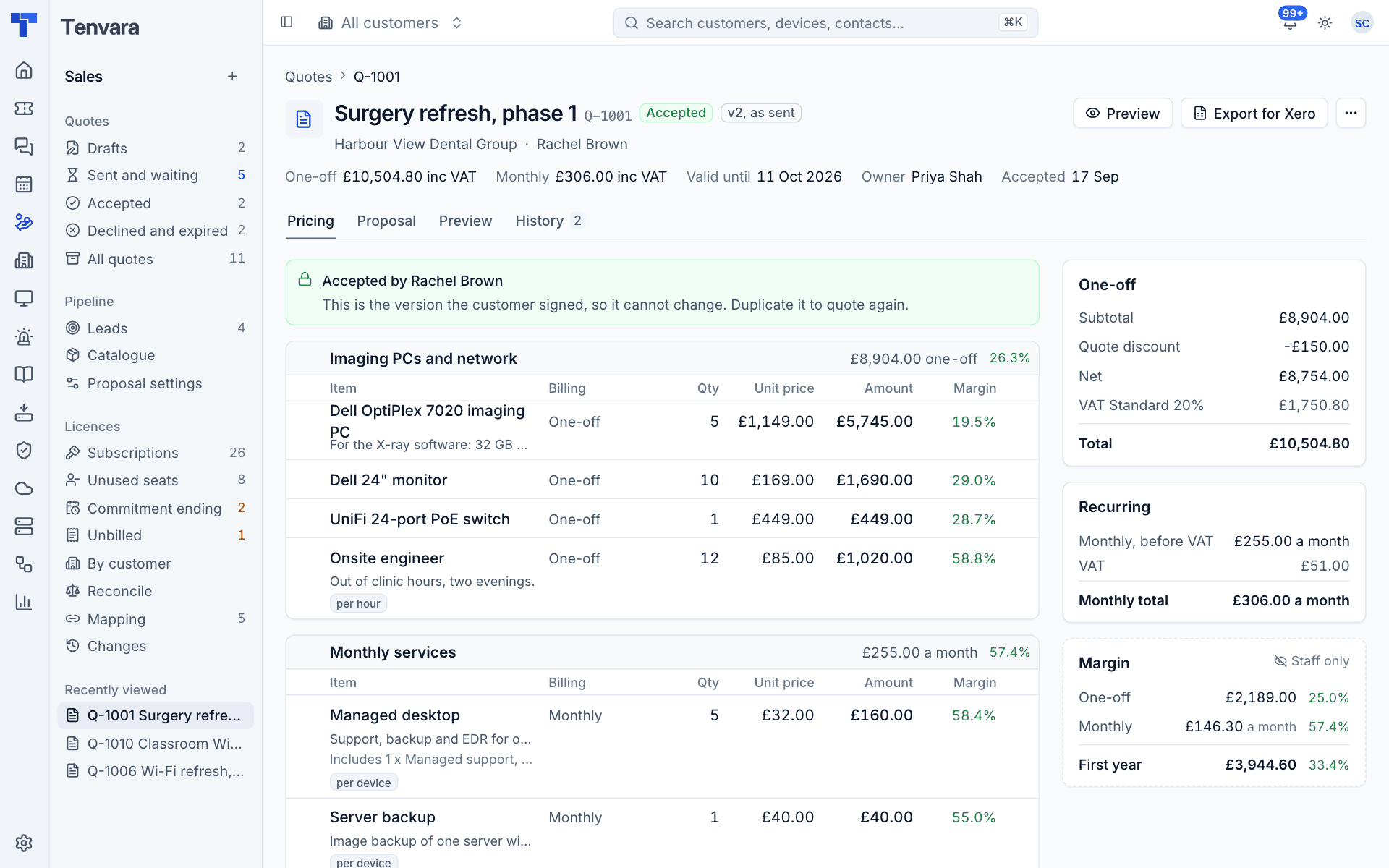
The owner is told in the bell. The History tab shows the acceptance record with the signature, and What acceptance did with links to the contract and ticket.
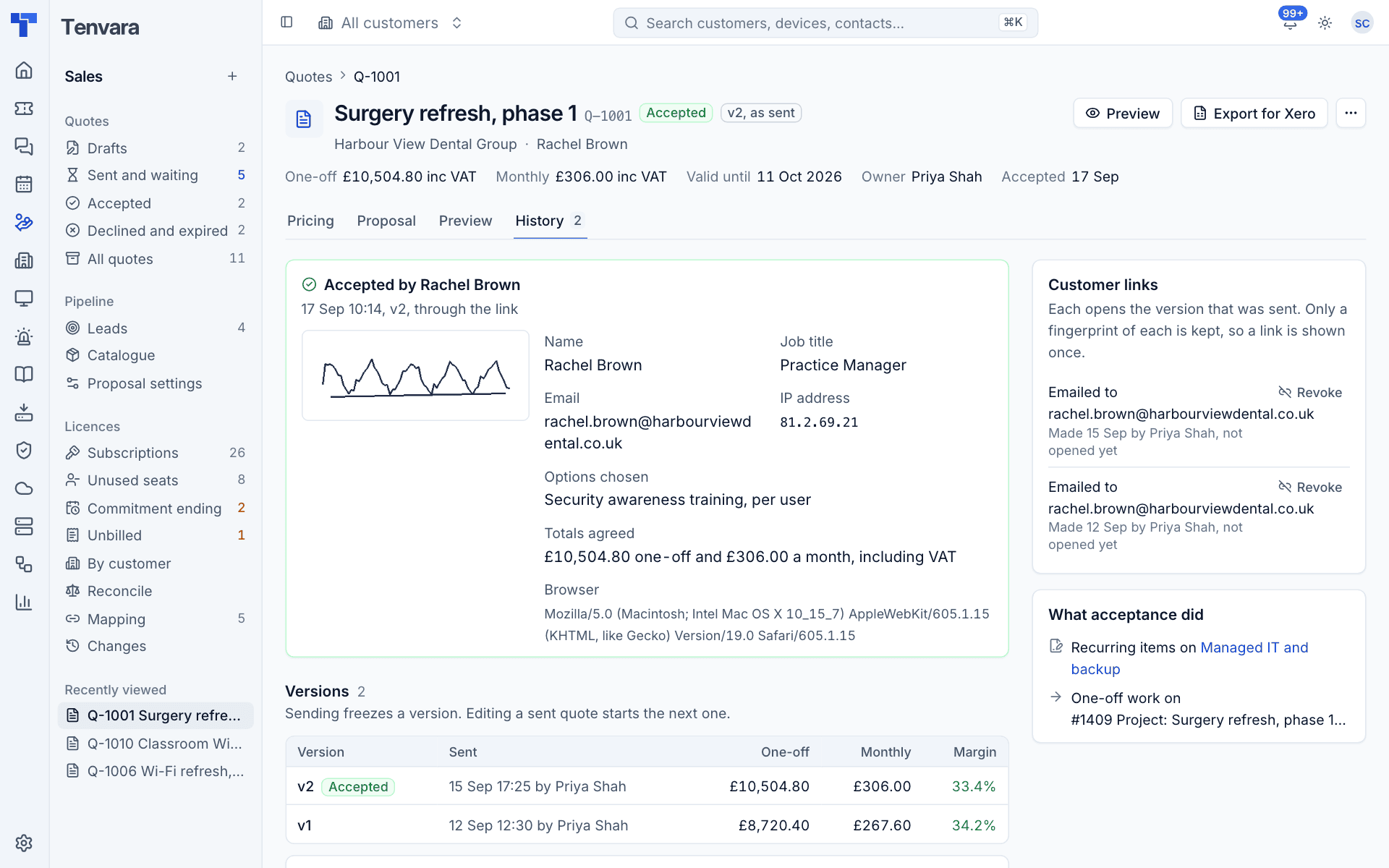
What acceptance does
It all happens once, together. A double click or a retry cannot add lines twice or raise two tickets.
A lead becomes a customer
If the quote was for a lead, the lead is converted:
- When the lead's email domain belongs to exactly one customer, the lead joins that customer.
- Otherwise (a free-mail domain such as gmail.com, an unknown domain, or one shared by several customers) a new customer is created.
The contact is added (or matched by email), and the lead's quotes move to the customer. See Leads.
Recurring items go on the contract
Monthly, quarterly and annual lines become contract lines on the customer's contract: the one in force today, else one that starts later, else a draft, else a new contract from today. Each line keeps its quantity, price after discounts, frequency, tax type and Xero codes, and starts on the acceptance date.
- Monthly lines are charged every month, pro rata by days in a part month.
- Quarterly and annual lines are charged in full, in advance, in the month they start and every third or twelfth month after.
They appear on the contract page and go into the contracts Xero export as their own invoice lines. See Contracts and the Xero export for how contract billing works.
One-off work becomes a ticket
The one-off lines become a ticket in the queue and type set in Settings > Proposals: "Project: ..." for an existing customer, "Onboarding: ..." for a new one, with the contact as requester. The link to the quote is added as an internal note, since the customer can see the first message in the portal. If the quote was raised from a ticket, that ticket is noted too.
Export for Xero
Press Export for Xero on an accepted quote.
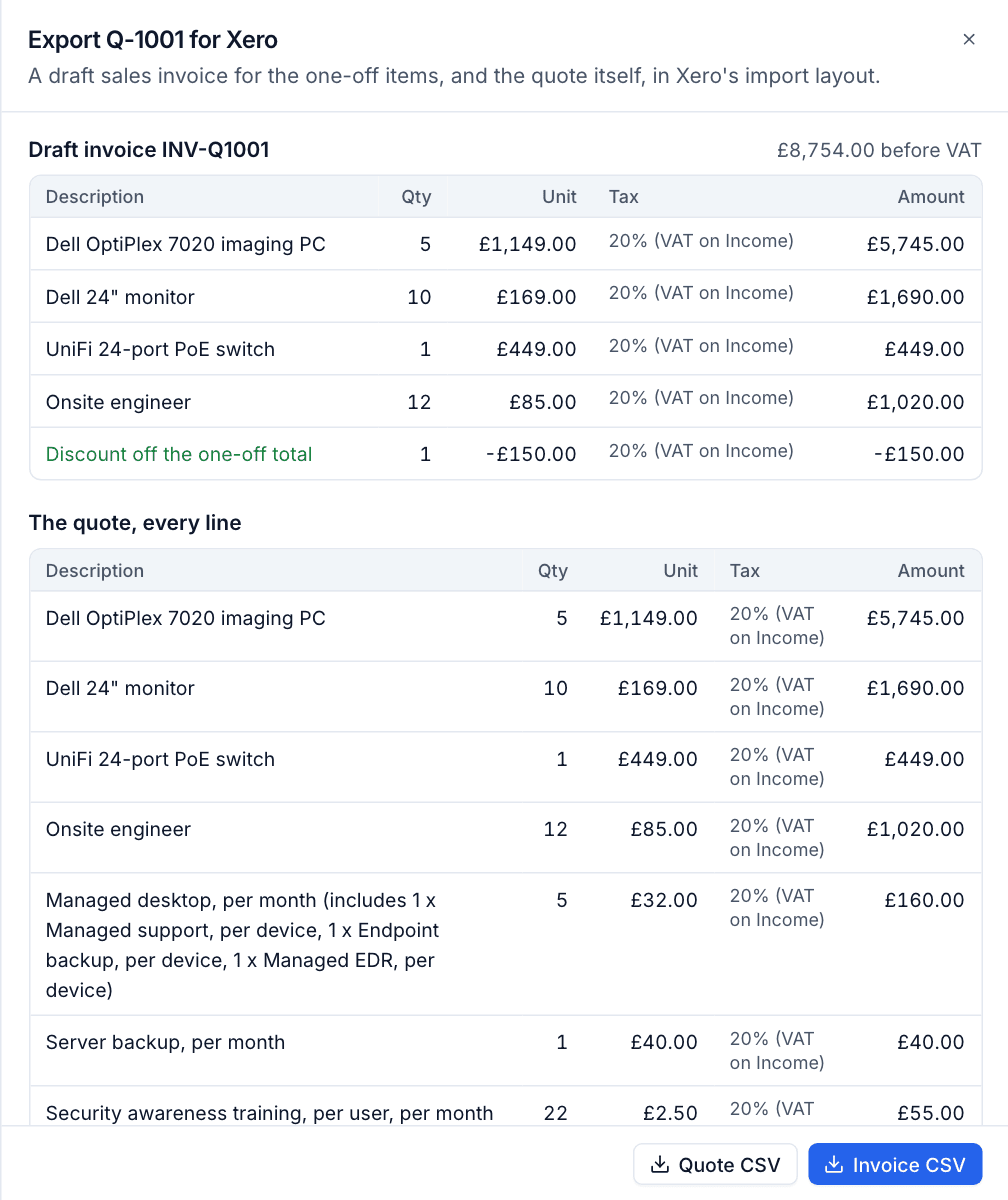
- Invoice CSV: a draft sales invoice for the one-off items, numbered with your invoice prefix (for example INV-Q1001), in Xero's sales invoice import layout. The quote discount becomes a negative line for each tax type, so Xero's VAT matches the quote to the penny.
- Quote CSV: every line of the quote, with its frequency, in the same layout.
Note: Xero has no import for quotes of its own, so the quote CSV is for your records or a quotes import tool. Recurring items are billed each month through the contract and the contracts export, not this invoice.
Declined and expired quotes
A declined quote records who declined and why, and the owner is told. It is final: use Duplicate as a new quote to try again.
A quote that passes its valid until date without an answer expires overnight, and its links stop working. To put it back with the customer, move its valid until date with Edit details; or duplicate it.
Was this page helpful?
Thanks for the feedback.