Chat settings
Set chat's opening hours and closed days, what visitors are asked, every line they read, the timings and limits, and settings for individual customers.
Chat settings live in Settings > Chat, also reached from Chat settings in the Chat sidebar. They apply to every widget, the portal and the tray. Only administrators can change them.
The tabs are Opening hours, Widgets, Visitors, Wording, Timings, Customers and Chat bot. Widgets are covered in Website widget, portal and tray and the chat bot in The chat bot.
Each block has its own Save and Discard buttons, and says Saved. once your changes are stored.
Opening hours
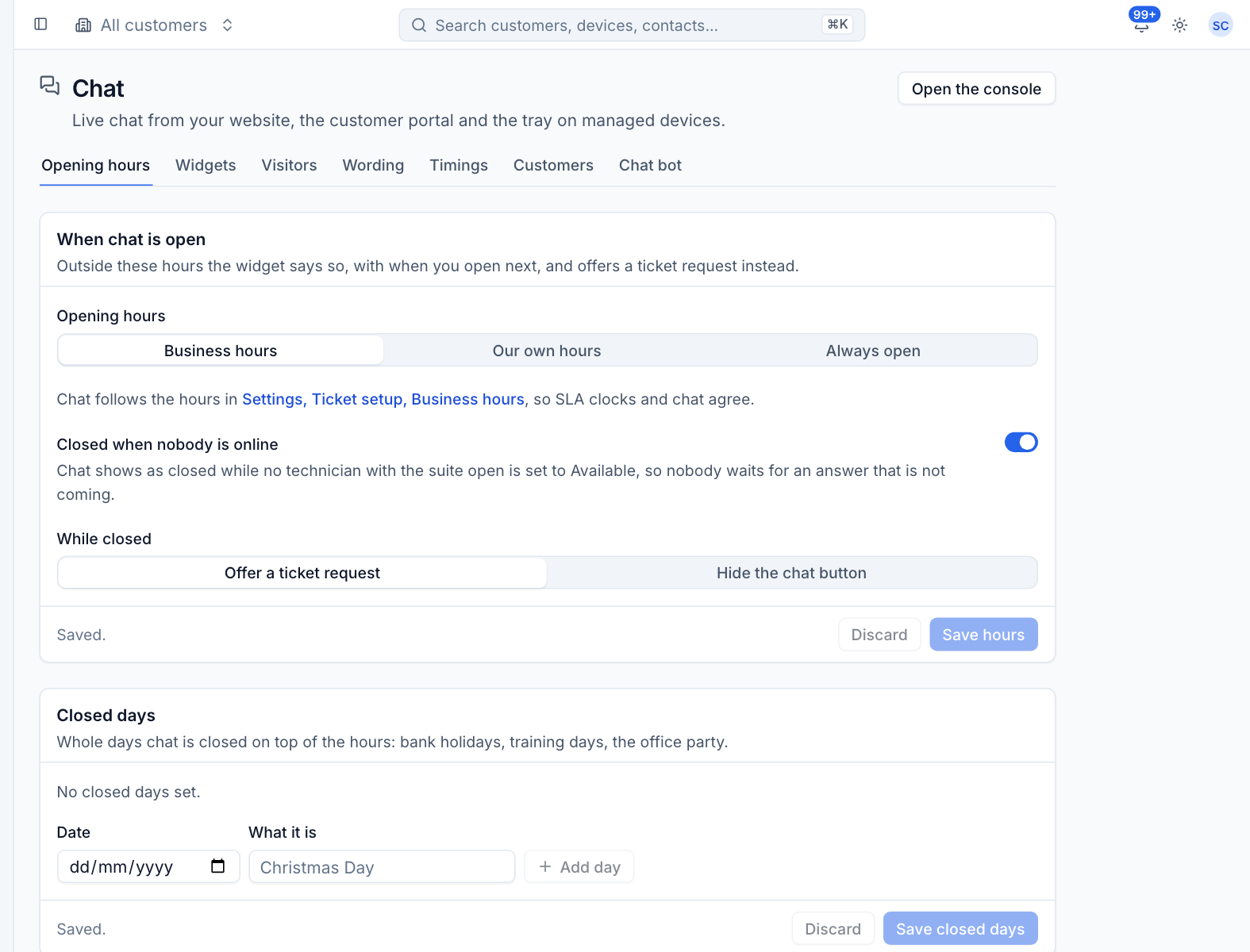
When chat is open
- Choose the Opening hours:
- Business hours: chat follows the hours in Settings > Ticket setup > Business hours, so SLA clocks and chat agree. This is the default.
- Our own hours: set a week of hours and a time zone for chat alone.
- Always open.
- Leave Closed when nobody is online on to show chat as closed while no technician with Tenvara open is set to Available, so nobody waits for an answer that is not coming.
- Choose what happens While closed:
- Offer a ticket request: the widget says it is closed, when it opens next, and offers the request form.
- Hide the chat button: the button disappears from your website until chat opens.
- Press Save hours.
A widget can keep Its own opening hours, set on the widget.
Closed days
Whole days chat is closed on top of the hours: bank holidays, training days, the office party.
- Pick the Date.
- Say What it is, for example "Christmas Day".
- Press Add day, add any others, then Save closed days.
Visitors
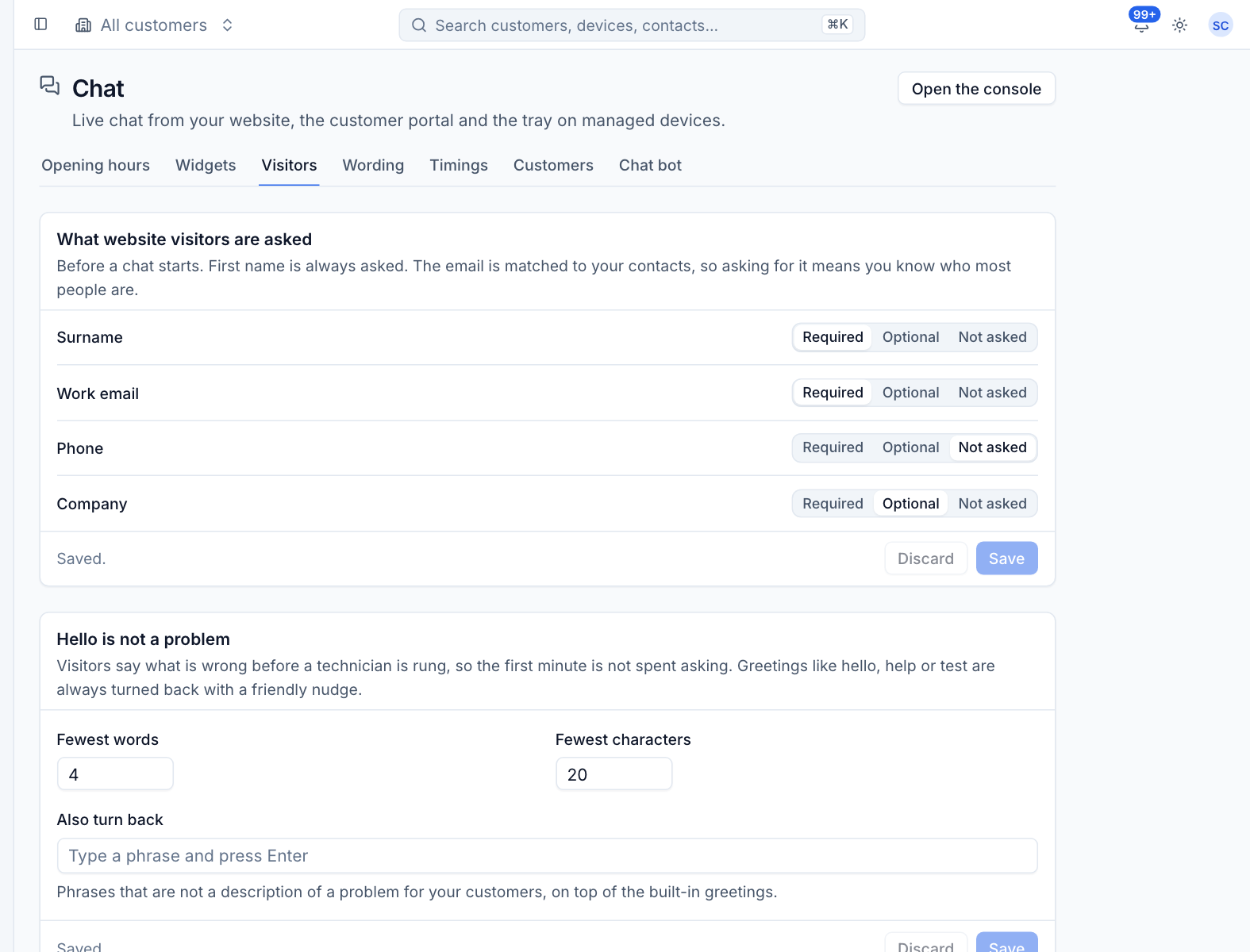
What website visitors are asked
First name is always asked. For Surname, Work email, Phone and Company, choose Required, Optional or Not asked. The email is matched to your contacts, so asking for it means you know who most people are. Portal and tray visitors are not asked: Tenvara already knows them.
Hello is not a problem
Visitors say what is wrong before a technician is rung. Set the Fewest words and Fewest characters a description needs. Greetings like "hello", "help" or "test" are always turned back with a friendly nudge. Add your own under Also turn back: type a phrase and press Enter.
Files, ratings and transcripts
Further down the tab you choose whether visitors may send files (and the largest size and allowed types), whether they are asked to rate a chat when it ends, and whether they can have the transcript emailed to them.
Wording
What visitors read holds every line the widget, the portal and the tray show. Clear a line to go back to the suggested wording.
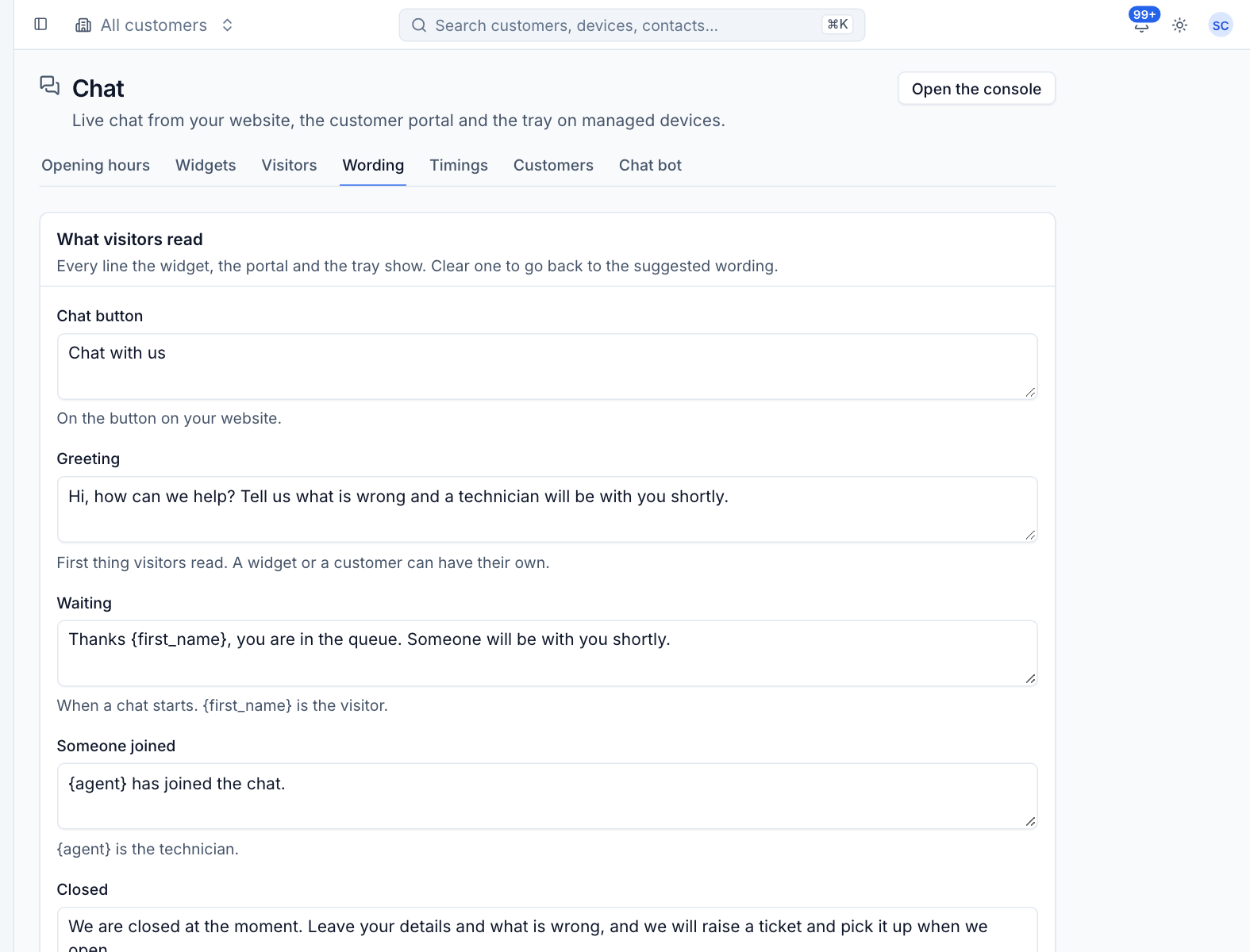
| Line | When it shows |
|---|---|
| Chat button | On the button on your website |
| Greeting | The first thing visitors read. A widget or a customer can have their own. |
| Waiting | When a chat starts. {first_name} is the visitor. |
| Someone joined | When a technician takes the chat. {agent} is the technician. |
| Closed | Out of hours. The next opening is added, or place it yourself with {next_opening}. |
| Nobody free | When nobody is online |
| Chat off for them | For customers with chat switched off |
| Ended | When the chat ends |
| Still there? | Before a quiet chat closes. {minutes} is how long is left. |
| Closed for quiet | When a quiet chat closes |
| Nobody answered | When nobody took the chat in time and it became a ticket request |
| Request received | After a ticket request |
| Rating question | Above the stars |
Press Save wording when you are done.
Timings
Timings and rules sets how long things wait, who hears about it, and what happens at the end.
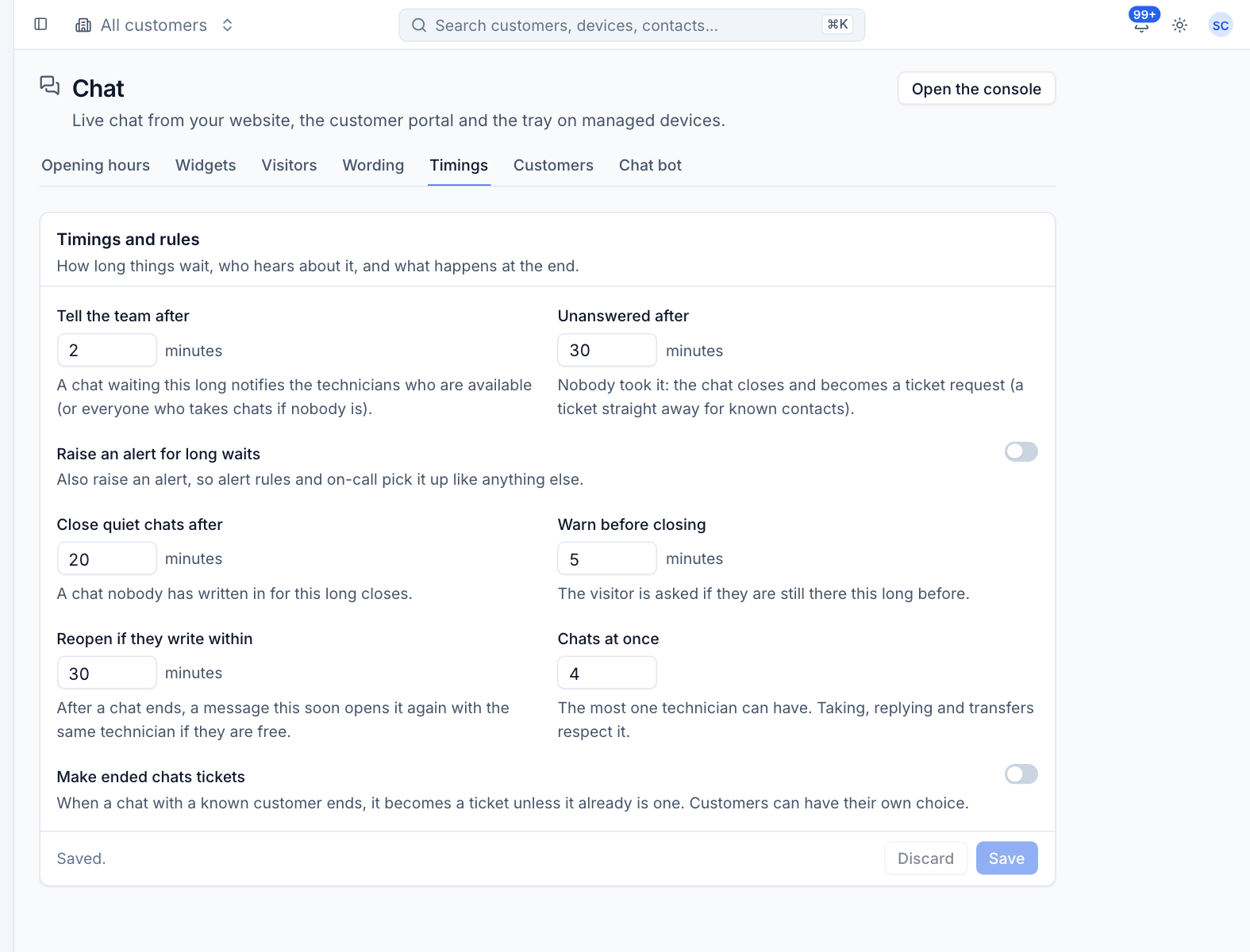
| Setting | Default | What it does |
|---|---|---|
| Tell the team after | 2 minutes | A chat waiting this long notifies the technicians who are available (or everyone who takes chats if nobody is). |
| Unanswered after | 30 minutes | Nobody took it: the chat closes and becomes a ticket request (a ticket straight away for known contacts). Set 0 to keep chats waiting. |
| Raise an alert for long waits | Off | Also raise an alert, so alert rules and on-call pick it up like anything else. It clears when someone takes the chat. |
| Close quiet chats after | 20 minutes | A chat nobody has written in for this long closes. |
| Warn before closing | 5 minutes | The visitor is asked if they are still there this long before. |
| Reopen if they write within | 30 minutes | After a chat ends, a message this soon opens it again with the same technician if they are free. |
| Chats at once | 4 | The most one technician can have. Taking, replying and transfers respect it. |
| Make ended chats tickets | Off | When a chat with a known customer ends, it becomes a ticket unless it already is one. |
Customers
Everyone follows the settings on the other tabs unless you give a customer settings of their own.
- Press Add a customer and choose the Customer.
- Turn Chat off if their people should not chat. They see the Chat off for them wording and can leave a ticket request.
- Optionally write Their greeting. Empty uses the usual one.
- Choose whether Ended chats become tickets: As usual, Always or Never.
- Press Save.
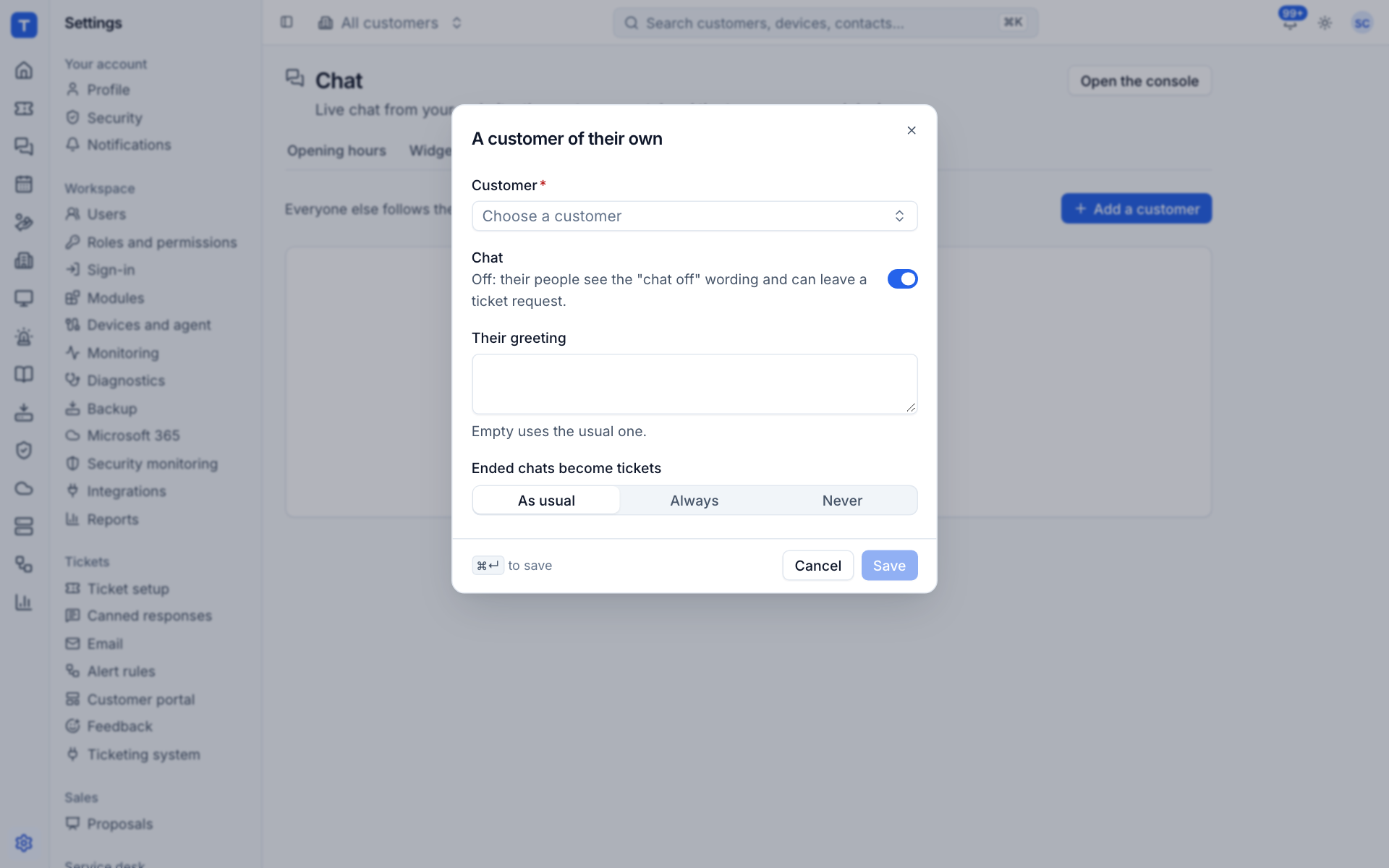
Each customer with their own settings is listed on the tab, where you can edit or remove them.
Was this page helpful?
Thanks for the feedback.