The run log
Read what every rule did and why, retry failed runs, and understand loop protection and run retention.
Every time a rule matches an event, Tenvara records a run. The run log is where you check that rules behave, find out why one did not, and retry one that failed.
Reading the run log
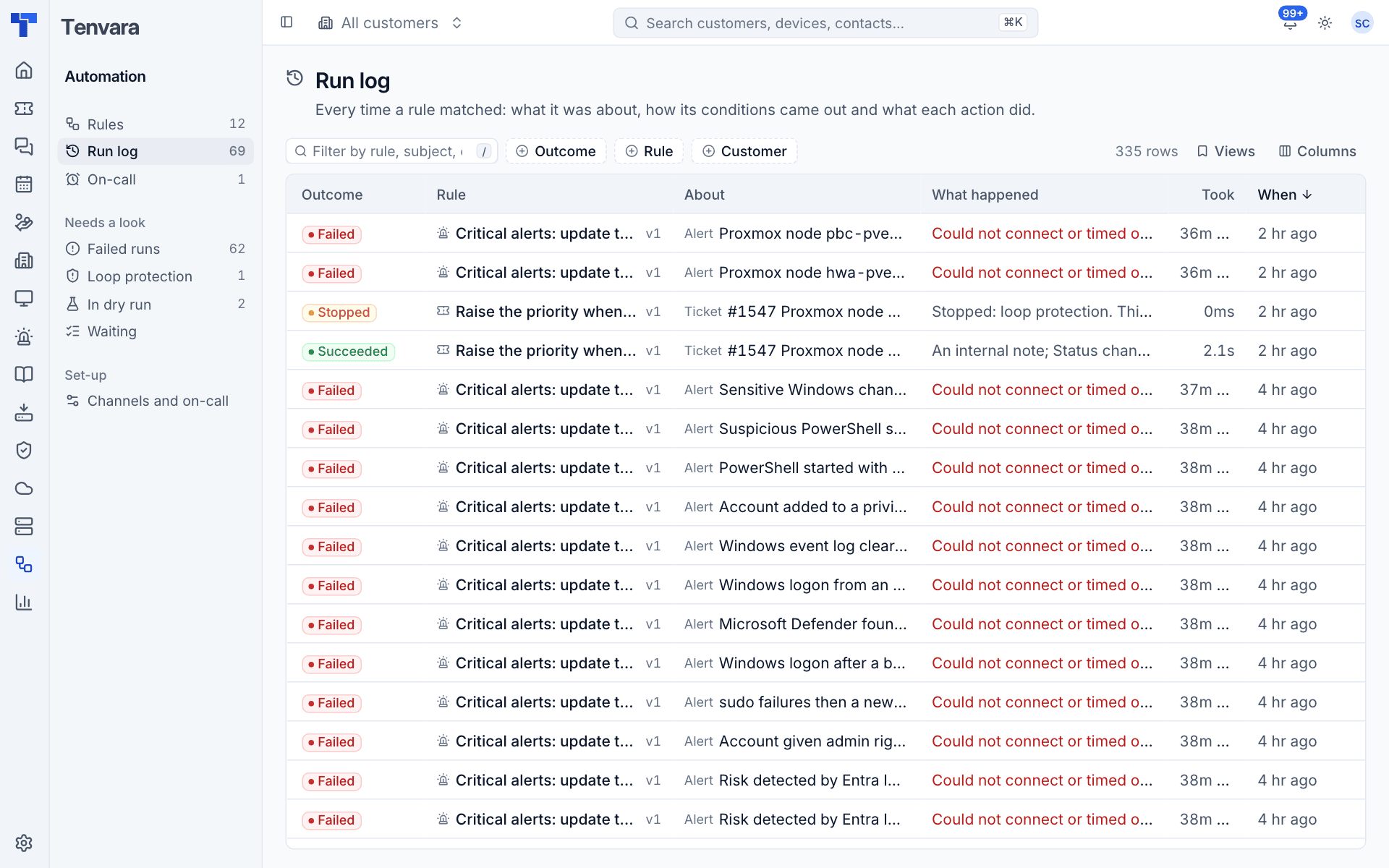
Go to Automation > Run log. Each row shows the Outcome, the Rule and the version that ran, what it was About (an alert, ticket, device, customer or schedule), the Customer, What happened (the triggering change, the result or the error), how long it Took and When.
Filter by Outcome, Rule and Customer, or type to search. The sidebar views go straight to Failed runs, runs stopped by Loop protection and runs Waiting. A rule's own runs are one click away from its ... menu (Its run log), and a customer's runs are on the Automation tab of the customer page.
Outcomes
| Outcome | Meaning |
|---|---|
| Queued | The rule matched and the run is about to start |
| Running | It is doing its actions |
| Waiting | Parked on a Wait action or between webhook attempts; it carries on by itself |
| Succeeded | Every action was done, or skipped because there was nothing to act on |
| Failed | An action failed. The later actions were skipped |
| Skipped | The run did nothing, with the reason, for example the owner lost a permission or automation was switched off |
| Stopped | Loop protection stopped it (see below) |
| Dry run | The rule is in dry run: it logged what it would have done |
A run's page
Click a run to open it.
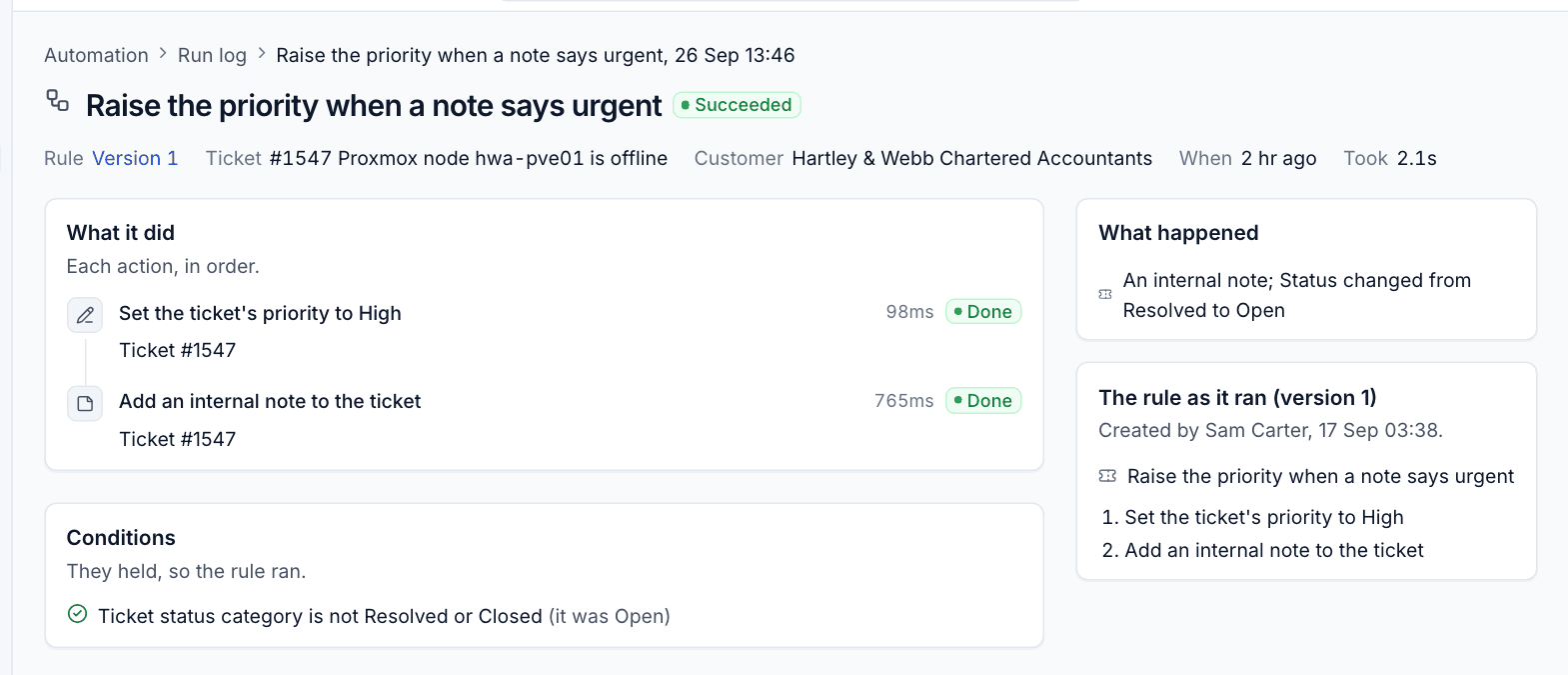
- The header shows the rule and version, what it was about (with a link), the customer, when and how long it took.
- What it did lists each action in order with its detail (for example "Ticket #1547"), how long it took and Done, Failed, Skipped or Would do, with the error or reason where there is one.
- Conditions lists each condition with the value it saw.
- What happened describes the event, and says when it was Caused by another rule acting before it.
- The rule as it ran shows that version of the rule, with who made it and when.
Retrying a run
A failed or stopped run has a Retry button. Retry runs the rule's current version again on the same subject, from the start, without checking the conditions again (they held when it first ran). Fix the cause first: a webhook address, a script, the owner's permissions.
Loop protection
Rules can set each other off: a rule that adds a note fires "A ticket is updated", which can match another rule, which changes the ticket again. Every run carries the chain of runs that led to it, and Tenvara stops a chain that goes round in circles.
- A run is stopped when it is caused by more rules in a row than the limit (3 by default).
- A rule never runs twice for the same alert, ticket or device in one chain.
- A rule runs at most a set number of times an hour for one subject (10 by default).
- Stopped runs say Stopped by loop protection and why, for example "This rule already ran for this ticket earlier in the same chain of events".
- If a rule is stopped too often in an hour (3 times by default), it raises an alert and its owner is told.
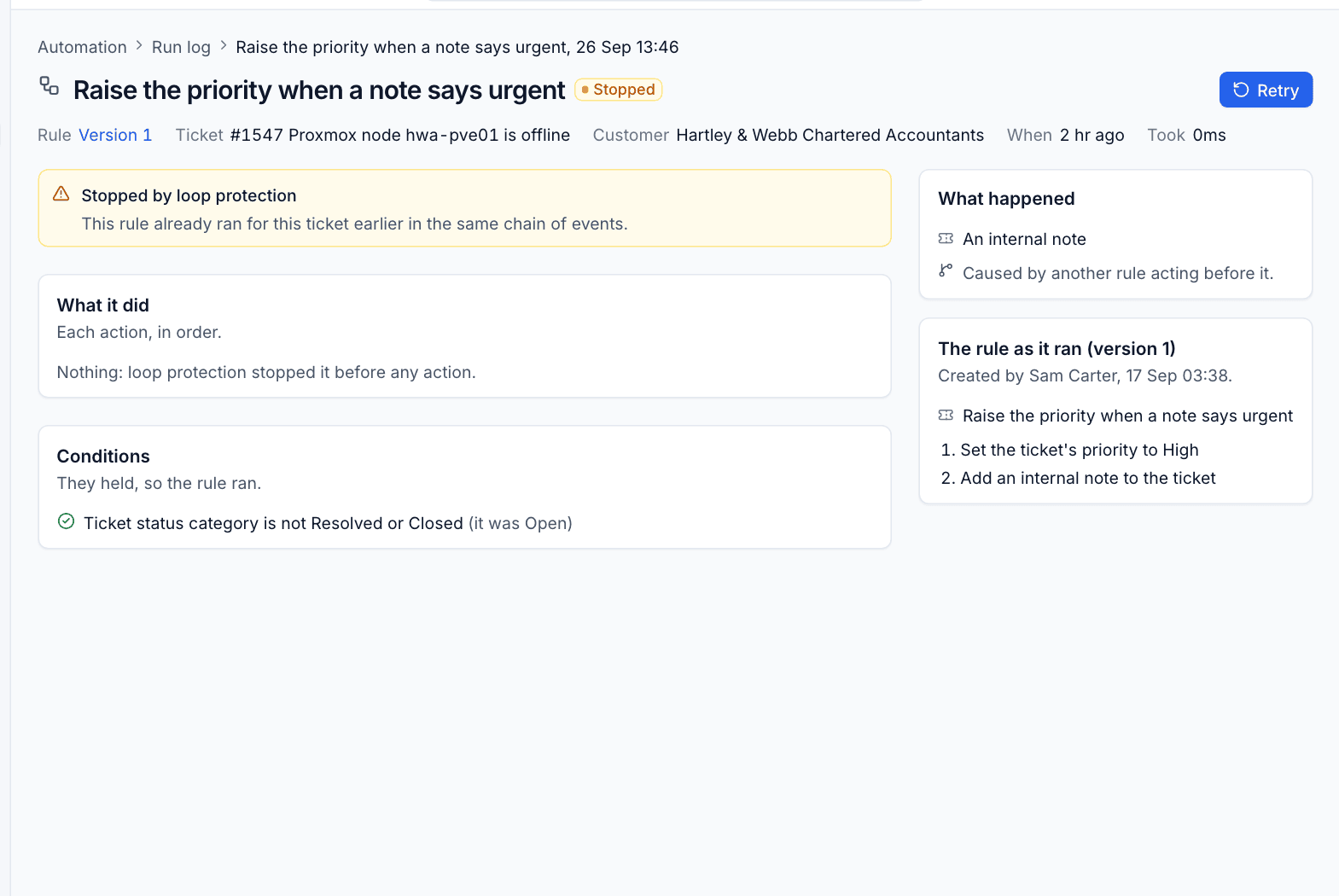
A stopped run usually means two rules undo or repeat each other's work. Tighten a condition on one of them or end one with Stop.
Stalled runs
If a run loses its worker (a server restart in the middle, for example), Tenvara notices: a run still Running after 30 minutes is marked failed, and you can retry it; a run still Queued after 10 minutes is queued again. A run is claimed before anything happens, so it never runs twice.
Settings for runs
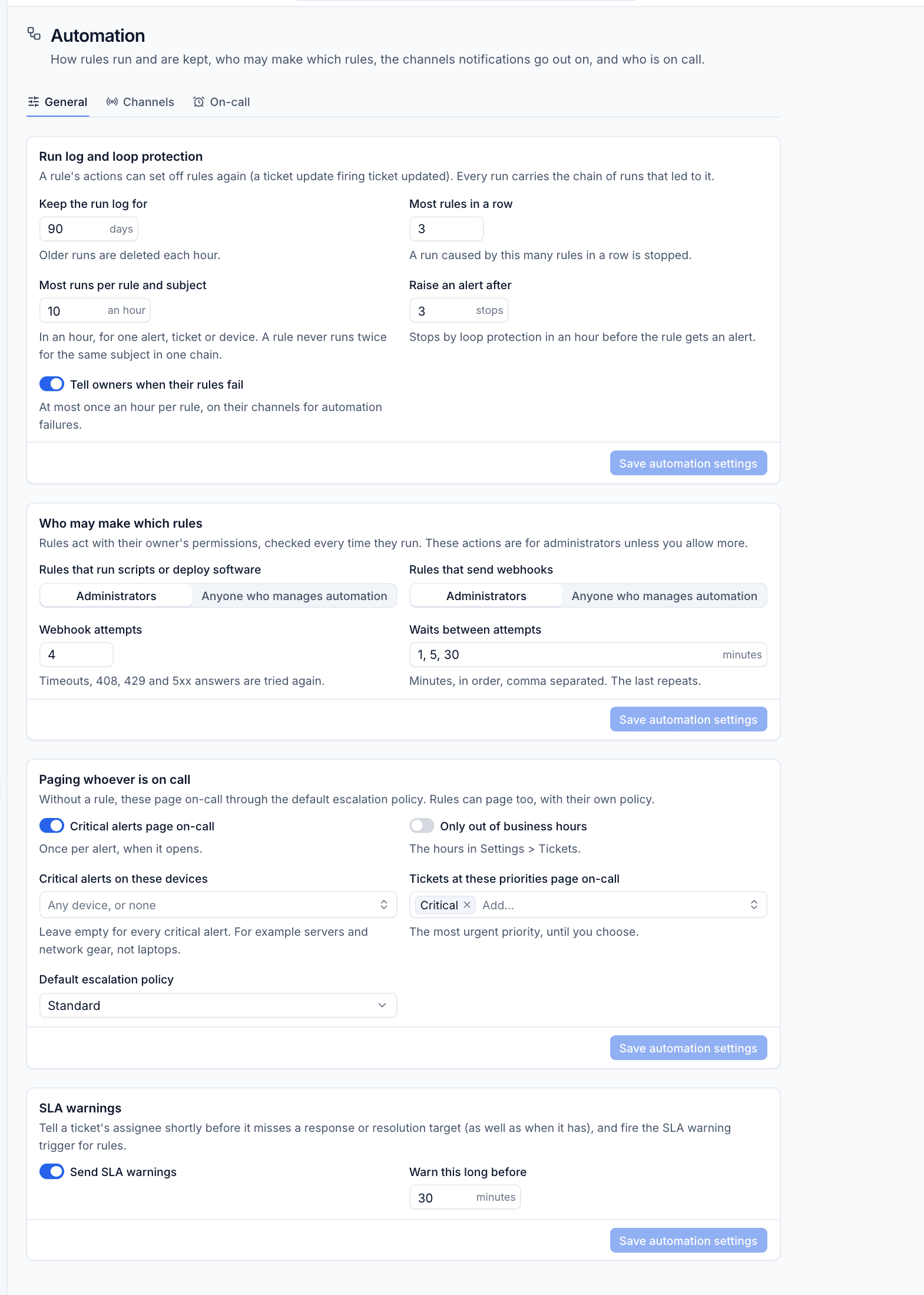
Administrators set these in Settings > Automation > General:
| Setting | Default | What it does |
|---|---|---|
| Keep the run log for | 90 days | Older runs are deleted each hour |
| Most rules in a row | 3 | A run caused by this many rules in a row is stopped |
| Most runs per rule and subject | 10 an hour | For one alert, ticket or device |
| Raise an alert after | 3 stops | Stops by loop protection in an hour before the rule gets an alert |
| Tell owners when their rules fail | On | At most once an hour per rule, on their channels for automation failures |
| Rules that run scripts or deploy software | Administrators | Or Anyone who manages automation |
| Rules that send webhooks | Administrators | Or Anyone who manages automation |
| Webhook attempts and Waits between attempts | 4, and 1, 5, 30 minutes | Retries for timeouts, 408, 429 and 5xx. The last wait repeats |
The same page holds the paging defaults (see On-call rotas and paging) and SLA warnings: Send SLA warnings tells a ticket's assignee shortly before it misses a response or resolution target, as well as when it has, and fires the SLA warning trigger for rules. Warn this long before sets how many minutes ahead (30 by default).
Was this page helpful?
Thanks for the feedback.