Sales overview
How quoting works in Tenvara from catalogue to signed proposal, the quote list and its statuses, and who can do what.
Sales covers everything from a first conversation to signed work. You price a quote in the builder from your catalogue, send it as a branded proposal, and the customer accepts it online with an e-signature. Acceptance then does the admin for you: recurring items go onto the customer's contract, one-off work becomes a ticket, a lead becomes a customer, and a draft invoice is ready for Xero.
How it fits together
- Catalogue: the products, services, licences and labour you sell, with cost, price and billing. See The catalogue.
- Quote: built from catalogue lines or typed in, in sections, with optional extras and discounts. See Building a quote.
- Proposal: the quote's wording and branding from a template. See Proposal wording and templates.
- Send: email a link, publish to the customer portal, or both. See Sending a quote and versions.
- Accept: the customer ticks the options they want and signs. See Acceptance and what happens next.
Quotes can be for an existing customer or for a lead. See Leads.
The Sales sidebar
Open Sales from the rail. The sidebar has:
- Quotes: Drafts, Sent and waiting, Accepted, Declined and expired and All quotes.
- Pipeline: Leads, Catalogue and Proposal settings.
- Licences: licence subscriptions, which have their own section. See Licences and billing.
The quote list
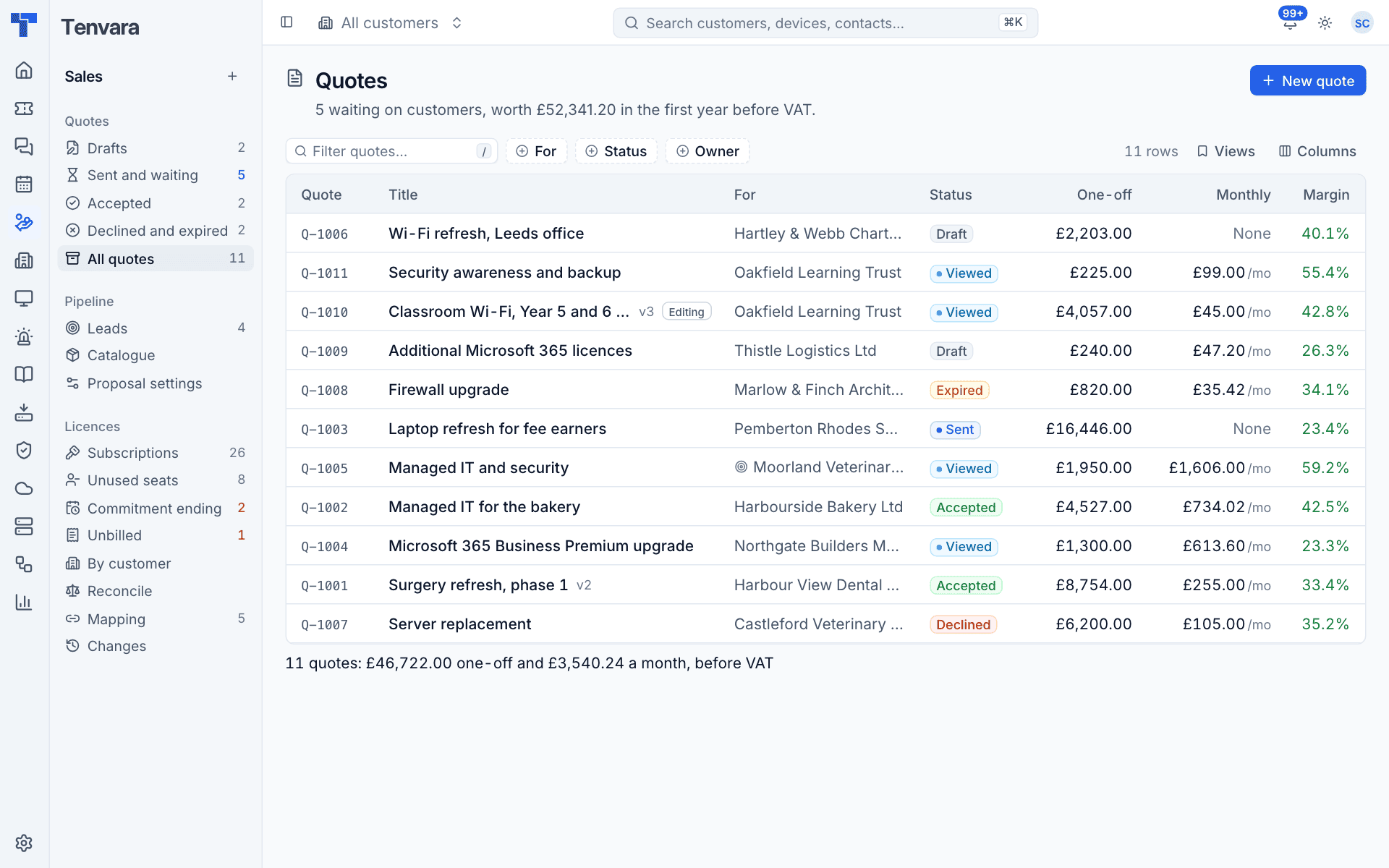
The line under the title tells you how many quotes are waiting on customers and what they are worth in the first year before VAT. Each row shows:
- the quote number (Q-1001 upwards, never reused) and title, with the version when it has more than one and an Editing badge when a new version is being worked on;
- who it is For (a customer, or a lead with the lead icon);
- the Status;
- the One-off and Monthly amounts before VAT;
- the Margin, staff only;
- the Owner and Valid until date.
Filter by recipient, status and owner, search, and save views. The line under the table totals what is showing.
Quote statuses
| Status | Meaning |
|---|---|
| Draft | Being written. The customer cannot see it |
| Sent | Sent to the customer, not opened yet |
| Viewed | The customer has opened the sent version |
| Accepted | Signed by the customer. It can no longer change |
| Declined | The customer said no |
| Expired | Passed its valid until date without an answer |
Sent and viewed quotes expire automatically the night after their valid until date, and their links stop working at the same time. Accepted and declined are final: duplicate the quote to quote again.
The quote's owner is notified in the bell when the customer views, accepts or declines it (a view once for each version sent).
Where quotes show up
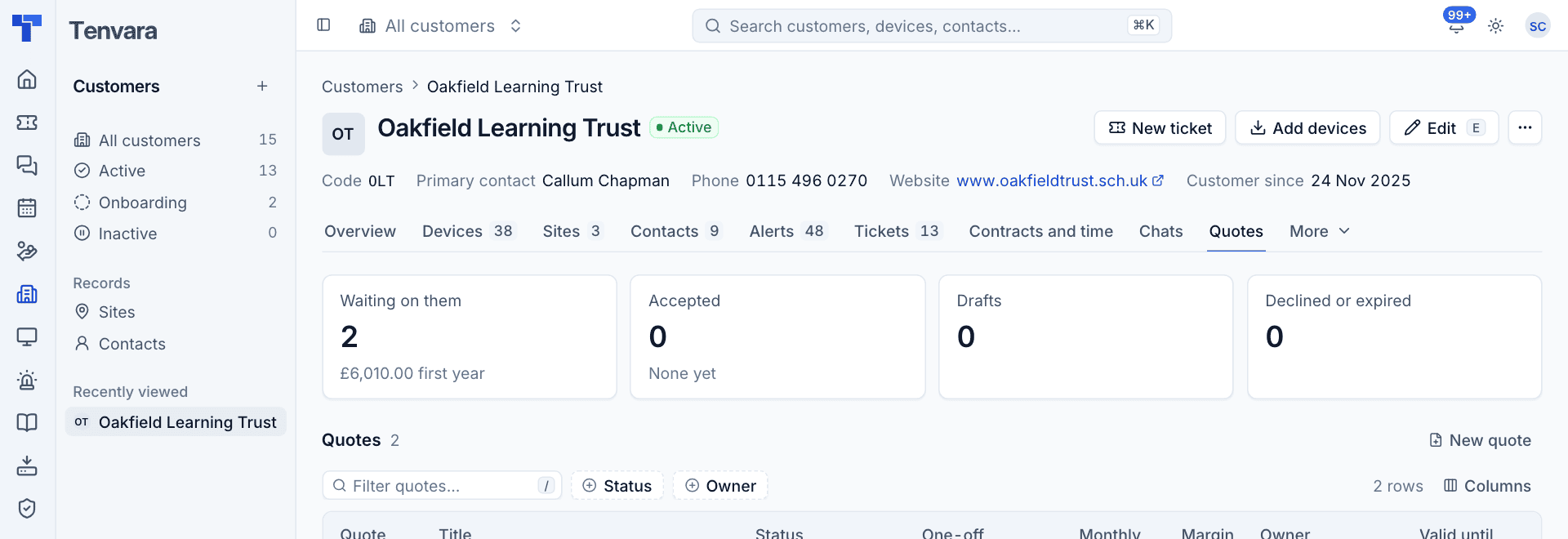
- Customers: the Quotes tab lists the customer's quotes with what is waiting on them, accepted, drafts and declined or expired, and a New quote button.
- Leads: each lead lists its quotes and has New quote.
- Tickets: raise a quote from a ticket's menu. The quote shows the ticket it came from, and the ticket gets a note when the quote is accepted.
- Search (Cmd+K): find quotes by number or title, and start a new quote.
Permissions
Quotes, leads and the catalogue come under the Tickets area in Roles and permissions: View to see them, Manage to create, edit and send. Settings > Proposals (templates, quote settings and VAT rates) is for administrators.
Cost and margin are for staff only. They never appear on anything the customer sees: the proposal page, the PDF, the emails or the customer portal.
Was this page helpful?
Thanks for the feedback.