Service desk overview
What the built-in service desk covers, how its parts fit together and where to find each one.
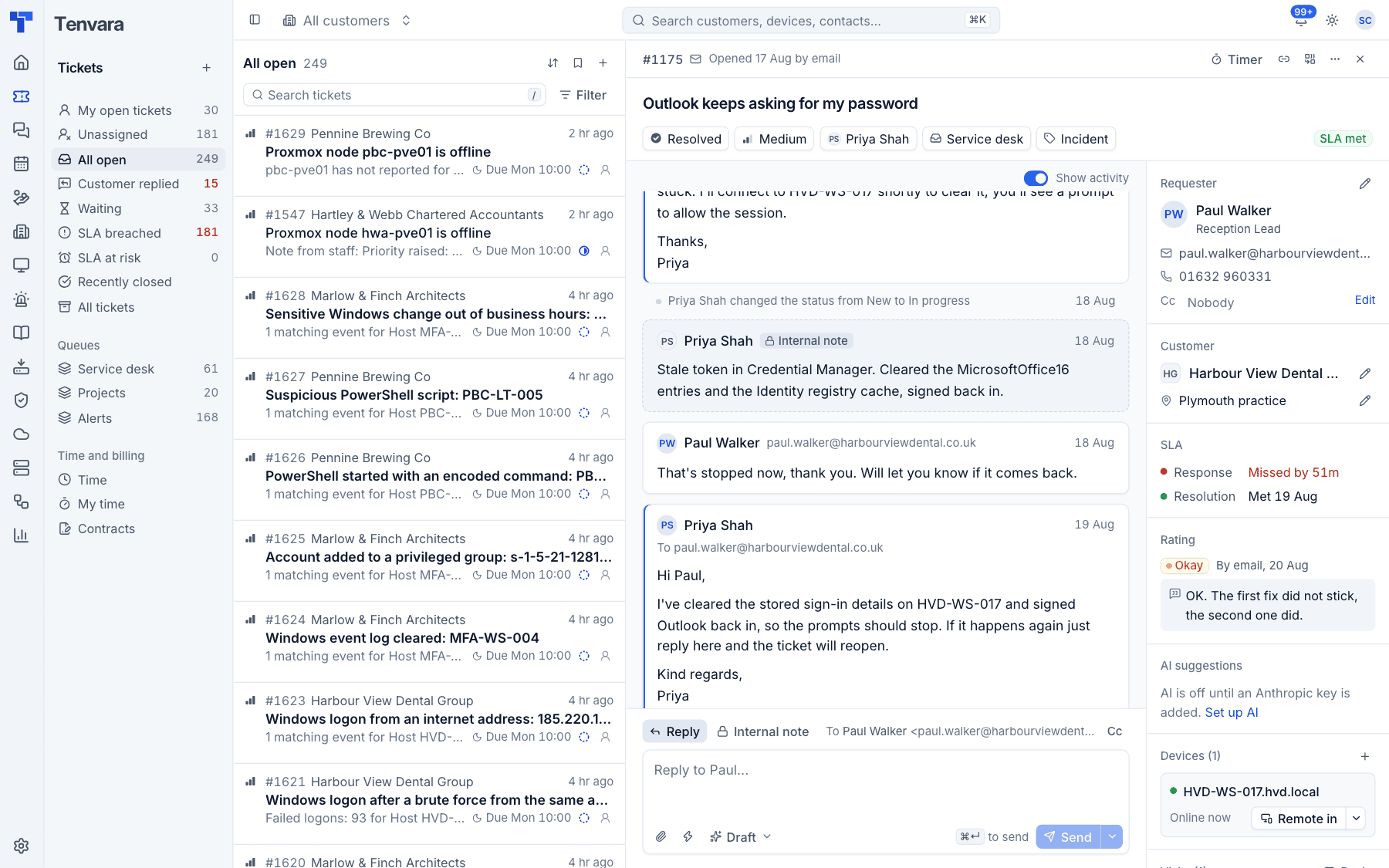
Tenvara has a service desk built in: customers and their contacts, tickets, email, time, contracts and a customer portal. It is deliberately simple, with enough to run a small or medium MSP's help desk day to day, and it is tied into everything else in Tenvara. A ticket can link to the customer's devices and alerts, a chat can become a ticket, and time on a ticket counts against the customer's contract.
The parts
| Area | Where | What it is for |
|---|---|---|
| Customers | Customers | The companies you look after, with their sites and contacts |
| Contacts | Customers > Contacts | The people at each customer who raise tickets, approve work and sign in to the portal |
| Tickets | Tickets | The inbox: every request, incident and alert your team works on |
| Time | Tickets > Time and My time | Time logged against tickets or directly against a customer, billable or not |
| Contracts | Tickets > Contracts | Recurring agreements: a monthly fee, included hours and an overage rate, exported to Xero |
| Customer portal | Settings > Customer portal | Where contacts sign in to see and raise tickets |
How work arrives
Tickets come in from several places, and all of them end up in the same inbox:
- Email. Mail to a support mailbox becomes a new ticket, or a reply on an existing one. See Email to ticket and alert rules.
- Phone and in person. A technician logs the call with New ticket. See Creating tickets.
- The customer portal. Contacts with portal access raise tickets themselves.
- Alerts. Alert rules turn monitoring, backup, security and other alerts into tickets.
- Chat. A chat conversation can be turned into a ticket (see Chats and tickets).
Whoever makes a change (a technician, a contact in the portal, an email, an alert rule), it goes through the same path. The ticket's activity log, its SLA clock, the customer's timeline, notifications and live updates are therefore always in step.
What a ticket carries
Every ticket has a number (from #1001 upwards, never reused), a subject, and:
- a status, priority, type and queue, and an assignee,
- the customer, site and requester (a contact, or a name and email for someone who is not a contact yet), plus anyone in Cc,
- public replies, which are emailed to the requester, and internal notes, which never are,
- attachments, linked devices and linked alerts,
- time entries and expenses,
- SLA targets for the first response and the resolution,
- a customer rating once it is resolved, if feedback is turned on,
- an activity log of every change.
Where tickets show up
Tickets are not only in the inbox. They also appear where the objects they belong to are:
- the Tickets tab on a customer page,
- the tickets section on a contact page and on a device page, each with a button to raise a new one,
- the linked ticket on an alert,
- the command menu (Cmd+K or Ctrl+K), where you can search for a ticket by number or subject.
Notifications
You get a notification in the bell in the top bar when someone else assigns you a ticket, when a customer replies on one of your tickets, and when one of your tickets misses an SLA target. They arrive live, without reloading.
Settings for the service desk
The service desk settings are grouped under Tickets in Settings:
| Setting | Covers |
|---|---|
| Ticket setup | Queues, statuses, priorities with their SLA targets, types and business hours |
| Canned responses | Saved replies with placeholders |
| Support mailboxes and the mail log | |
| Alert rules | Which alerts become tickets |
| Customer portal | Turning the portal on, its name and default access |
| Feedback | Ratings on resolved tickets and Net Promoter Score |
| Ticketing system | Shows the built-in service desk as the active ticketing system |
Note: Settings > Ticketing system lists connectors to other PSAs (Halo, ConnectWise, Autotask and PSA_GL), but they are not available in this version. Tickets, time and contracts live in the built-in service desk.
In this section
Was this page helpful?
Thanks for the feedback.