What Tenvara is
One app for running an MSP: service desk, devices, monitoring, backup, Microsoft 365, security and more, with one agent and one login.
Tenvara is a single platform for managed service providers. The service desk, the RMM, backup, Microsoft 365 management, security monitoring, documentation, chat, scheduling, automation and reporting all live in one app, share one login and one set of customers, and talk to devices through one agent.
It is built around the things a technician actually works on, not around separate tools. A customer page shows that customer's tickets, devices, backups, Microsoft 365 posture, alerts and chats together. A device page shows its health, patches, software, backups and open alerts, with Remote in a click away. There is nowhere you have to copy a customer name from one system into another.
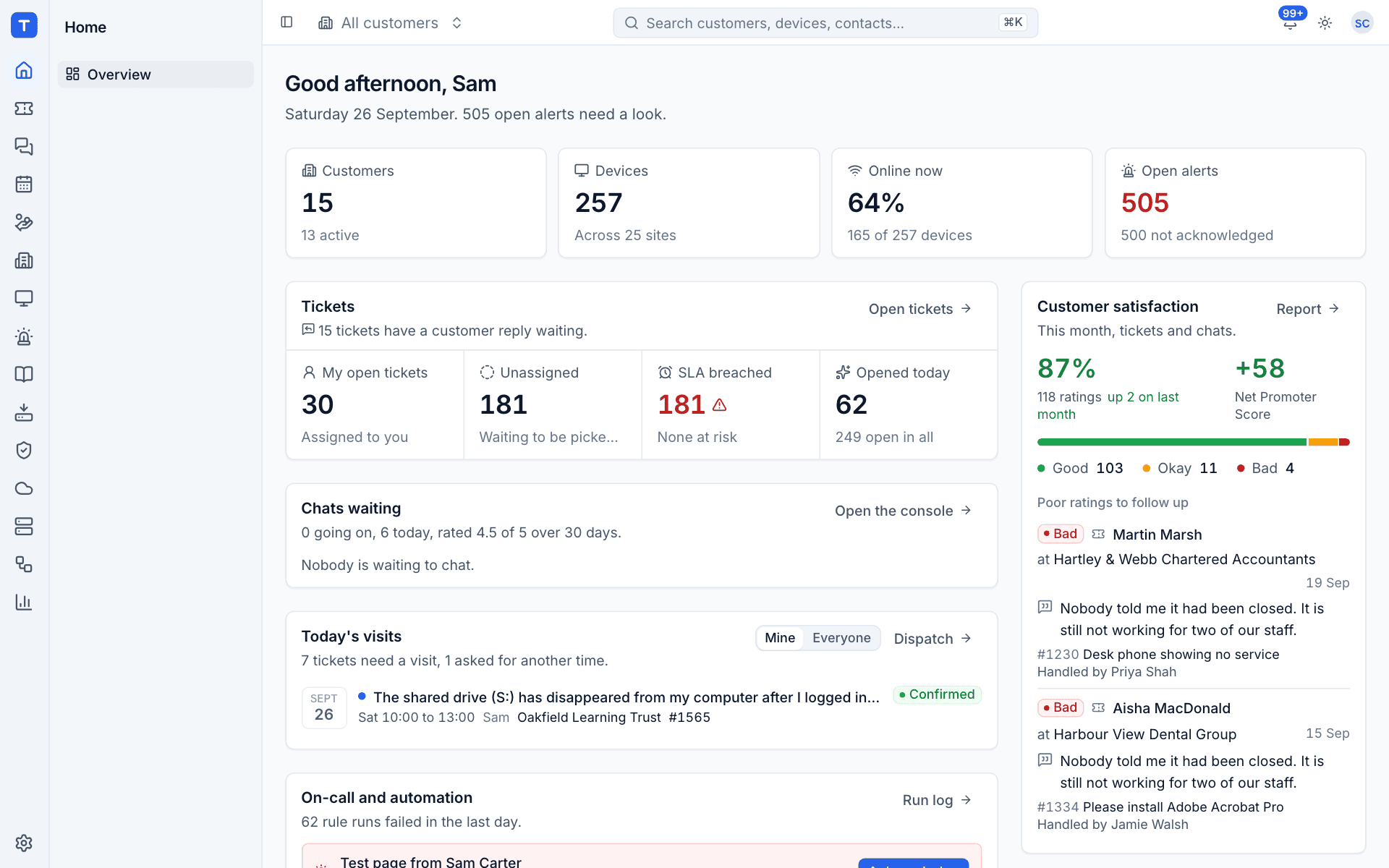
The main areas
Each area appears in the rail down the left of the app. Your administrator can switch off the areas your team does not use in Modules, and they disappear for everyone.
| Area | What it covers |
|---|---|
| Tickets | The service desk: tickets, email to ticket, SLAs, time, contracts and the customer portal |
| Chat | Live chat from your website, the customer portal and the tray icon on customers' machines |
| Schedule | The technician calendar, visits booked against tickets and the dispatch board |
| Sales | Quotes and proposals from your catalogue, accepted online |
| Customers | Companies you look after, with their sites and contacts |
| Devices | Every enrolled machine: inventory, monitoring, patching, software, scripts and remote control |
| Alerts | Everything that needs a look, from every part of the app |
| Docs | Customer documentation, credentials and your knowledge base |
| Backup | Microsoft 365 and endpoint backup |
| Security | Security events, detections and Cyber Essentials readiness |
| Microsoft 365 | Tenant audit, configuration, email security and starters and leavers |
| Infrastructure | Proxmox hosts and guests, and the web servers you host sites on |
| Automation | "When this happens, do that" rules across tickets, alerts and devices |
| Reports | Monthly customer reports, dashboards and the report builder |
One agent
Devices report in through the Tenvara agent, a single signed program for Windows, macOS and Linux. It is one installer, one service and one enrolment. Inventory, remote control, monitoring, patching, software, scripts, printers, backup, security monitoring and the rest are modules inside that agent, switched on by policy from the server. There are no extra installs per feature. See Devices and agent for how the modules are set.
Your team and your customers
- Your team signs in to the app with an email and password, with two-factor, or with single sign-on through Microsoft Entra ID, Google Workspace, any OpenID Connect provider or SAML 2.0. Everyone has one of three roles (Administrator, Technician or Read only), with per-area permissions on top. See Roles and permissions.
- Your customers' contacts use the customer portal. They sign in with a link emailed to them (there are no passwords) to raise and follow tickets, accept quotes, read help articles, download their monthly reports and chat with you. See The customer portal.
Hosted or self-hosted
Tenvara is the same product whichever way you run it:
| Hosted | Self-hosted | |
|---|---|---|
| Where it runs | On an instance we run for you at yourname.tenvara.app |
On your own Linux server with Docker Compose |
| Updates, backups and monitoring of the server | Done for you | Done by you, on your schedule |
| How you get it | Order a hosted plan at www.tenvara.io | Order a self-hosted plan and use the licence key from your account |
| Guide | Hosted onboarding | Installing self-hosted |
Once you can sign in, First steps walks through adding a customer, inviting your team and installing the agent.
Was this page helpful?
Thanks for the feedback.