Unbilled seats and licence alerts
The four licence alerts, when they are raised and cleared, how to turn them into tickets, and a routine for keeping licences and billing in step.
Licences and billing raises alerts for the problems that cost you money: a source that has stopped syncing, a commitment about to renew, seats you pay for but do not bill, and a tenant using more licences than you supply. They appear in the Alerts area under the source Licences and billing, next to alerts from every other part of Tenvara.
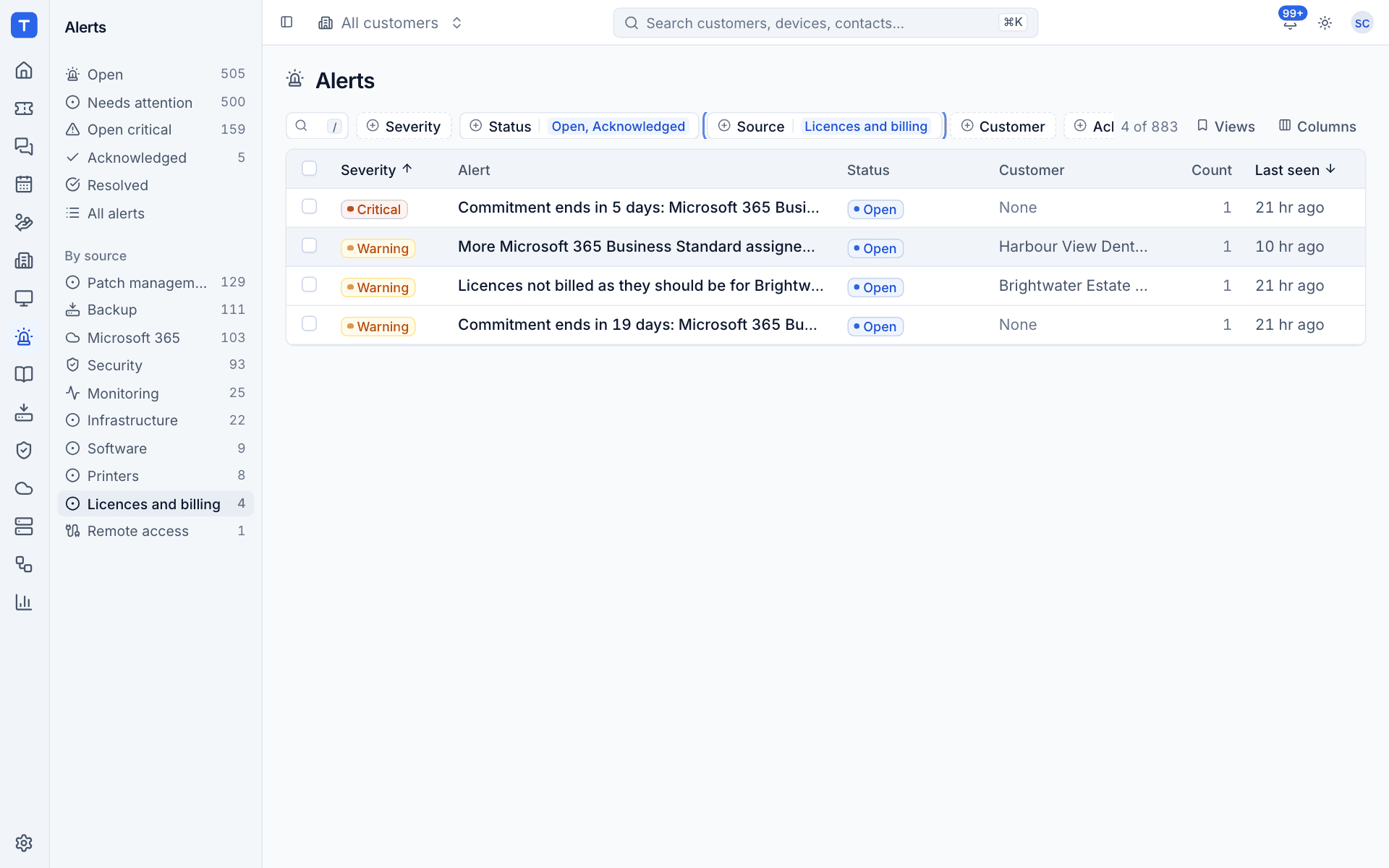
The alerts
| Alert | Raised when | Severity | Cleared when |
|---|---|---|---|
| Sync failed | A licence source fails to sync | Critical when the credentials are refused, otherwise warning | The next good sync |
| Commitment ends in N days | An annual or longer commitment ends within 30 days, or an end date is set with no term | Critical within 7 days, otherwise warning | The subscription is renewed, cancelled or the date has passed |
| Licences not billed as they should be | Any of a customer's subscriptions shows Differs, Not billed yet or Cannot bill | Warning | Billing is back in step |
| More ... assigned | A customer's tenant assigns more of a licence than your sources supply | Warning | Assignments are back within what you supply |
Monthly commitments never raise the commitment alert, since they end every month.
The sync alert is raised as soon as a sync fails. The other three are checked each day at 06:30 against the latest Microsoft 365 data, and again after each sync, seat change, mapping and billing update.
An alert that is already open at the same severity is left alone (its wording is updated quietly), so the daily check does not add a note to its ticket every day.
Find licence alerts
- Go to Alerts.
- Under By source, select Licences and billing.
Or use the Source filter on any alert list. Each alert links to the customer where there is one; commitment alerts name the subscription and product.
Turn alerts into tickets
Licence alerts go through your alert rules like any other, so a rule with the source Licences and billing can open tickets for them automatically. Useful rules include:
- a ticket when a commitment ends within 30 days, so the renewal is discussed with the customer before it rolls over;
- a ticket when licences are not billed as they should be, for whoever does the invoicing;
- a ticket for critical alerts, which catches a source whose credentials have been refused.
Unbilled seats
Licences not billed as they should be is the alert that matters most, because every day it stays open you may be paying for seats you are not charging for. Its causes, and the fix for each:
| What the subscription shows | Fix |
|---|---|
| "The customer has no contract to bill it on." (Cannot bill) | Create or activate a contract for the customer. Tenvara never creates one itself |
| No price (Cannot bill) | Map the product to a catalogue item with a price. See Mapping companies and products |
| "The contract bills 40 seats (the subscription has 42)." (Differs) | Apply the waiting change with Apply to billing |
| Not billed yet | Select Apply to billing to add the line to the contract |
To work through them:
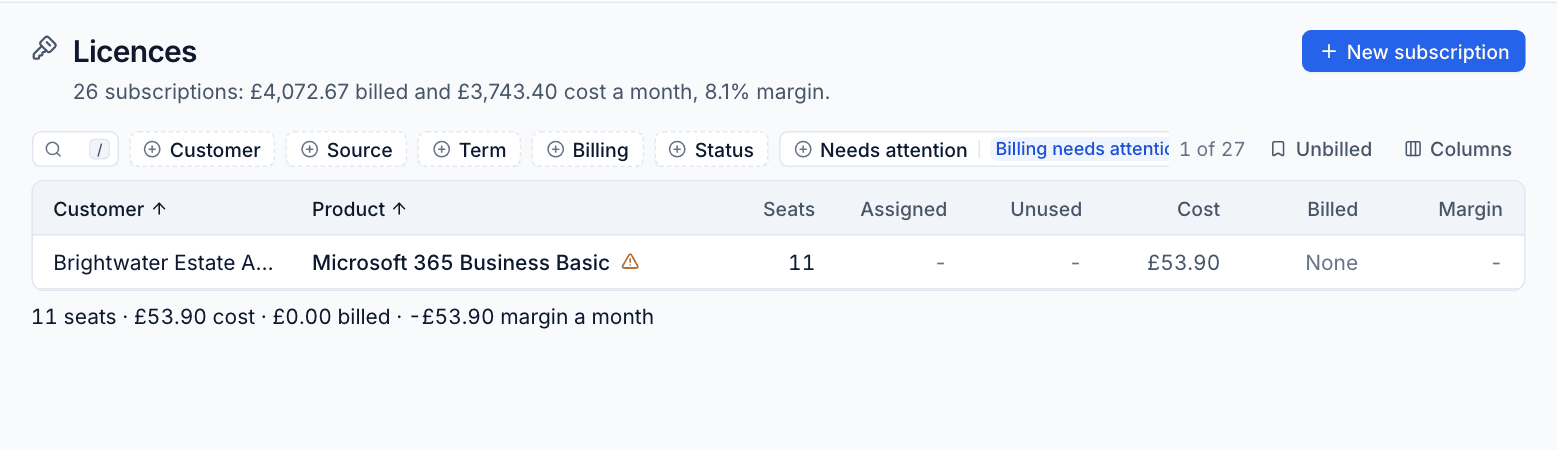
- Open Unbilled under Licences in the sidebar. The number beside it is how many subscriptions need a look.
- Click each row and read the banner at the top of its panel.
- Fix the cause, or select Apply to billing.
See Billing licences into contracts for how billing states work.
Home and the sidebar
When something needs someone, Home shows a Licences line with the most pressing item, for example "1 to check in billing", and "+N more" for the rest. Hover over it to see them all; select it to open the matching view. It covers, in order: a source failing to sync, subscriptions not billed as they should be, changes waiting to be applied, commitments ending within 30 days, companies and products to map, and the monthly cost of unused licences.
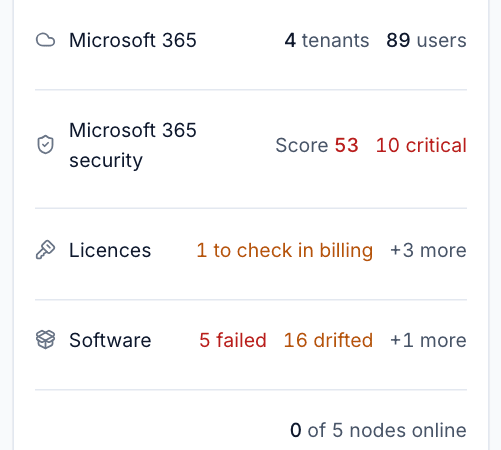
The numbers in the sidebar beside Unused seats, Commitment ending, Unbilled and Mapping show the same counts at all times.
A monthly routine
- Mapping: confirm any new companies and products.
- Unbilled: clear every subscription listed.
- Changes, view Waiting for billing: apply or review anything waiting for customers who approve changes.
- Commitment ending: agree renewals and seat reductions with customers before the date.
- Reconcile: check Unused seats and Reclaimable users, and reduce seats where the customer agrees.
- By customer: sort by % and look at any customer with a low or negative margin.
Then run the Xero export as usual: the licence lines are already on the contracts.
Was this page helpful?
Thanks for the feedback.