AI assist overview
What AI assist does in Tenvara, where it shows up, and the rules it always follows.
AI assist helps technicians with the reading and writing around a ticket: it suggests how a new ticket should be set up, summarises long threads, drafts replies, and investigates a slow or broken computer with read-only checks before anyone remotes in. It uses Anthropic's Claude models through your own Anthropic API key, so you pay Anthropic directly for what you use and can see every call and its cost in Tenvara.
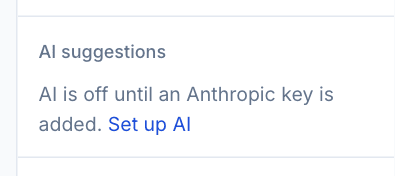
Everything is off until an administrator adds a key. Until then, the places AI would appear say so, with a link to set it up.
What it does
| Feature | Where | What it does |
|---|---|---|
| Triage | New tickets, and on demand | Suggests the type, priority, queue, assignee and symptom, each with a confidence and a reason |
| Summaries | Ticket threads | Summarises a long thread at the top: key points, who it is waiting on, the next step |
| Draft replies | The ticket composer | Drafts a reply or a customer update from your knowledge base, similar resolved tickets and the thread |
| Investigator | Tickets and devices | Finds the device, runs read-only checks, and posts an internal note with likely causes, evidence, charts and suggested fixes |
| Ask AI | Tickets and devices | Answers a question using the same read-only checks, saved as an internal note or in the device's activity |
| Chat bot | Live chat | Answers chats first and does self-service actions the visitor confirms. See The chat bot |
Monthly customer reports can also carry a summary written by AI, marked as such. See Customer report settings and templates.
Where you find it
On a ticket:
- AI suggestions in the right-hand panel shows the triage, with Apply per field.
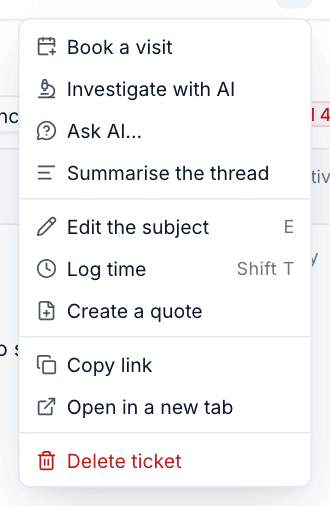
- The ... menu in the ticket header has Investigate with AI, Ask AI... and Summarise the thread.
- The Draft button in the composer has Draft a reply, Draft a reply that... and Draft a customer update.
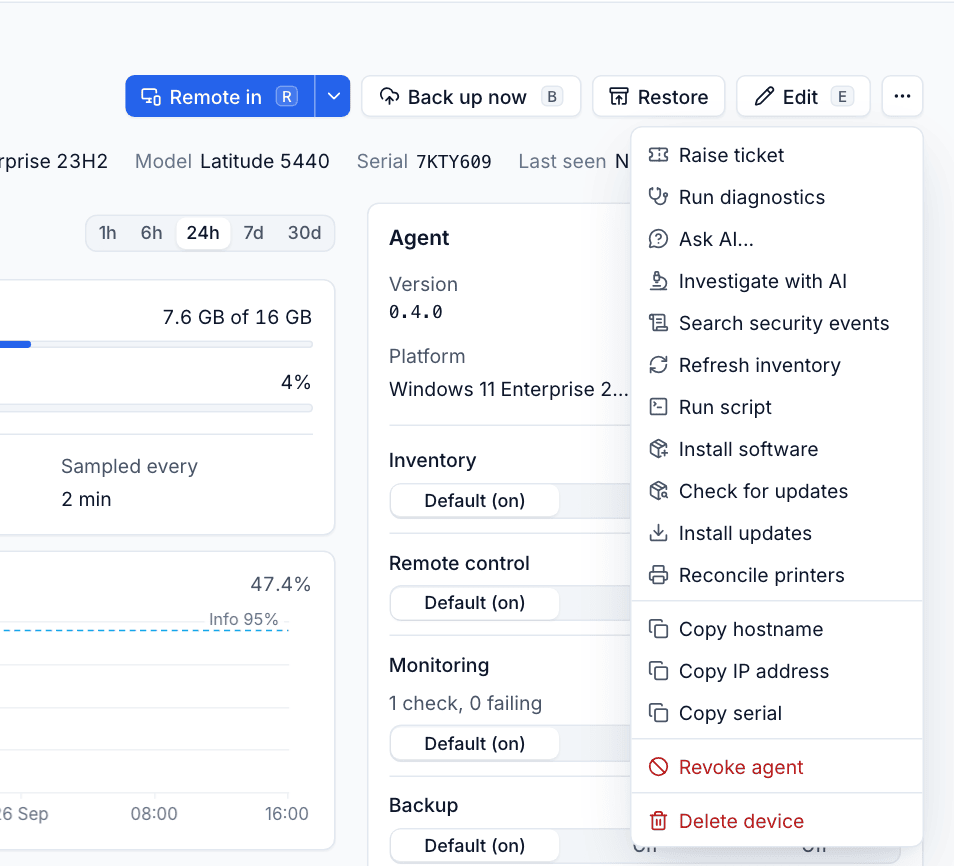
On a device, the ... menu has Ask AI... and Investigate with AI.
The rules it always follows
- It reads and suggests; people act. Nothing is ever sent to a customer without a technician pressing Send. Drafts go into the composer, not out of the door.
- Nothing changes on a device without a person. Suggested fixes run only when a technician presses Run, with that technician's permissions. The one exception is a named low-risk fix that a customer has chosen to allow, which runs on its own and is logged.
- Checks are read-only. The investigator can look at a device, its monitoring history, alerts, changes, backups and sign-ins, but has no way to change anything.
- Customer text is data, not instructions. Ticket messages are marked as data and fixed rules after every prompt say they are never to be followed as instructions. These rules cannot be edited away.
- Only what a feature needs is sent, customers can be opted out entirely, and passwords and the credentials vault are never sent. See Privacy and customer controls.
- Every action is logged: who asked, about what, which model, tokens, cost and every check it ran.
- Spending is capped per ticket and per month. See Costs and caps.
Anything AI writes is marked as AI, with who asked for it. Investigation notes end with "Check it before acting on it."
Who can use it
- Settings > AI is for administrators.
- Triage suggestions and summaries show to anyone who can view tickets.
- Investigate with AI and Ask AI on a ticket post an internal note as the person asking, so they need permission to manage tickets as well as AI.
In this section
- Setting up AI: the key, features, models and when AI steps in by itself.
- Triage, summaries and drafts.
- Investigations, Ask AI and fixes.
- Privacy and customer controls.
- Costs and caps.
Was this page helpful?
Thanks for the feedback.