Settings overview
Every page in Settings, who can change what, and where each one is explained.
Settings is at the bottom of the rail (or press G then S). The sidebar groups every settings page by what it affects. Your own account pages are open to everyone; the rest are for administrators.
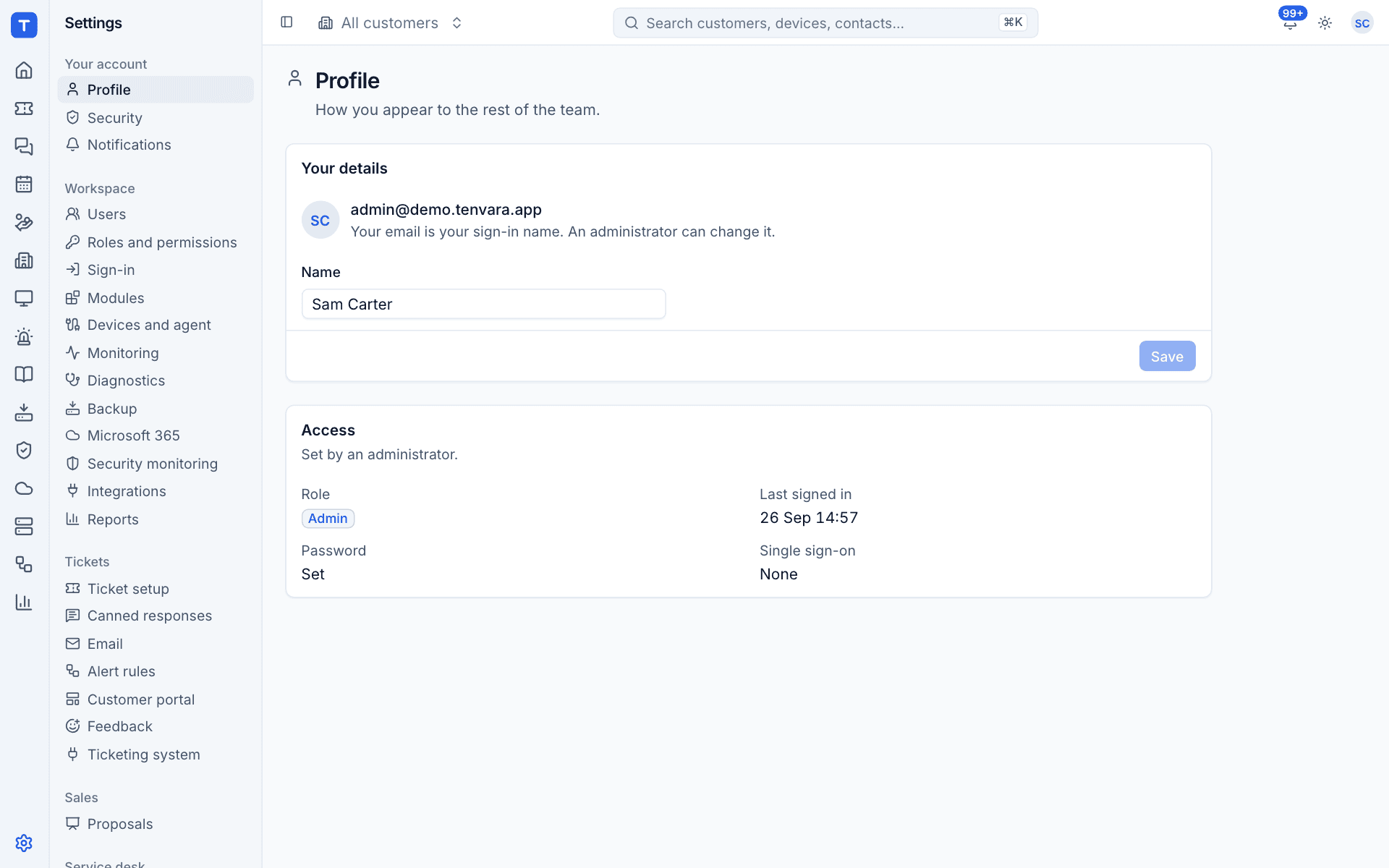
Who can change settings
- Your account (Profile, Security, Notifications) is yours: everyone can see and change their own.
- Users, Roles and permissions, Sign-in and Modules are for Administrators only.
- The settings of each area follow that area's permission. For example, Microsoft 365 settings need Microsoft 365 Manage. See Roles and permissions.
Pages you cannot change are either hidden or shown read-only.
Your account
| Page | What it sets | Guide |
|---|---|---|
| Profile | Your name, and how you sign in (role, password, single sign-on) | Your profile, security and notifications |
| Security | Your password and two-factor | Your profile, security and notifications |
| Notifications | What reaches you where (inbox, email, Teams, Slack, text), how to reach you, and quiet hours | Your profile, security and notifications |
Workspace
| Page | What it sets | Guide |
|---|---|---|
| Users | Everyone who can sign in, their role and how they sign in | Users |
| Roles and permissions | What each role can do in each area | Roles and permissions |
| Sign-in | The two-factor policy and single sign-on providers | Passwords and two-factor, Single sign-on |
| Modules | Which areas your team uses | Modules |
| Devices and agent | Agent updates, check-ins, remote session consent and which agent modules run | Devices and agent |
| Monitoring | Monitoring policies: the global default, customer, device group and device overrides, muting and history | Monitoring and alerts section |
| Diagnostics | What the network probe measures, and when a reading is worth a look | Devices section |
| Backup | Where backups are stored, how often they run and how long they are kept, the Microsoft 365 app registration and the encryption key | Backup section |
| Microsoft 365 | The app registration used for every customer tenant, and partner access for GDAP | Microsoft 365 section |
| Security monitoring | How long security events are kept, what agents collect, the network devices that send syslog, and how detections alert | Security section |
| Integrations | The distributors you buy licences from | Connecting licence sources |
| Reports | What time is worth and costs, the targets people are measured against, and scheduled reports | Reports section |
Tickets
| Page | What it sets |
|---|---|
| Ticket setup | Queues, statuses, priorities and types, the SLA targets for each priority, and the hours SLA clocks run in |
| Canned responses | Replies you send often, shared or personal, with the customer's details filled in |
| Support mailboxes: mail to them becomes tickets and replies, and your replies go out from them | |
| Alert rules | Which alerts become tickets |
| Customer portal | The portal's name, whether it is on, and default access for new contacts. See Customer portal settings |
| Feedback | Asking customers how you did when a ticket is resolved, and Net Promoter Score |
| Ticketing system | Where tickets, time and contracts live: the built-in service desk (the default) or another PSA |
These are covered in the Service desk section.
Sales and service desk
| Page | What it sets |
|---|---|
| Proposals | How quotes look, how long they are valid, VAT rates, templates and what happens once one is accepted. See the Sales section |
| Chat | Live chat from your website, the portal and the tray. See Chat settings |
| Scheduling | How visits are booked and logged, what customers are told, leave, skills, timesheets, expenses and mileage. See the Scheduling section |
| Automation | How rules run, who may make which rules, notification channels (such as Teams, Slack and text) and who is on call. See the Automation section |
| AI | Triage, summaries, draft replies and device investigations with your own Anthropic key. Off until a key is added. See the AI section |
How changes apply
- Most settings pages have a Save or Save changes button that stays greyed out until you change something. Leaving the page without saving discards your changes.
- Permission changes apply the next time each person's session refreshes, within a few minutes.
- Sign-in changes (two-factor policy, single sign-on) are checked at every session refresh, so people who are no longer allowed in are asked to sign in again within 15 minutes.
- Agent settings reach online agents straight away, and offline agents the next time they connect.
Server settings
A few things are not in the app because they belong to the server: the instance address, outgoing mail (SMTP) and the TURN relay for remote control. On a hosted instance we look after them. On a self-hosted install they live in the .env file: see Installing self-hosted.
Was this page helpful?
Thanks for the feedback.