Compliance frameworks
Assess customers against Essential Eight, NIST CSF 2.0, CIS Controls v8.1 and NIS2 beside Cyber Essentials, from live checks and attestations, with what to fix first, evidence, review dates and a PDF for the customer.
Security > Compliance assesses each customer against the security frameworks that apply to them, every day. Where Tenvara can see a control from live data (device protection, patching, vulnerabilities, backups, Microsoft 365, security events and awareness training), the checks decide. Where it cannot, such as a written policy or a process, someone attests it with evidence and a review date.
The frameworks
| Framework | What is assessed |
|---|---|
| Cyber Essentials | The UK scheme's five technical controls, with certificates and renewal reminders. It has its own screens: see Cyber Essentials readiness |
| ACSC Essential Eight Maturity Model | The eight mitigation strategies, each at maturity levels one to three, against a target level per customer |
| NIST Cybersecurity Framework 2.0 | The six functions (Govern, Identify, Protect, Detect, Respond and Recover) and their categories |
| CIS Critical Security Controls (v8.1) | The 18 controls and their safeguards, at the customer's Implementation Group (IG1, IG2 or IG3) and those below |
| NIS2 | The cybersecurity risk-management measures of Article 21(2), management body duties (Article 20) and reporting (Article 23). NIS2 applies to the customer itself |
The checks are shared, so a failing device fails the same way in every framework that uses that check. Beyond the Cyber Essentials checks they include disk encryption, a healthy EDR agent on every device, application control, backup coverage and recent restore tests, security logging, detections answered in time, an up-to-date device and software inventory, Microsoft 365 posture checks, known vulnerabilities fixed in time, and the security awareness checks.
The compliance list
Each framework in use has a tile with its average score and how many customers have not met it. Below, every customer shows its score, week-on-week change and status for each framework, or Not applied. Click a tile to see only that framework.

Frameworks and checks opens the settings.
Choosing frameworks for a customer
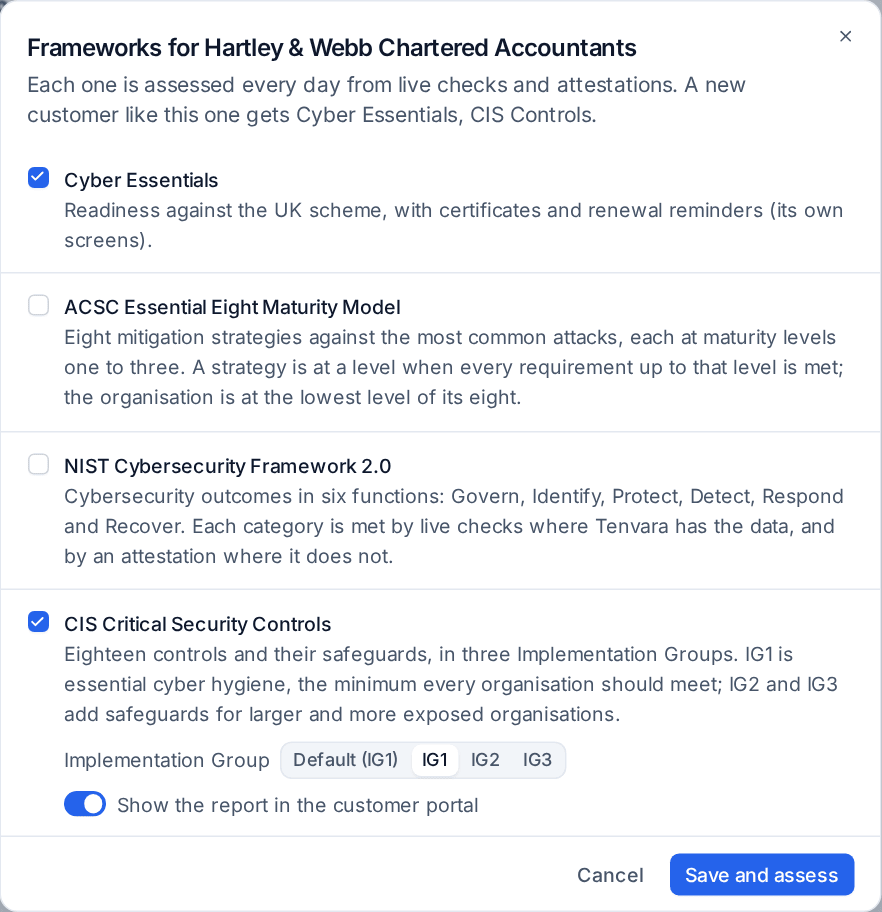
New customers get the frameworks set in Settings, or their country's usual ones (for example Cyber Essentials and CIS Controls for a UK customer).
To change them:
- Click the customer, then Choose frameworks.
- Tick the frameworks that apply.
- For the Essential Eight choose the target Maturity level; for CIS Controls the Implementation Group.
- Switch on Show the report in the customer portal to publish it to the customer.
- Press Save and assess.
A customer's assessment
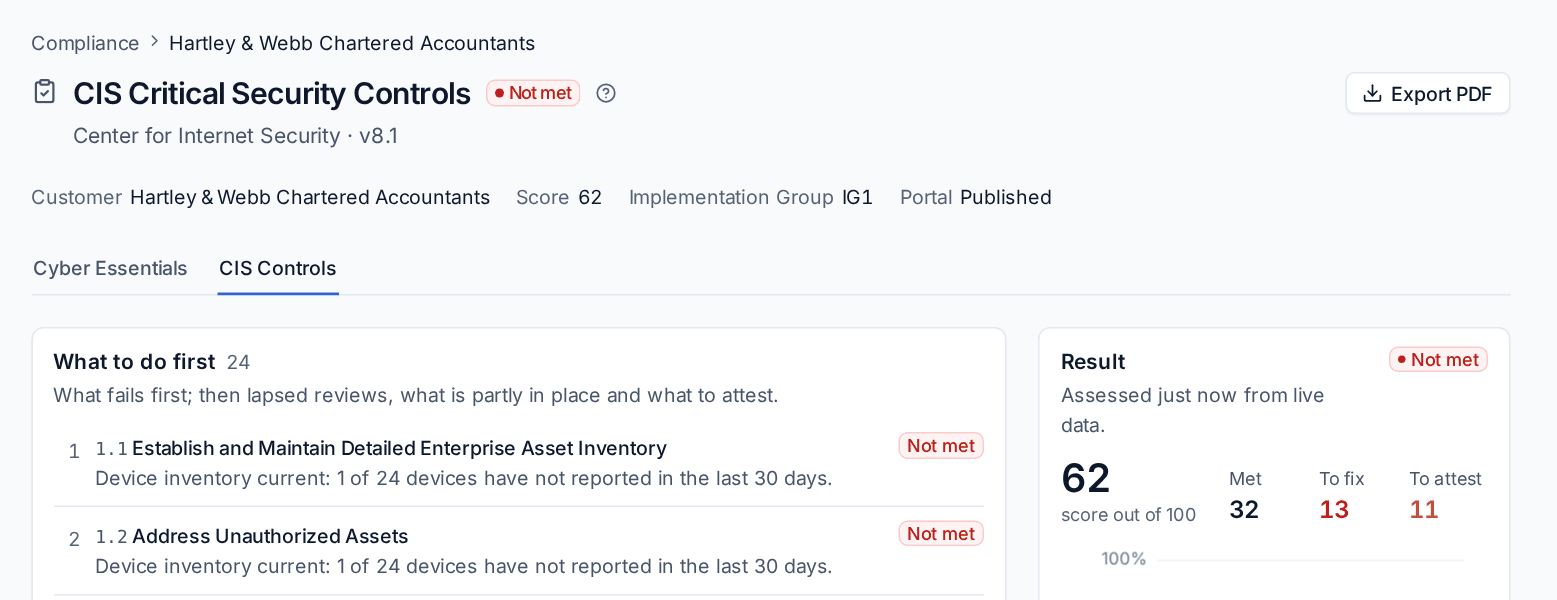
The customer's page has a card per framework with its status, score and change, what is still to fix and to attest, and Open. A framework's page shows:
- The result, score and a 90-day trend, with how many controls are met, to fix and to attest. For the Essential Eight, each strategy's level and the overall level against the target (the customer is at the level of its lowest strategy).
- What to do first: what fails first, then lapsed reviews, what is partly in place and what to attest.
- Every control by group with its checks, the failing devices and accounts as links, and a link to where it is fixed.
- Still to do and, for CIS Controls, a switch to show safeguards outside the customer's Implementation Group.
Control status
A control is Met when its checks pass or it is Attested as in place, Partly met, Not met when a check fails or it is attested as not in place, lapsed when its attestation is past its review date, not assessed, not applicable (attested) or off. An attestation never outvotes a failing check. The score counts met controls and half of the partly met ones.
Attesting a control
For controls the checks cannot see, or cannot fully see:
- Open the control and press Attest.
- Choose the Status: In place, Partly in place, Not in place or not applicable.
- Describe the Evidence (a policy, a setting, a record), or give a Link to the evidence. One of them is needed for in place and partly in place.
- Name the Owner at the MSP and the Owner at the customer.
- Set Review by. Left empty, it is twelve months from today. Past it, the attestation lapses and stops counting.
- Press Save attestation.
History shows every attestation of a control; a new one keeps the old ones. Withdraw removes the current one, and the control counts as not assessed until someone attests it again.
Owners are reminded before a review is due (14 days by default), told when one lapses, and each customer and framework with a lapsed attestation raises an alert until it is reviewed.
Reports for the customer
Press Export PDF on a framework's page for a report in your branding, in the customer's language and formats. Frameworks published to the portal appear on the portal's Compliance page for the customer's portal managers and decision makers.
Settings
Settings > Security monitoring > Compliance (administrators) sets, per framework: whether it is offered, the default target level, how often attestations are reviewed (12 months), and per control whether its checks run automatically (off means attestations only) and each check's limits. It also sets the frameworks new customers get, the kinds of device assessed, how many days before a review owners are reminded, and whether new customers' reports are published to the portal.
Related: Vulnerability management, Security awareness training, Device protection.
Was this page helpful?
Thanks for the feedback.