Audit log, data retention and privacy requests
The tamper-evident audit log of who did what, how long each kind of data is kept, legal holds, and handling data subject requests from export to erasure.
Three Settings pages cover governance: Audit log, Data retention and Privacy requests. They are for administrators only.
The audit log
Settings > Audit log is one log of who did what across Tenvara: sign-ins, settings changes, changes to records, permissions and roles, exports and downloads, remote sessions, scripts, credential reveals, Microsoft 365 actions, backup restores, API token use, privacy requests and retention runs.
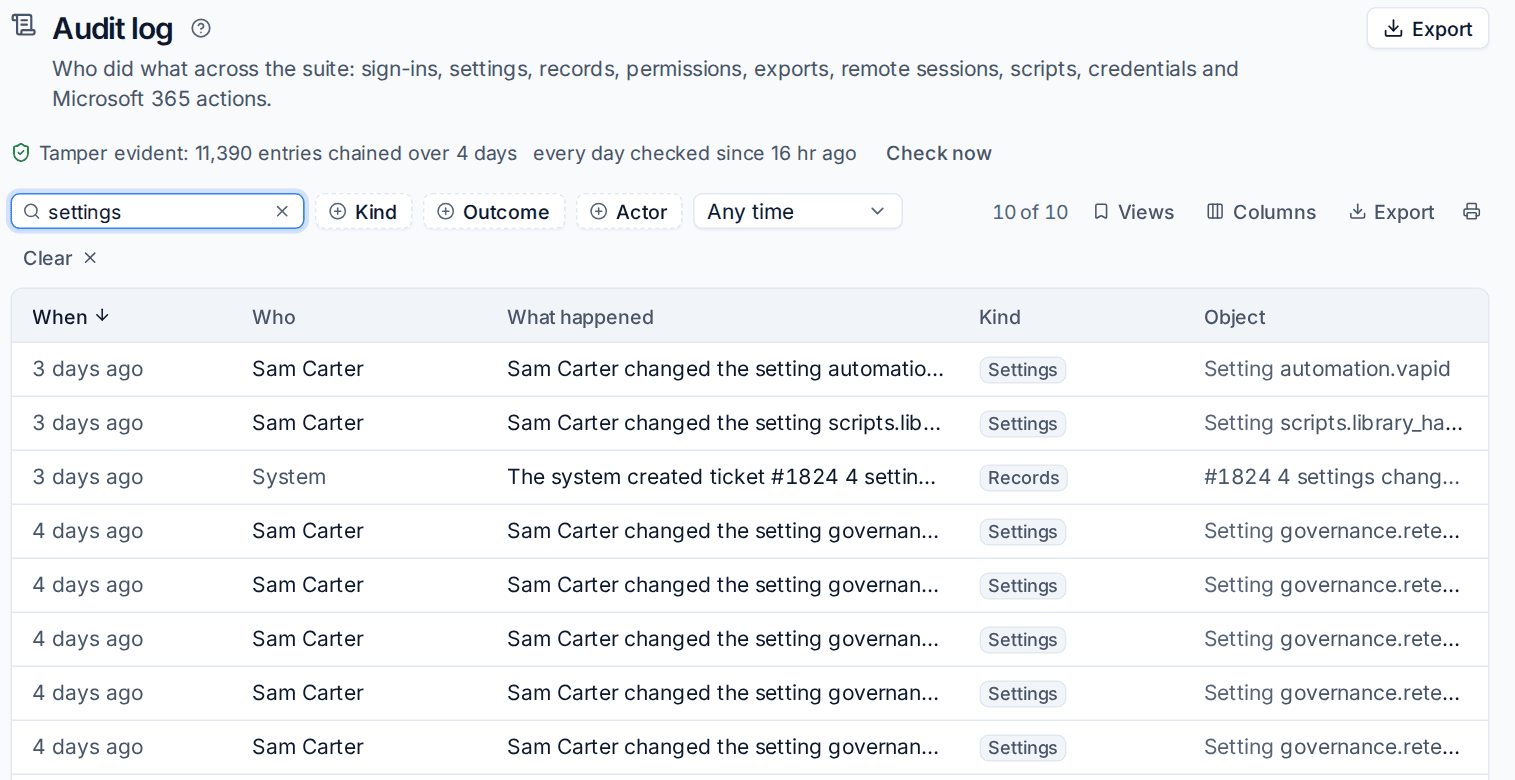
Each entry says who acted (a member of staff, a portal contact, an API token or the system), what happened, when, to what, for which customer and device, and from where. Secrets are never written to it: a changed password only shows that it changed.
Searching and filtering
- Search the summary, object, person, address and action with Search the log....
- Filter by Kind, Outcome, Actor and a time range, or use Views for built-in views such as sign-ins, settings changes, permissions and roles, exports and downloads, remote access and scripts, credential reveals, and failed or refused actions.
- Click an entry to open it: the before and after of every field that changed, the details, other entries from the same request, and its place in the chain.
- History in the actions menu of a customer, contact, device or ticket opens the log filtered to that record.
Export downloads what your filters find as CSV, for a spreadsheet or JSON, with changes and details. The export itself is recorded.
Tamper evidence
Every entry is chained to the one before it with SHA-256, and each finished day is sealed. Every night Tenvara checks every day again; Check now runs the check on demand. If an entry has been changed, removed, reordered or added outside Tenvara, its day is listed as broken at the top of the page and a critical alert is raised. The line at the top of the page says how many entries are chained and when every day was last checked.
Data retention
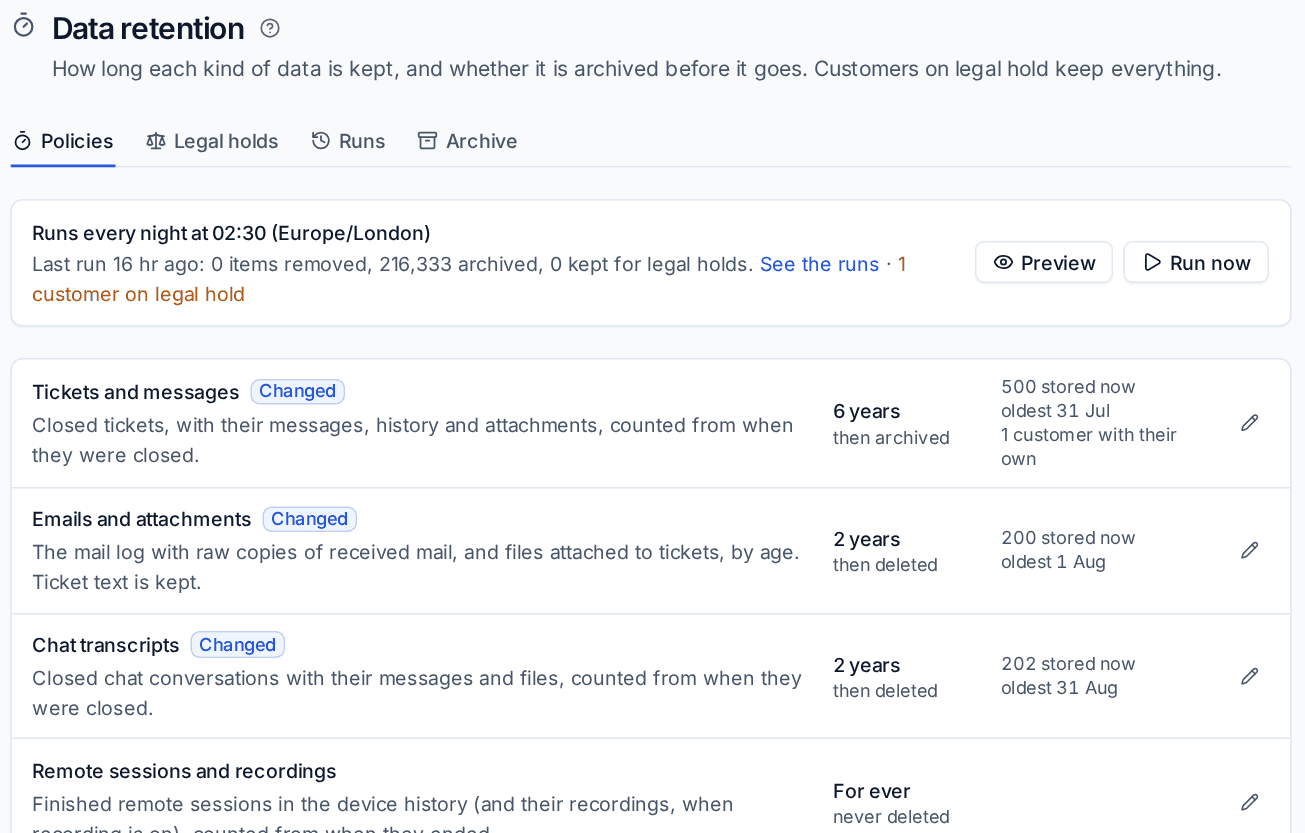
Settings > Data retention sets, for each kind of data, how long it is kept and what happens at the end of that time: Delete, or Archive then delete. Out of the box nothing is deleted that Tenvara kept before, so you choose periods when you are ready.
| Kind | Shortest period | Can differ per customer |
|---|---|---|
| Tickets and messages | 365 days | Yes |
| Emails and attachments | 30 days | Yes |
| Chat transcripts | 30 days | Yes |
| Remote sessions and recordings | 30 days | Yes |
| Security events | 7 days | No |
| Monitoring metrics | 30 days | No |
| Audit log | 365 days | No |
| Activity | 90 days | Yes |
| Backup logs | 30 days | Yes |
| AI logs | 30 days | Yes |
Set a period
- On the Policies tab, press the pencil next to a kind of data.
- Choose Keep for a number of days, or Keep for ever.
- Choose At the end of the period: Delete, or Archive then delete to keep a compressed copy in archive storage.
- Under Customers with their own period, add any customer whose contract says longer or shorter.
- Press Save.
When tickets reach the end of their period, their time entries, invoices, quotes and purchase orders keep their rows, so billing stays whole. Security events and monitoring metrics follow the period set in their own Settings pages. See Log retention and archive.
The nightly run
Retention runs once a night at the time shown at the top of the page. Preview shows what a run would remove now without removing anything, and Run now runs it straight away after you confirm. The Runs tab lists every run with what it removed, archived and kept for legal holds.
Archive storage
The Archive tab chooses where archived data goes: S3-compatible object storage or a folder on the server. Test writes, reads back and removes a small file. Keep archived data for decides how long the archive itself keeps them.
Legal holds
A customer on legal hold keeps everything: no retention, no archive clean-up and no privacy erasure until the hold is released.
- On the Legal holds tab, press Place a hold.
- Choose the customer, give a reason, and optionally a case reference and a review date.
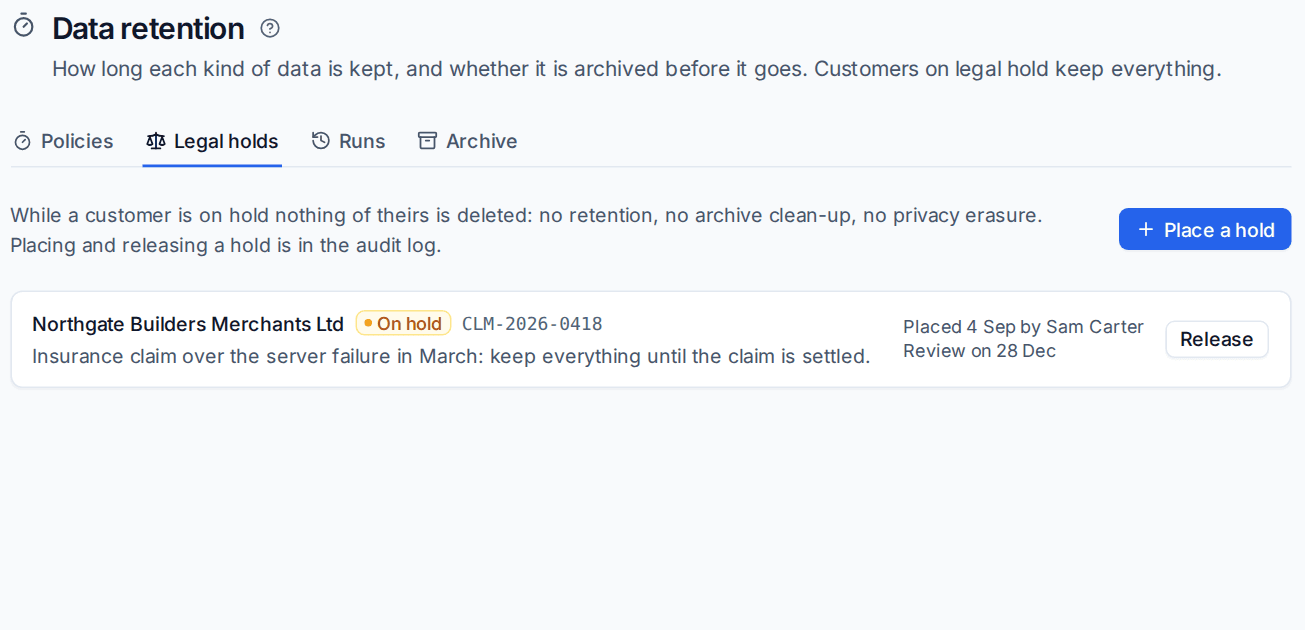
Release ends the hold. Placing and releasing holds are both in the audit log.
Privacy requests
Settings > Privacy requests is your register of requests from people about the data you hold on them: access, erasure, correction, restriction, portability and objection. Privacy request in a contact's actions menu starts one for that contact.
Register a request
- Press New request.
- Choose What they asked for, How it arrived and the day it was Received on. The deadline counts from that day.
- Pick the Contact, or enter Their name and Their email address for someone without a contact record. Add Other email addresses, Other names and Phone numbers they may appear under.
- Press Register request.
The due date follows the law of your country: one calendar month under UK and EU GDPR, 45 days under the CCPA, 30 days under PIPEDA and the Australian Privacy Act. The register shows what is open, overdue and due in the next seven days.
Work the request
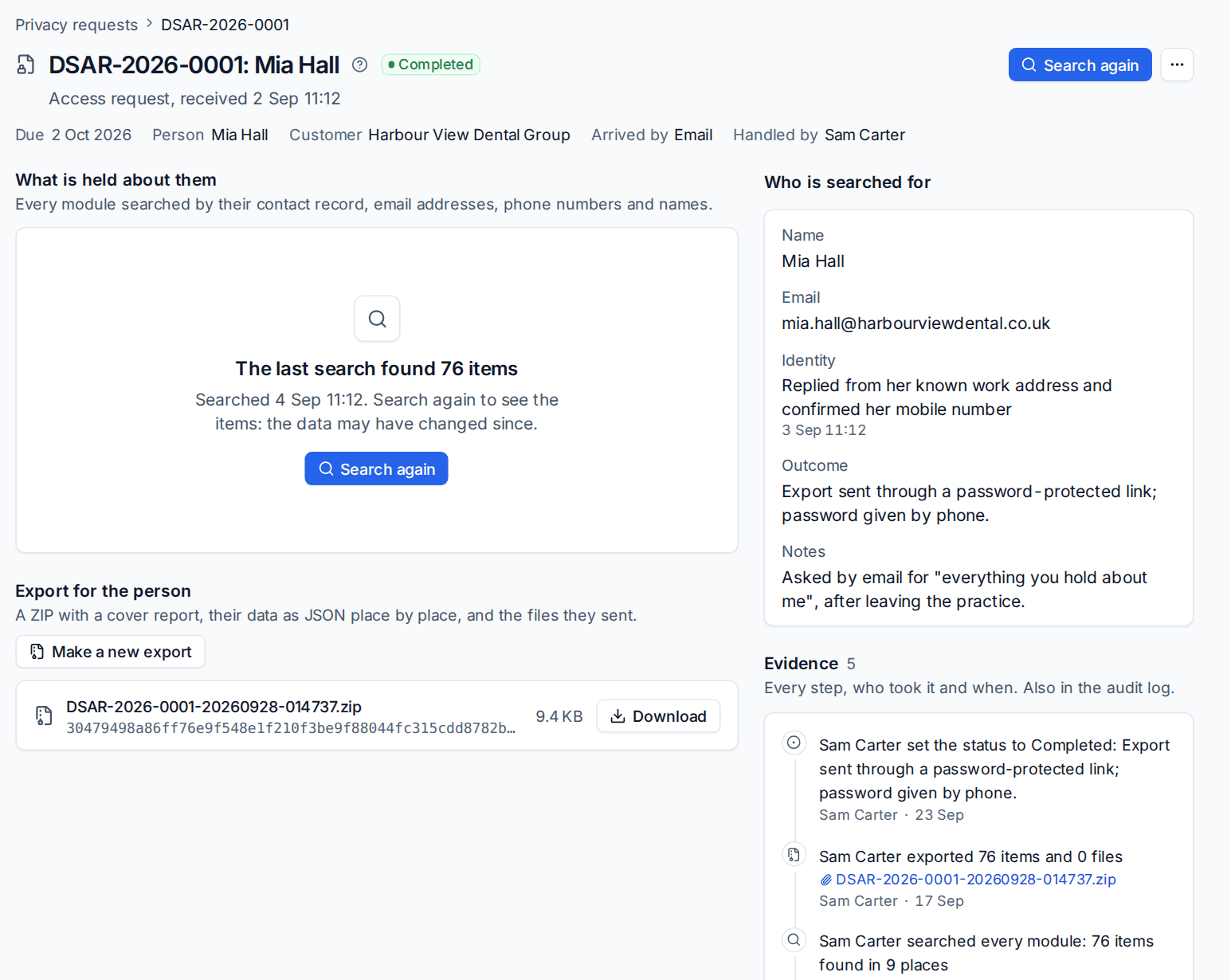
- Verify their identity: record how you know the request comes from the person.
- Search: Tenvara searches every module for their contact record, email addresses, phone numbers and names, and lists what it found and where.
- Make the export: a ZIP with a cover report, their data as JSON place by place, and the files they sent. Send it by a secure route.
- If they asked to be erased, Erase anonymises them: names become the erasure text, addresses and numbers are cleared, and files they sent are deleted. Tickets, invoices and the audit log keep their shape, and the cover report explains what is kept and why. You type the reference to confirm, and you can leave named places alone with a reason. Erasure is refused while a customer of theirs is on legal hold.
- Extend the deadline if the law allows, with your reason, and Change the status with the outcome when you are done.
Every step, note and file is kept as Evidence on the request, with who took it and when, and is also in the audit log.
Related
Was this page helpful?
Thanks for the feedback.