Public holidays and business calendars
Public holidays for any country and region, your own days off, and the business calendars that SLA clocks, on-call, chat and scheduling follow.
Public holidays are days nobody works. SLA clocks, business hours, on-call cover, chat opening hours and the schedule all skip them. Tenvara knows the public holidays of countries worldwide, and of their regions where holidays differ (Scotland, Bavaria, New South Wales, US states and so on).
Your holiday region
Your install's region is set under Settings > Regional > General, Public holidays, Holidays for. It starts from your country, for example England and Wales for a UK install.
Customers and sites elsewhere can have their own: set Public holidays in a customer's Billing and region section, or on a site.
Seeing and changing holidays
Open Settings > Regional > Holidays.
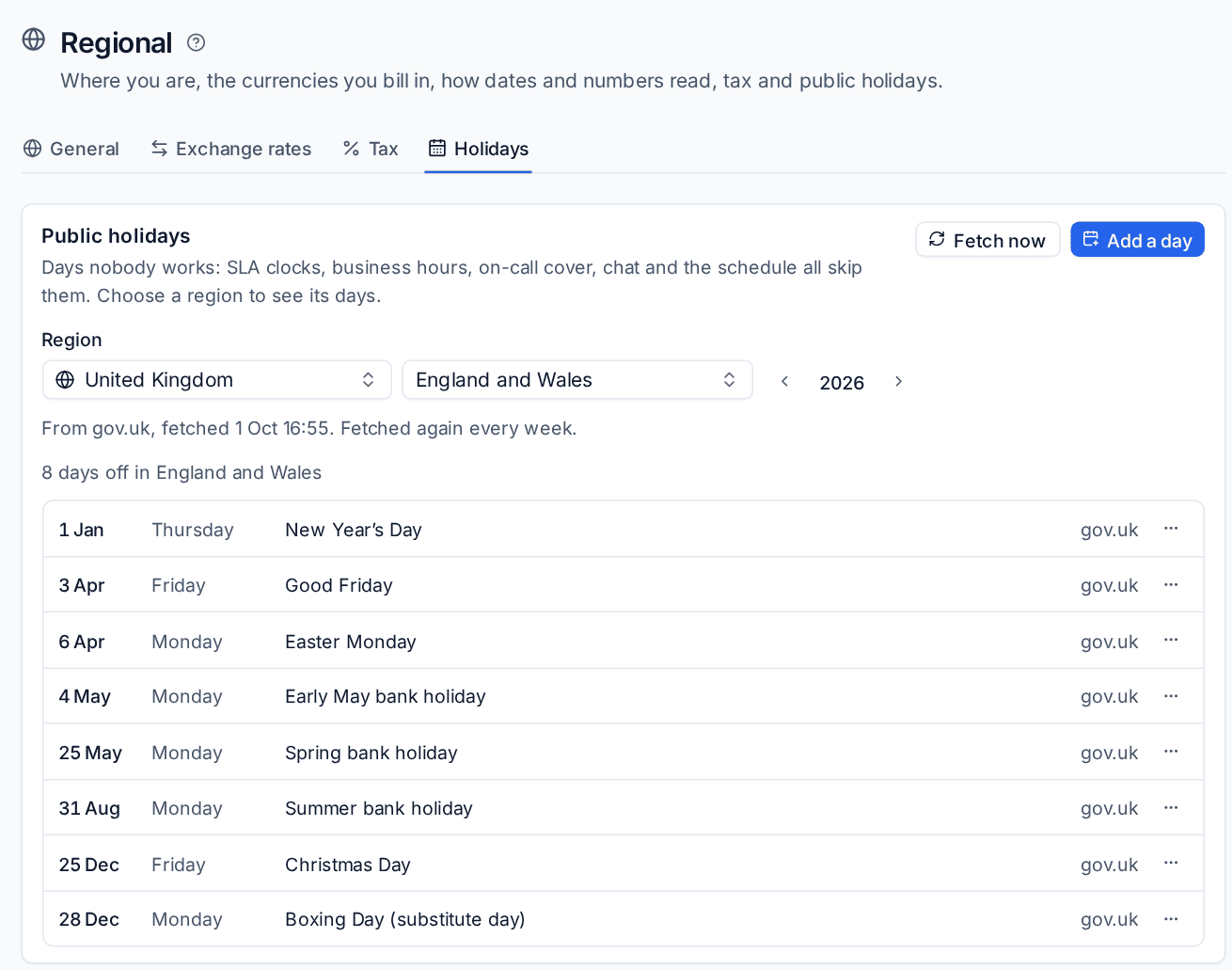
- Choose a Region: the country, then the region within it.
- Use the arrows to move between years.
- The list shows each day off with its weekday, name and where it came from.
Holidays are fetched from gov.uk for the UK and from the Nager.Date public holiday service for everywhere else, this year and next, for every region in use. They are fetched again every week; Fetch now gets them straight away. The line under the region says when they were last fetched. Only real days off are included, not observances.
Add your own day
- Press Add a day.
- Choose the Region. Choose the whole country to add it everywhere in it.
- Enter the Date and a Name, for example a local holiday or a day the office always closes.
- Press Add day.
Your own days count wherever the region is used, and are kept when holidays are fetched again.
Days you work anyway
To work on a public holiday, open the day's ... menu and choose We work on this day. Nothing treats it as a day off in that region any more. Make it a day off again puts it back.
Where each region is used
The bottom of the page lists every region in use and what uses it: your install, business calendars, customers and sites, each as a link.
Business calendars
A business calendar is a set of opening hours, a time zone and a holiday region. SLA clocks only run in business hours and stop on public holidays.
Open Settings > Ticket setup and the Business hours tab.
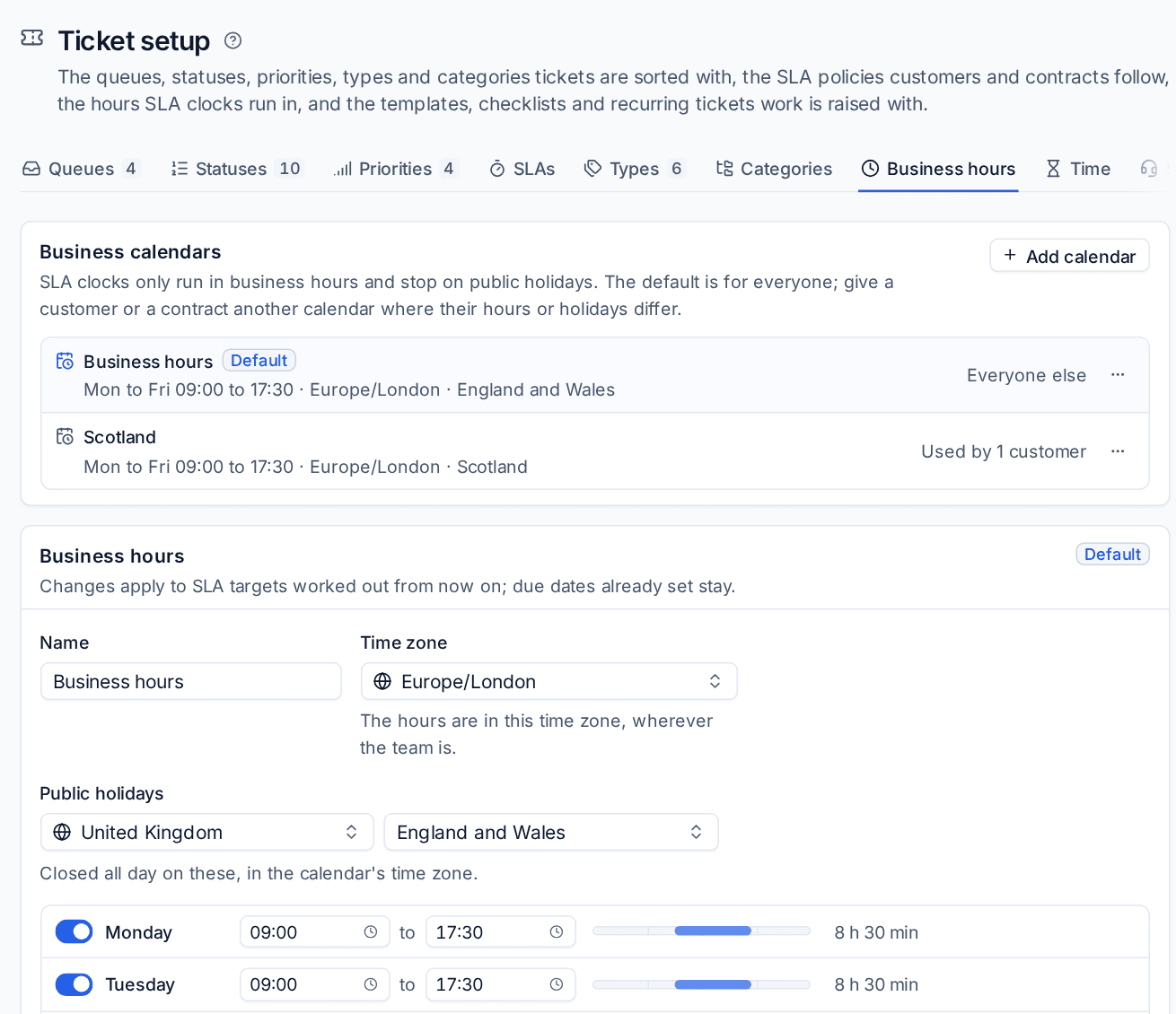
- The calendar marked Default is used for everyone else.
- Add calendar adds another, for customers whose hours or holidays differ, for example a customer in Scotland or one open on Saturdays.
To set up a calendar:
- Select it in the list. For a new one, press Add calendar, give it a Name, choose what to Start from, and add it.
- Choose the Time zone. The hours are in this time zone, wherever your team is.
- Choose the Public holidays region, or No public holidays. It is closed all day on these, in the calendar's time zone.
- Set the hours for each day, or switch a day off. Copy to weekdays copies one day's hours to the others.
- Check Next public holidays it skips, then press Save calendar.
Changes apply to SLA targets worked out from then on. Due dates already set stay as they are.
The ... menu on a calendar has Make default and Delete calendar. You cannot delete the default or a calendar in use; Tenvara says what uses it.
Giving a customer or contract a calendar
- Customer: in the customer's form, choose a Business hours calendar, or Follow the default calendar.
- Contract: choose a calendar on the contract.
A ticket follows the calendar of the customer's newest active contract that has one, else the customer's, else the default.
For example, a ticket opened on the Friday before a Monday bank holiday at 15:40 with an eight-hour target is due on Tuesday, not Monday: the clock stops overnight, over the weekend and on the holiday.
What else follows holidays and business hours
| Where | What happens |
|---|---|
| SLA policies | Due dates, pauses and reopening use the ticket's calendar. See SLA policies and escalations |
| On-call | Public holidays count as out of hours |
| Chat | In business hours mode, chat is closed on the default calendar's holidays |
| Scheduling | Availability, working patterns and timesheets treat the install's public holidays as days off |
| Monitoring | With the policy option Offline alerts only in business hours on, a device that goes offline while its customer's calendar is closed alerts when the calendar opens, if it is still offline |
| Reports | Ticket reports measure time in each customer's business hours |
Related: Ticket setup and SLAs, Regional formats and time zones, Policies, checks and thresholds.
Was this page helpful?
Thanks for the feedback.