Tamper protection
Stop the agent being removed without the customer's uninstall token, restart it when it is killed, and get an alert when someone stops, removes or changes it.
An agent that a user (or an attacker) can quietly remove is an agent you cannot rely on. Tamper protection keeps it in place: removing it needs the customer's uninstall token, the service restarts by itself when it is killed, and every stop, kill, refused removal or change to its settings is reported.
What it does
| Protection | How it works |
|---|---|
| Uninstall token | Each customer has its own uninstall token. The supported ways to remove the agent (the Windows installer, the macOS uninstaller, the Linux package and the agent's own uninstall command) ask for the token and refuse without it. The agent only keeps a salted hash of the token, never the token itself. |
| Keep the agent running | The agent's service restarts by itself when it is killed or fails, through Windows service recovery, launchd or systemd. If someone changes its automatic start or restart settings, the agent puts them back and reports the change. |
| Alerts | Stops, kills, refused removals and changed settings raise alerts. So does an agent that stops checking in straight after an attempt to remove it, because that usually means it was removed some other way. |
A removal with the right token is recorded without an alert. Restarts during a Windows shutdown, a package update or an agent update are not treated as tampering.
Note: Tamper protection guards the supported removal paths and tells you about everything else. It does not lock local administrators out of their own machine, so someone with administrator rights could still force the agent off. When they do, you will know about it. Taking administrator rights away from everyday users, with Admin elevation on request for when they need them, closes that gap.
Turning it on
Go to Settings > Agent protection and find Tamper protection.
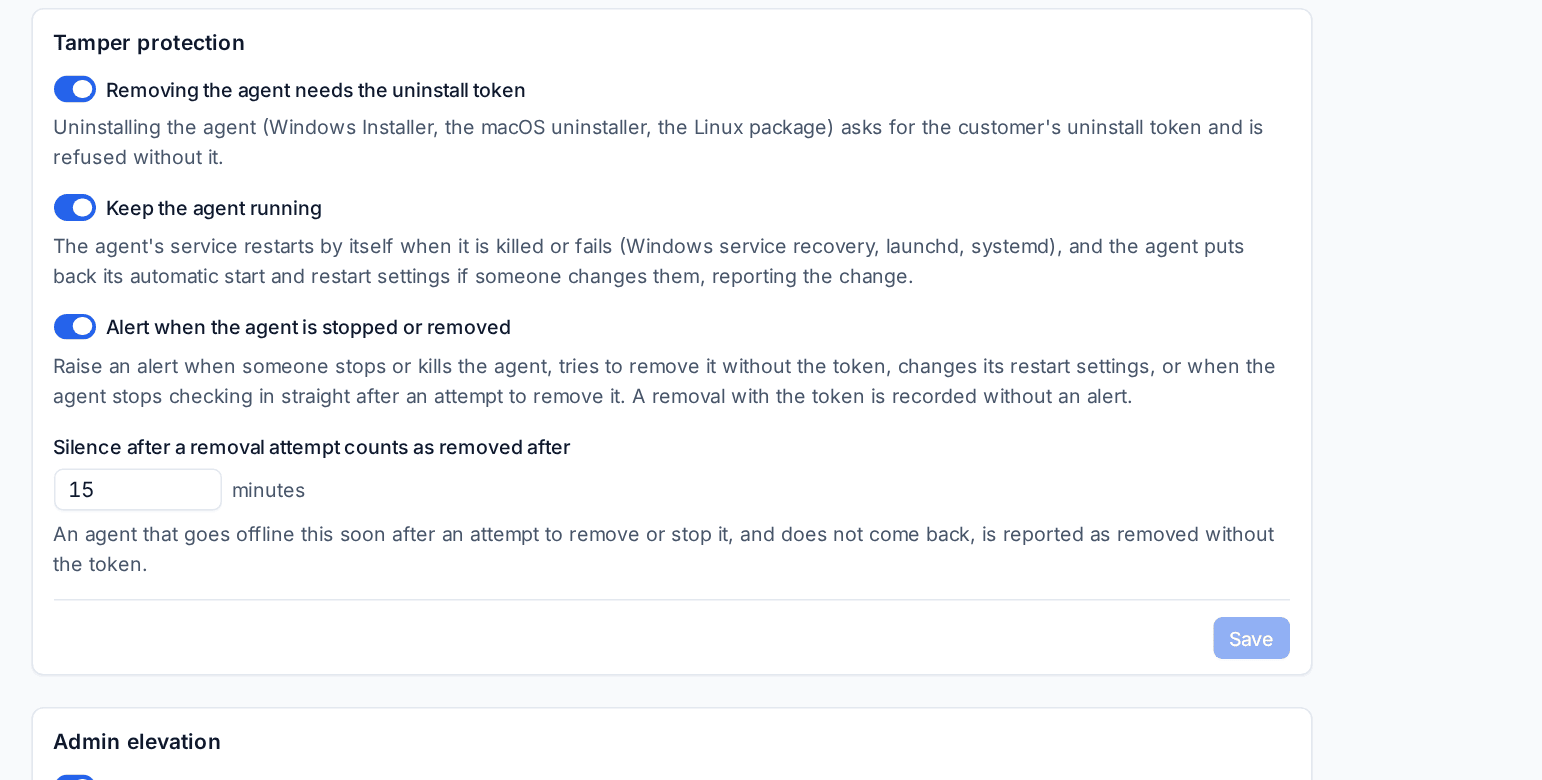
- Removing the agent needs the uninstall token: ask for the customer's token on every uninstall.
- Keep the agent running: restart on kill and put back changed restart settings.
- Alert when the agent is stopped or removed: raise the alerts described above.
- Silence after a removal attempt counts as removed after: an agent that goes offline this many minutes after an attempt to remove or stop it, and does not come back, is reported as removed without the token.
- Click Save.
These are the defaults for every customer. A customer can have its own values through the settings catalogue's customer overrides.
The uninstall token
The token is on each customer page and on each device page. On a device, the Tamper protection card shows whether the token is required, whether restart on kill and stop alerts are on, and what the agent last reported.
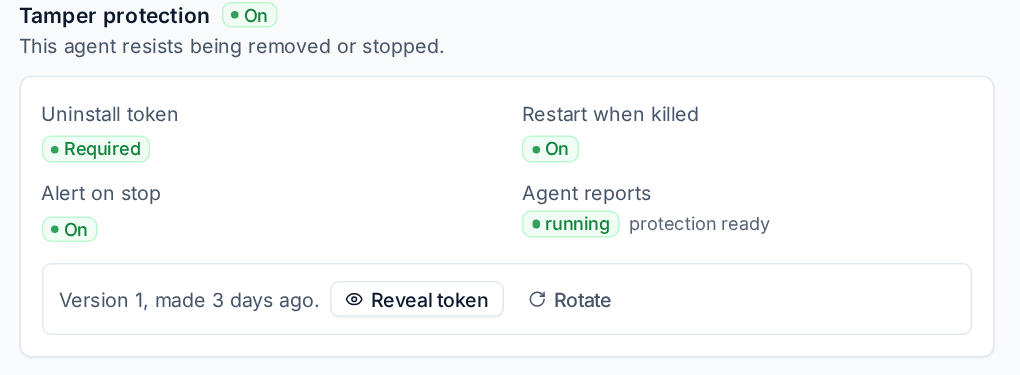
- Reveal token shows the customer's current token, so you can remove the agent on purpose.
- Rotate replaces the token with a new one.
Removing the agent on purpose
Reveal the token, then give it to the uninstaller when it asks: the Windows installer (from Apps and features, or a silent uninstall with the UNINSTALL_TOKEN property), the macOS uninstaller or the Linux package. The removal is recorded on the device without an alert.
Tip: Rotate the token after you have handed it to anyone outside your team, for example a customer's own IT person who needed to reinstall a machine.
Tamper reports
Endpoint > Reports under Tamper protection lists every event, newest first.
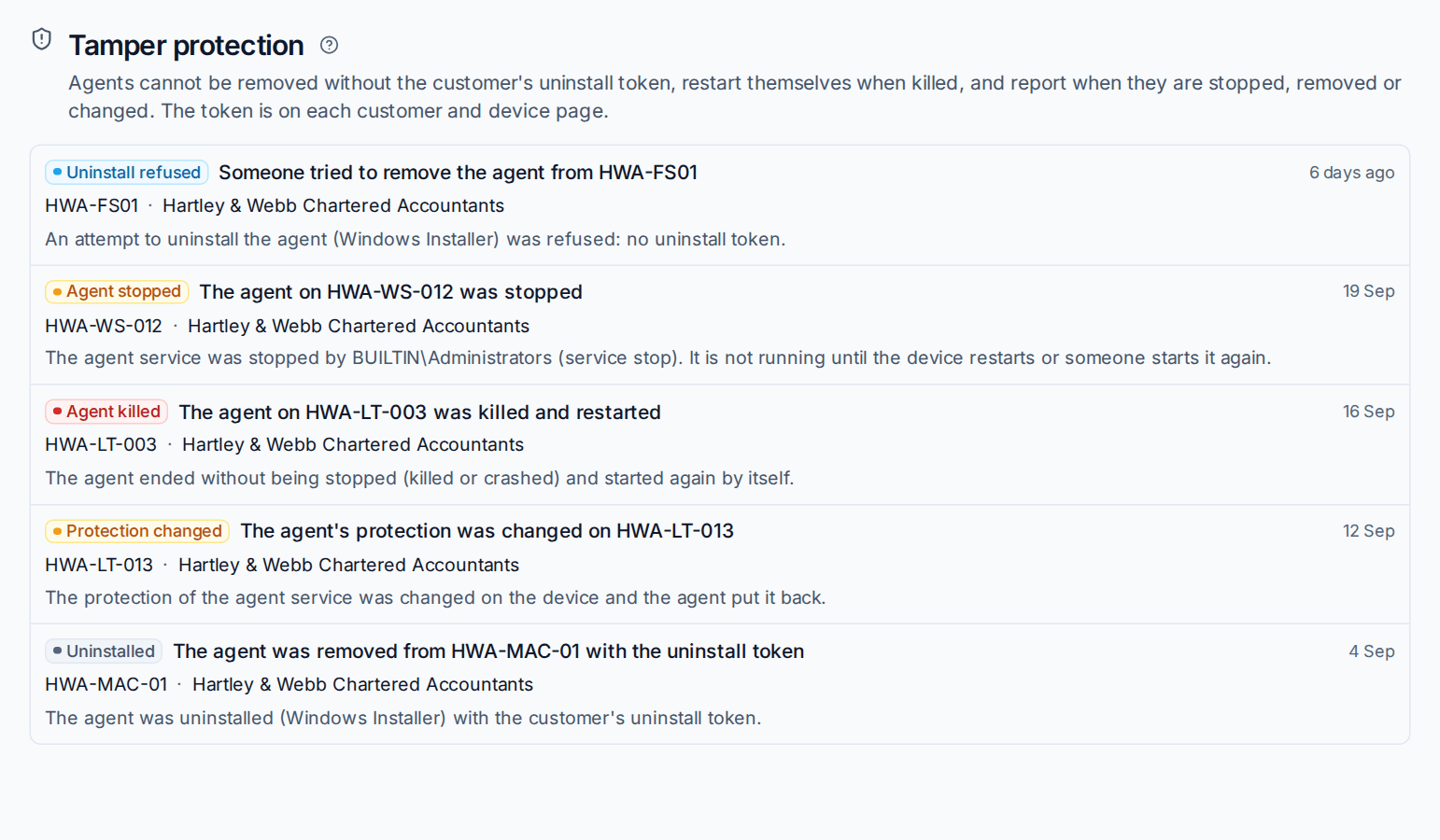
| Event | Meaning |
|---|---|
| Uninstall refused | Someone tried to remove the agent without the token, or with the wrong one. The agent is still installed and running. |
| Agent stopped | The service was stopped, and says by whom where Windows reports it. It stays stopped until the device restarts or someone starts it again. |
| Agent killed | The agent ended without being stopped (killed or crashed) and started again by itself. |
| Protection changed | Someone changed the service's start or restart settings, and the agent put them back. |
| Uninstalled | The agent was removed with the customer's uninstall token. |
Each event also raises an alert in the usual way, so your alert rules can turn it into a ticket. See Alerts into tickets and notifications.
Related
Was this page helpful?
Thanks for the feedback.