Procurement and stock overview
How suppliers, distributor prices, purchase orders, stock, serial numbers and supplier invoices fit together, from quote to the customer's invoice.
Procurement covers the hardware and software you buy for your customers and for your own shelves. Tenvara keeps your suppliers and their prices, raises purchase orders (by hand, from a quote, a ticket, a project or the reorder list), books deliveries into stock with their serial numbers, gives units to customers and their devices, checks the supplier's invoice against the order, and bills the customer for what arrived.
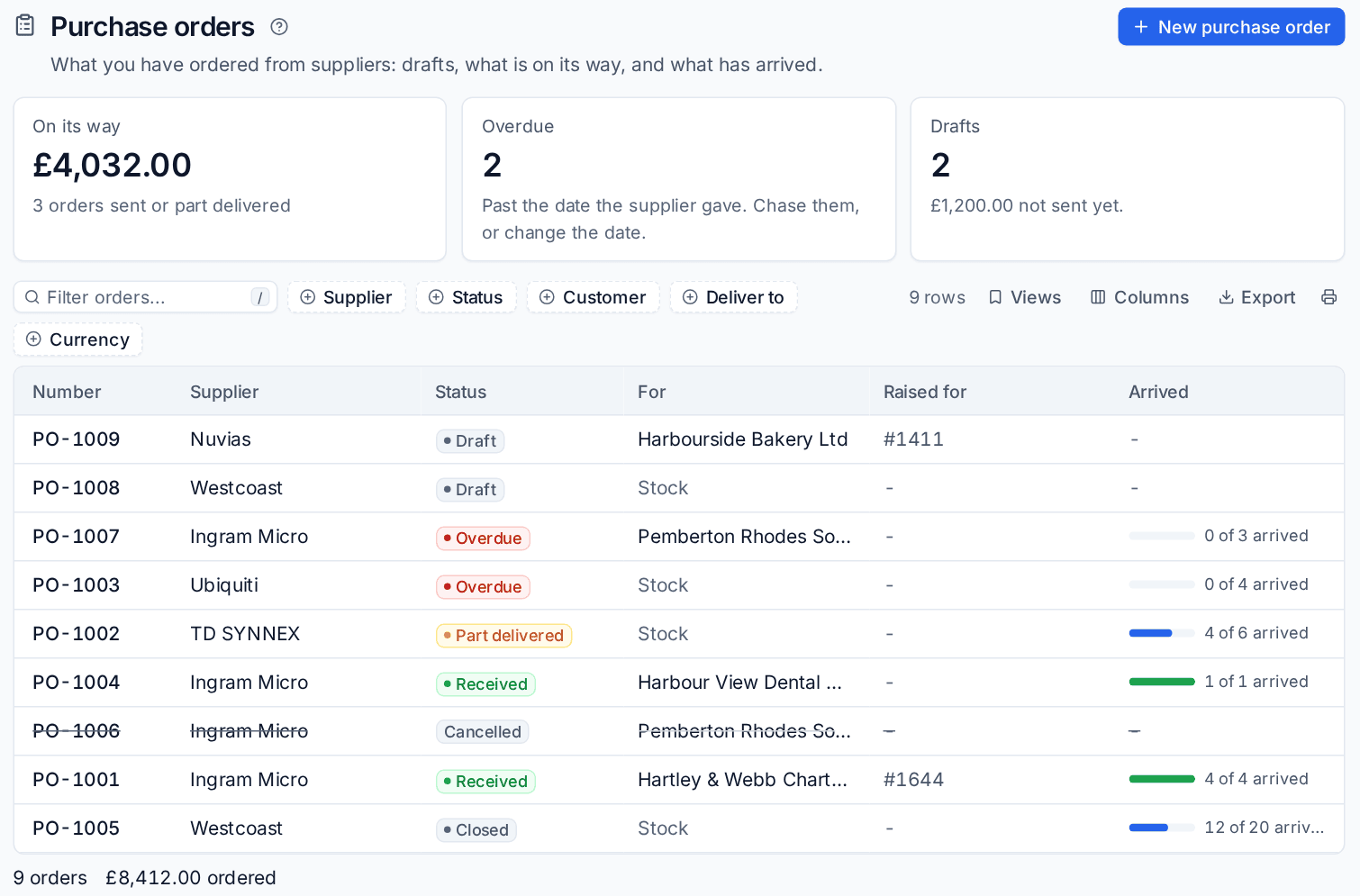
Where to find it
Procurement is in the Sales area, in the Procurement group of the sidebar:
| Entry | What it shows |
|---|---|
| Purchase orders | Every order, with views for drafts, waiting, part delivered, overdue, received and closed |
| Supplier invoices | Invoices from suppliers, matched against their orders, with any waiting for approval |
| Stock | Everything you keep, by location, with value at cost and what is low |
| Serial numbers | Every unit with a serial: in stock, with customers, faulty or written off |
| Reorder | Items at or below their reorder point, grouped by supplier, ready to order |
| Suppliers | Who you buy from, with their orders and items |
Distributor prices, in the same sidebar under the catalogue, searches what your distributors charge and have in stock. Settings live in Settings > Procurement and Settings > Integrations > Distributors. Everything here is also in the command palette: press Cmd+K (or Ctrl+K) and type "stock", "order" or a serial number.
How it fits together
- Suppliers and prices. Add your suppliers, and connect your distributors' price feeds so catalogue costs, quote prices and stock levels stay current. See Suppliers and distributors.
- Order. Raise a purchase order from an accepted quote, a ticket, a project, the reorder list or by hand, and send it to the supplier by email or through the distributor. See Purchase orders.
- Receive. Book in what arrives, with a serial number for each unit, into a location. Anything ordered for a customer is given to them straight away. See Receiving, serials and supplier invoices.
- Keep stock. Track what you hold in the office, in engineers' vans and in cupboards at customers' sites, move it between them and count it. See Stock locations and vans.
- Check the supplier's invoice against the order, so price rises and short deliveries are caught before you pay.
- Bill the customer. Parts ordered for a ticket or project go on the customer's next invoice once they arrive. A quote's hardware is billed by the quote, never twice. See Invoice runs.
What is tracked
Each catalogue item says whether it tracks stock and whether it is serialised (one unit per serial number), plus its manufacturer, part number, preferred supplier and warranty in months. Cables and toner are counted by quantity; laptops, docks and access points are tracked unit by unit, from the delivery they came in on to the customer and device they went to.
Serial numbers given to a customer become devices on their record, with the model, serial, supplier, cost and warranty, so the warranty shows on the device page and an agent installed later keeps the same record.
Who can do what
Procurement has its own Procurement and stock area in Settings > Roles and permissions. By default administrators manage it and technicians can view it, so engineers can see what is in their van without changing orders or costs.
In this section
Was this page helpful?
Thanks for the feedback.