Languages
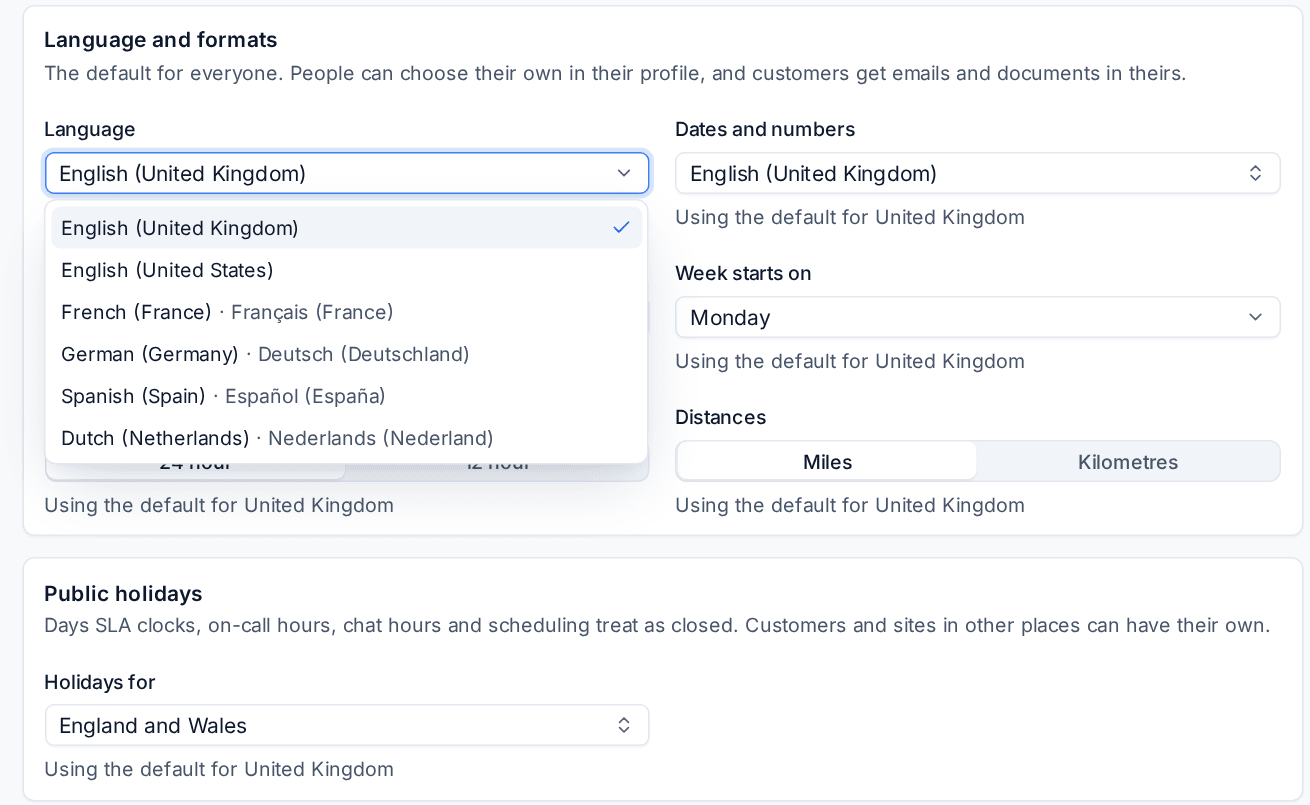
Run Tenvara in English (UK or US), French, German, Spanish or Dutch, set per install, per person and per customer, with the portal, emails and PDFs in each customer's language.
Tenvara can be read in six languages:
- English (United Kingdom)
- English (United States)
- French (France), Français
- German (Germany), Deutsch
- Spanish (Spain), Español
- Dutch (Netherlands), Nederlands
The whole product is translated: the web app, the customer portal, and everything the server writes, such as emails, PDFs, SMS and portal messages. The translations use the formal register throughout (vous, Sie, usted, u).
Who reads which language
| Who | Which language |
|---|---|
| Your team | Their own language from Settings > Profile, else the install's |
| A customer's people | The customer's language for the portal, emails, PDFs and SMS, else the install's |
| Anyone not signed in yet | The portal follows the browser's first language when it is one of the six, else the install's |
Set the install's language
- Open Settings > Regional > General.
- Under Language and formats, choose the Language. Each option shows the language in your words and in its own.
- Save.
This is the default for everyone who has not chosen their own. Your country sets it to start with: a French install reads French, an Austrian one German.
Choose your own
Each person can read Tenvara in a different language from the rest of the team.
- Open Settings > Profile.
- Under Language and formats, choose your Language. "Using the default for the install" means you have not chosen one.
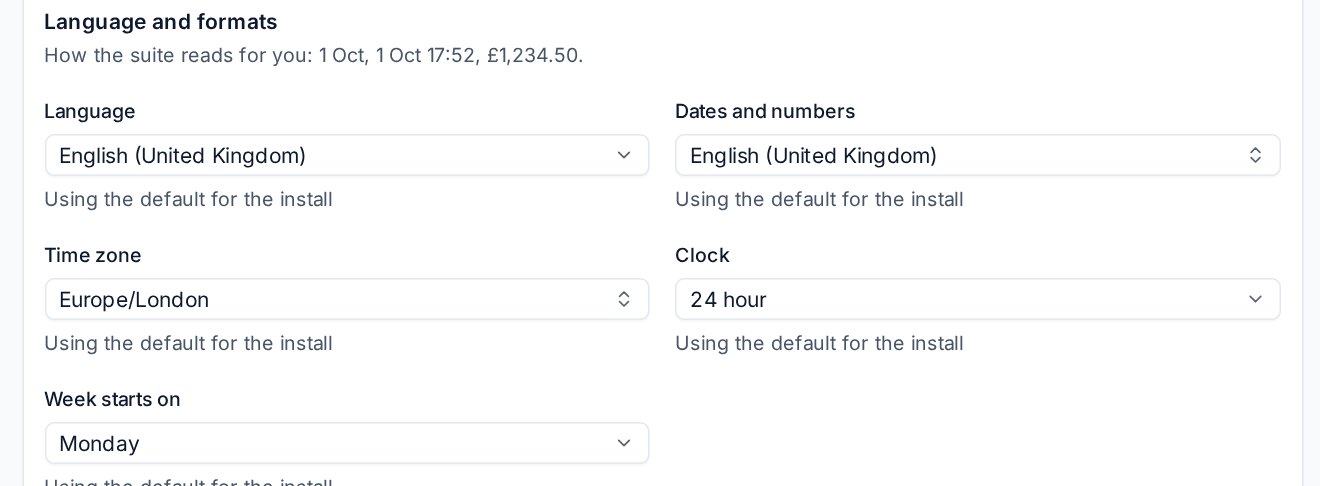
The change applies straight away, including the answers the server gives you, such as error messages.
Set a customer's language
- Open the customer and press Edit.
- Open Billing and region.
- Choose their Language, or The install's to follow yours.
- Press Save changes.
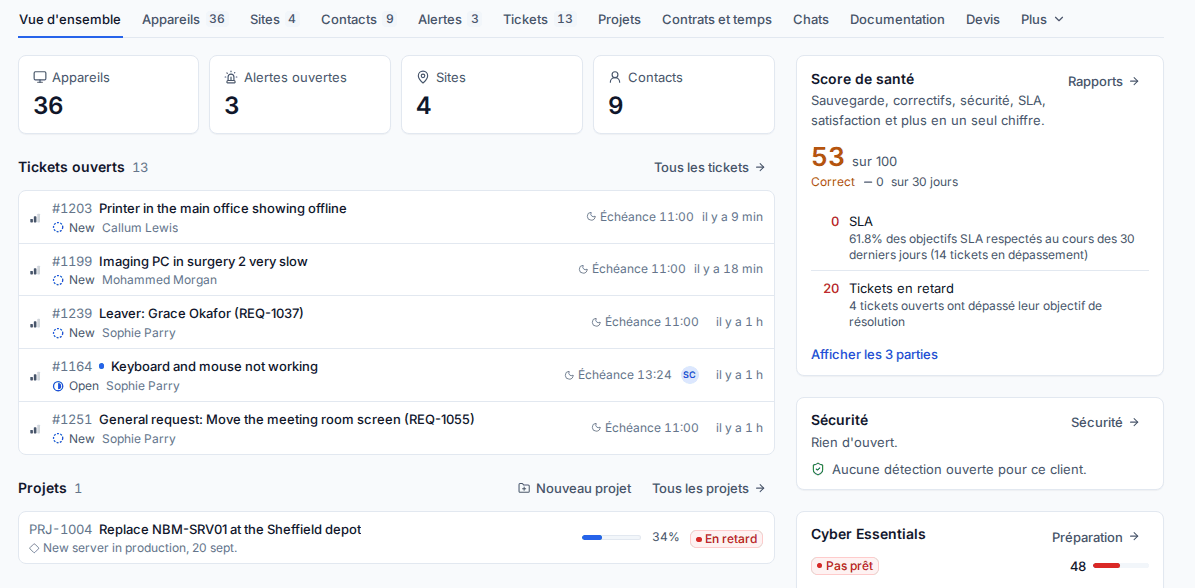
Their portal, the emails you send them and the PDFs they receive (invoices, quotes, reports) are then in that language. Documents name the tax in that language too, for example TVA, USt. or IVA.
What gets translated
- Every screen and message in the web app and the portal.
- Emails and PDFs to customers, in the customer's language.
- Your starting names. The queues, statuses, priorities and ticket types Tenvara starts with are in the install's language. If you change the install's language, the ones still as they were move to the new language. Any you renamed are yours and stay as they are.
- Your own content, when you write it. Knowledge base articles and service catalogue items can have a version per language. Readers get the version in their language, or the original when there is none. Email templates can have a version per language too: see Terminology, numbering and email templates.
What stays as written
- Anything typed by people: ticket subjects and replies, notes, names of devices, customers and scripts.
- Records you created, such as tax rate names, until you rename them.
- Activity and notes Tenvara recorded keep the words and formats in use when they were written.
- Service catalogue requests reach your team in the install's language, whatever language the contact filled the form in.
Note: Custom words from Settings > Terminology (for example "Job" for "Ticket") apply to English. The other languages use their own words.
Words and formats
Language and formats are separate settings. Choosing French does not force French dates: set Dates and numbers as well if you want them. See Regional formats and time zones.
Related: Languages and international overview, Your profile, security and notifications.
Was this page helpful?
Thanks for the feedback.