Network and domains overview
What Tenvara watches beyond the computers with an agent: the devices on each site's network, network kit polled over SNMP, and your customers' domains, certificates and DNS.
Computers with the agent are only part of a customer's estate. The switches, firewalls, access points, printers and UPS units on their network, and the domains, certificates and DNS their email and websites depend on, cause just as many outages. Tenvara watches both, through the same alerts, tickets and reports as everything else.
Network: discovery, maps and SNMP
An agent at each site acts as the site's network probe. It scans the site's subnets on a schedule, works out what each device is, and polls network kit over SNMP. You find it all under Devices > Network.
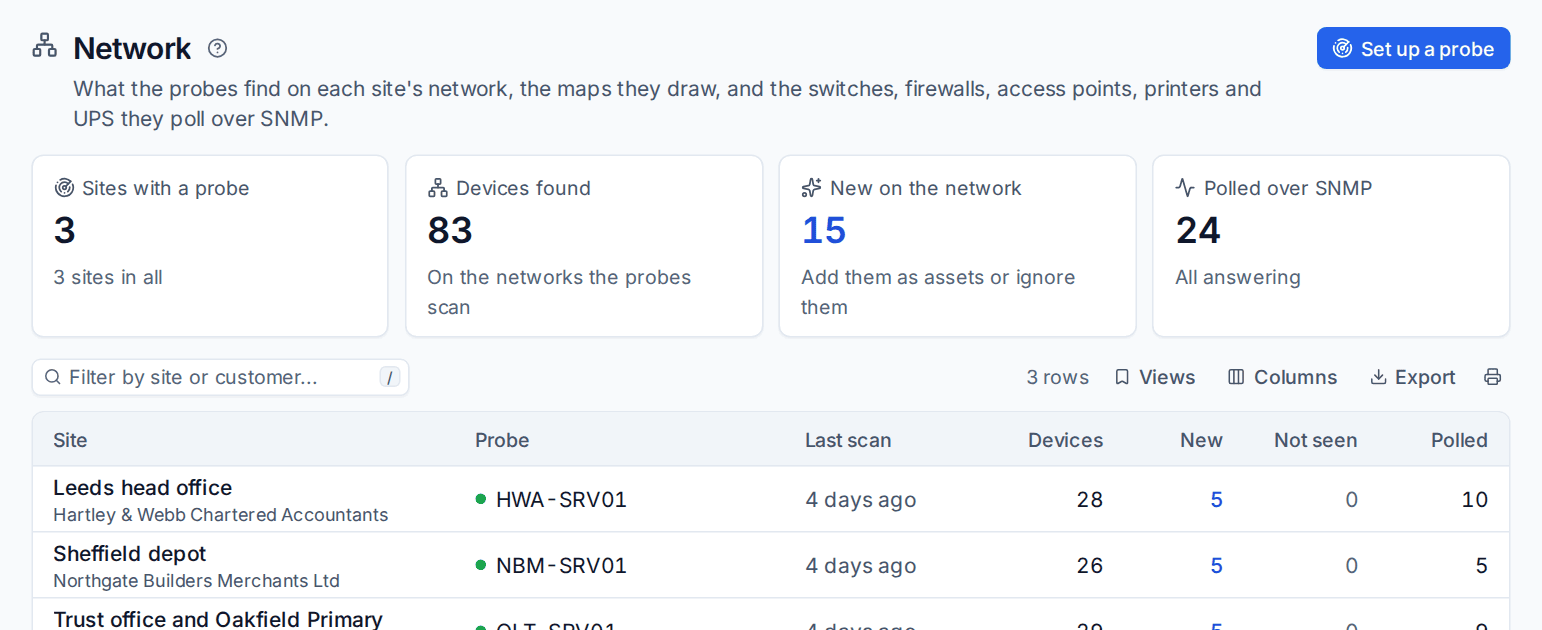
- Discovery: every device on the network, identified by kind, maker and model, matched to the devices Tenvara already knows, with an alert when something new appears.
- Topology map: how the site's switches, firewalls and devices connect, drawn from what the switches report.
- SNMP monitoring: CPU, memory, interfaces and traffic, temperatures, UPS battery and runtime, printer supplies and more, from editable templates for each vendor, through the same thresholds and alerts as an agent's metrics.
- Traps: SNMP traps the probe receives become events, and the ones that matter become alerts.
Network discovery and SNMP monitoring are part of Monitoring: if you have Monitoring, you have them.
Domains, certificates and DNS
Domains in the main navigation lists every customer domain, wherever Tenvara found it: email security, a Microsoft 365 tenant, a customer's website, hosting, a connected DNS account or added by hand.
- Registration: registrar, registration and expiry dates, registry status and DNSSEC, looked up through RDAP (with WHOIS where a domain has no RDAP).
- Changes: name servers, mail servers (MX) and registrar watched for changes.
- Certificates: any host and port you add or discovery finds (websites, webmail, RD gateways, firewall VPN portals, mail servers), checked for expiry, trust, name, weak protocols and small keys.
- DNS management: zones at eight DNS providers you connect with your own accounts, or zones kept in Tenvara, with an editor, templates, imports, exports and undo.
Upcoming expiries, changes and certificate problems raise alerts, so your alert rules can make tickets of them.
In this section
- Network discovery and topology: set up a probe, read what it finds, adopt or ignore devices, and use the map.
- SNMP monitoring and traps: credentials, polling, templates and trap rules.
- Domain and SSL monitoring: the domain list, a domain's page, certificate checks and discovery.
- DNS management: connect providers, edit zones, apply templates, import and export zone files.
Related
Was this page helpful?
Thanks for the feedback.