Enforcing in rings and rolling back
Start an enforcement run, get it approved, let the pilot ring prove it inside maintenance windows, then roll back a run, a device or a single setting.
Enforcing writes the baseline's values to devices. Tenvara does it as a run: one customer's devices and a set of settings, planned per device, approved where needed, sent in rings inside each device's maintenance window, and recorded setting by setting so it can be undone.
Starting a run
You can enforce from three places:
- Customer > Hardening: Enforce on a baseline, for every device it reaches at that customer. Enforcing a baseline whose assignment is still in audit switches the assignment to enforce (recorded in the audit log).
- Device > Hardening: Enforce N settings for everything enforcing would change on that device, or select settings and enforce just those.
- The AI assistant or the MCP server: the enforce tool goes through the same run and the same approvals.
Before the run starts, the preview plans each device: which settings will be written, and which are left out and why (managed elsewhere, an exception, not applicable, read only, already compliant, or held in audit by the baseline). The plan is checked again as each device is sent its settings, so a value that became managed by Group Policy in between is still never written.
Approvals
A run waits as Waiting for approval when any setting it sends needs one:
- BitLocker and local group membership, always;
- a setting that may break things (NTLM, SMB signing on servers, local administrators, constrained language mode);
- any setting whose override, or whose assignment, says every run needs an approval.
The request goes through Approvals to your approvers. The run starts the moment it is approved; rejected or expired, it ends as rejected.
Rings and maintenance windows
When a run includes settings for the pilot ring and has more than one device, the pilot ring goes first: the devices you chose, else the assignment's pilot device group, else the first share of devices (10% by default, at least one, workstations before servers). After a good pilot the broad ring starts by itself after a wait (24 hours by default, set in Settings > Endpoint > Device hardening; 0 starts it straight away), or when someone presses Start the broad ring. A pilot with errors pauses the run until someone decides.
On Windows each device gets its settings in its maintenance window, the same window its patch policy uses (see Patching). Enforcing from a device's own tab, rollbacks and keep enforced go straight away: the change being made or undone was already approved and windowed.
Following a run
The run view shows the customer, the baseline, when it goes, who started it, the approval and why, the pilot and broad ring progress, and every device with its ring, result and how many settings were sent, changed and failed. Open a device for each setting's value before and after.
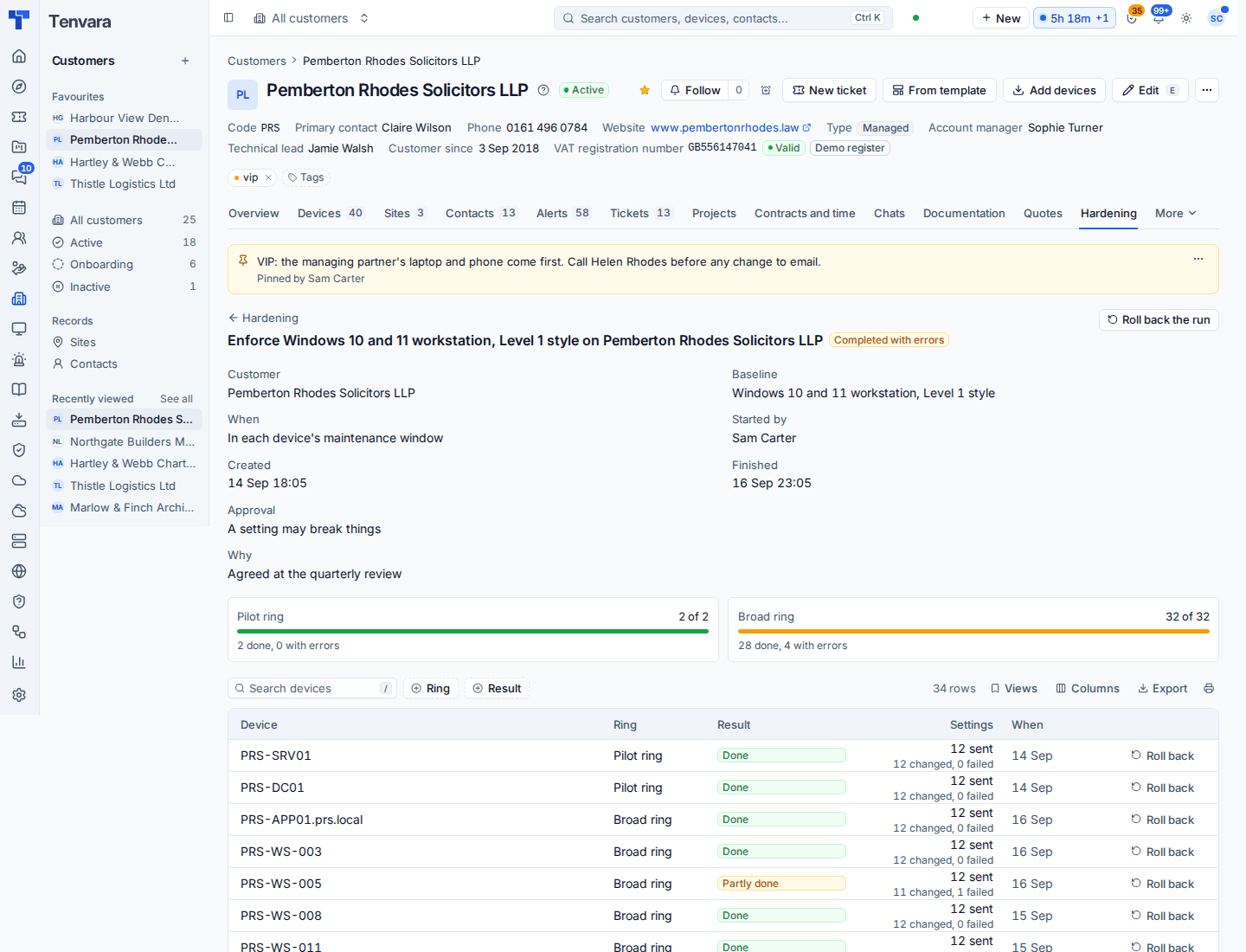
A run ends Completed, Completed with errors, Failed or Cancelled. Press Cancel to stop devices that have not been sent their settings yet.
Rolling back
Before the agent writes a setting it records the value it had. Those values are kept for 180 days, so you can put things back without an approval:
- Roll back the run: every device and setting the run changed.
- Roll back on a device row in the run view: that device only.
- On a device's Hardening tab: chosen settings, whichever run changed them last.
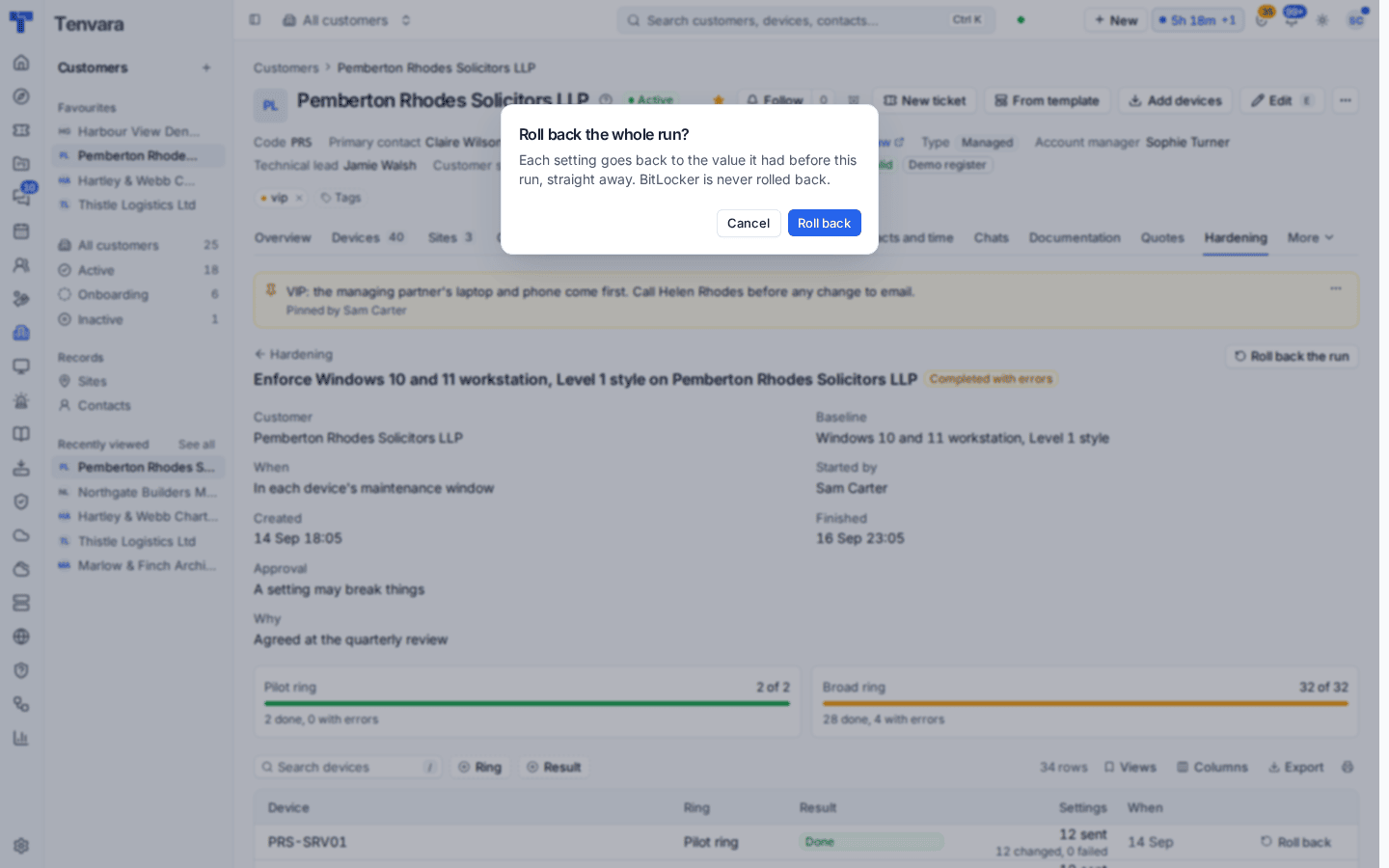
Each rollback is a run of its own, so it appears under Runs and rollbacks with its results. A value that was not there before is removed again, so the device ends up as it was, not merely compliant with something else.
Warning: BitLocker is never rolled back. When BitLocker is enforced, the agent adds a recovery password first, sends it sealed to Tenvara, where it is kept in the credentials vault as "BitLocker recovery key" against the device, backs it up to Active Directory or Entra ID where the computer is joined, and only then turns encryption on.
Good practice
- Enforce Quick wins first. It is chosen to be safe almost everywhere.
- Use a pilot device group of a few real users' machines per customer, so the pilot ring means something.
- Agree the "what enforcing would change" list with the customer before a big baseline, and record exceptions rather than editing the baseline for one site.
- Switch on Keep enforced only once a setting has been enforced cleanly; then drift is put back for you. See Drift and reporting.
Was this page helpful?
Thanks for the feedback.