Discovery and your plan
Answer the ten-minute discovery interview, see how it shapes the sections, their order and estimates, and rebuild the plan when things change.
Every business sets Tenvara up differently. A five-person MSP selling per-user managed IT and backup needs different sections, in a different order, from a forty-person team running a 24-hour service desk with ISO 27001 customers. Discovery is a short interview that works this out. Your answers decide which sections you need, their order, their defaults and how long it all takes.
Open Set up in the rail and press Discovery and plan. On a new install, the hub offers Start with discovery as the first step.
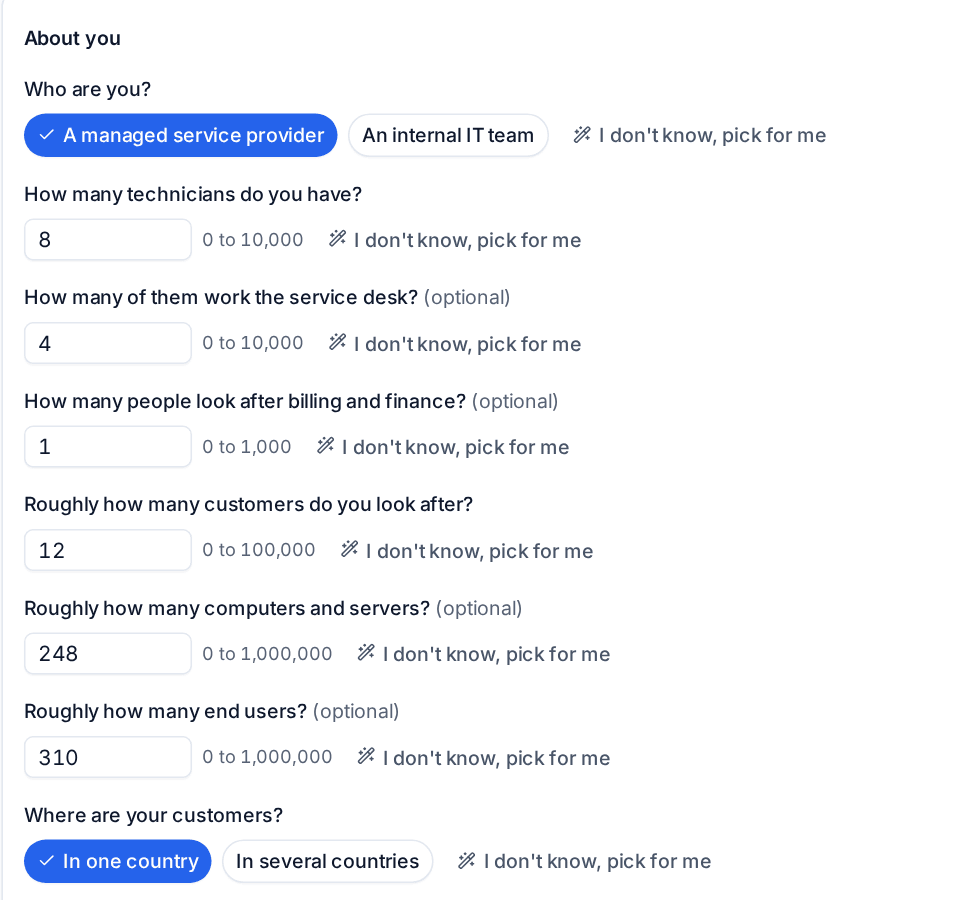
The questions
Discovery takes about ten minutes. It is in five groups:
| Group | What it asks |
|---|---|
| About you | Whether you are a managed service provider or an internal IT team; how many technicians, service desk staff and finance people; roughly how many customers, computers and end users; where your customers are; when your service desk is open and whether you cover emergencies out of hours |
| What you sell | Managed IT per user or per device, break-fix, blocks of hours, projects, backup, endpoint protection, security monitoring, awareness training, Microsoft 365 licences and hardware |
| What you use now | Your current PSA, RMM, documentation, backup, remote access and accounting tools, and the distributors you buy licences from |
| Your customers' world | Microsoft 365, Google Workspace or both; servers on site; standards customers need to meet, such as ISO 27001 or Cyber Essentials |
| How you want to go live | Your target date, everyone at once or customer by customer, and which parts should come first |
Where Tenvara already knows something, such as how many staff, customers and devices you have, it suggests the answer for you to confirm. Every question has I don't know, pick for me, and optional questions say so. Answers are saved as you go, so you can stop and come back.
You can change your answers at any time. Work you have already finished is kept.
How answers are used
Each answer feeds the sections that follow:
- Sections you do not need are left out with the reason, for example the service catalogue when you sell nothing managed, or billing and sales for an internal IT team.
- Questions a section would ask are answered for you where discovery already knows, and show under Already known instead of being asked twice.
- Recommendations follow what you sell and the standards your customers need: regulated customers get longer retention, for example.
- Estimates grow with your number of customers.
Your plan
Under the questions, Your plan shows the result:
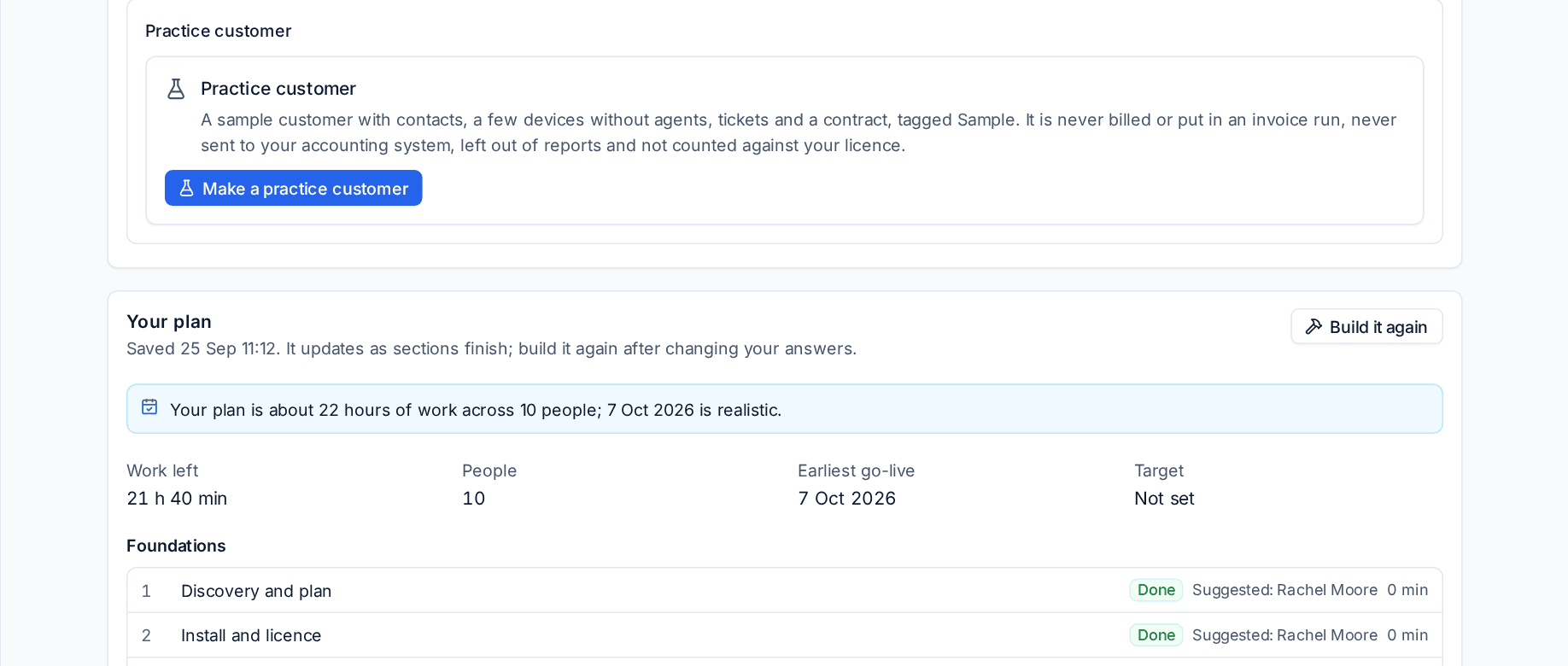
- Work left: the estimate for every section still to do.
- People: how many people the work is spread across.
- Earliest go-live: when you could be live if the work is spread across them.
- Target: your target date, with a message saying whether it is realistic.
Then every section in order, in its phase, with its state, suggested owner and estimate. The order follows what each section needs first: you cannot roll out agents before your customers are in, or set up contracts before you have customers to put them on. Where two sections could go either way, the parts you said should come first go first.
The plan updates as sections finish. If you change your answers, press Build it again to rebuild it.
The sections
Depending on your answers and the modules you use, the plan has up to about 25 sections:
| Phase | Sections |
|---|---|
| Foundations | Discovery and plan; Install and licence; Company, brand and regional; Staff, roles, teams and sign-in; Customers and import; Email in and out |
| Service desk | Tickets, priorities and SLAs; Service catalogue and approvals; Alerts, automation and on-call; Docs, vault and connectors; Customer portal, chat and phone; Projects and scheduling |
| Devices and monitoring | Agent and rollout; Policies: monitoring, patching, software and scripts; Remote access; Network, assets and lifecycle; Microsoft 365; Backup |
| Commercial | Contracts, billing and accounting; Sales, proposals and procurement; Reports and reviews |
| Security | Governance and AI; AI readiness; Security and SIEM |
| Go live | Go-live review |
A section only appears when its module is switched on and licensed. Switch a module on later and its section joins the plan.
Tip: Moving from HaloPSA, ConnectWise Manage, Autotask or Syncro? Answer Which PSA or ticketing tool do you use now? and the Customers and import section offers that tool's CSV exports, and Tickets, priorities and SLAs offers to copy your old priorities, SLAs, ticket types and business hours in. See Importing from other PSAs.
Next
Open the first section from the hub with Carry on. How a section works is in Working through a section.
Was this page helpful?
Thanks for the feedback.