Readiness, reports and selling compliance
The MSP overview across every programme, management systems in the monthly report and business review, the readiness snapshot for prospects, and the project templates and catalogue items for selling compliance.
Running management systems for customers is a service you can sell. Tenvara gives you the view across every programme, the reports customers expect, and the pieces to quote and deliver it.
The MSP overview
Security > Management systems shows every active programme, your own included: its readiness per framework with the change over the week, the next audit and the account manager. Beside it, each framework's average readiness. Below come the lists to work from across all of them:
- audits coming up (certification and internal) in the next 60 days;
- overdue reviews of documents, risks, suppliers and nonconformities;
- lapsed attestations;
- documents due for review or waiting for approval;
- policies still to be acknowledged, with how many people are still to do so;
- certificates expiring, Cyber Essentials included.
Filter by account manager to see one person's book. The headline tiles count programmes, average readiness, programmes ready for audit, audits coming up, overdue reviews and lapsed attestations. Readiness is kept every day, so the week's change and the month's change are real figures, not recalculations.
Gaps into recommendations
On a programme, Gaps lists the common controls that fail, have lapsed, are partly in place or are not assessed, worst first. Press Make recommendations to add them to the customer's business review recommendations (category Compliance), ready to plan and quote at the next review.
Reports
- Monthly customer report: a Management systems section for customers with a programme: readiness per framework at the end of the month and the change over it, the controls, evidence and documents parts, nonconformities raised, closed, open and overdue, the next audit and the gaps to close. See Monthly customer reports.
- Business review pack: a Management systems section with the last three months.
- Statement of Applicability and policy documents as PDFs in your branding, and evidence packs: see Auditors and the portal.
The readiness snapshot
The readiness snapshot shows a prospect or customer where they stand before any programme exists, from the live checks of their devices and Microsoft 365 alone. Attestations do not count, so nothing needs setting up first.
- Press Readiness snapshot on the Management systems page (or on a programme).
- Choose the Prospect or customer and the Frameworks.
- Press Download the PDF.
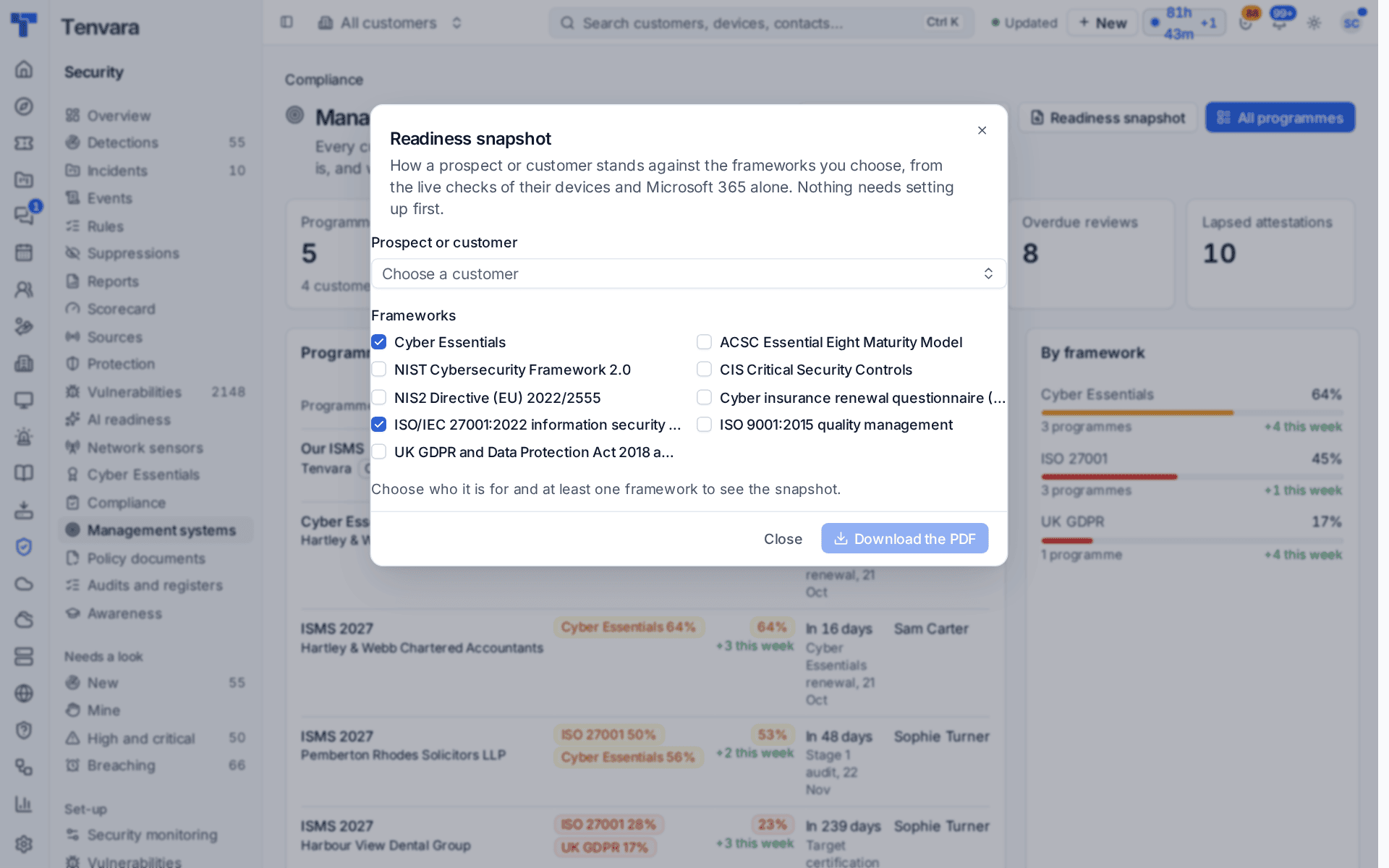
The branded PDF shows, per framework, what the checks can judge, what passes, what fails and what is not known yet, what a programme would have to show by hand, the failing checks that hold back the most frameworks, and what happens next. Every download is recorded in the audit log.
Tip: A prospect with the agent on a few computers and their Microsoft 365 connected for a trial already has enough for a meaningful snapshot. It is a good door-opener for an ISO 27001 or Cyber Essentials conversation.
Selling and delivering it
When you start your first programme, Tenvara adds the pieces to sell compliance, once each (one you archive, delete or edit is never put back):
- Project templates: ISO 27001 implementation (gap analysis, documents and risk, implement and operate, internal audit and review, certification; a fixed price split over signed-off milestones) and Cyber Essentials (Plus) (scope and gaps, remediation, assessment). See Projects.
- Catalogue items in a Compliance category: a gap analysis, an ISO 27001 build, a Cyber Essentials build, a monthly retainer per programme and vCISO hours by the hour. Their prices start at 0 for you to set in your own currency.
- Billable units for contract lines: active programmes (the default), frameworks in scope across them, and people asked to acknowledge the customer's documents. Closed programmes and your own never count.
Management systems are included in every edition with the Security module.
Was this page helpful?
Thanks for the feedback.