Auditors and the portal
What the customer's people see and do in the portal's Compliance section, read-only access for an external auditor with an emailed code, and evidence packs.
A management system involves the customer's people and, at audit time, the certification body. Tenvara gives each of them their own way in.
The portal's Compliance section
Once a customer has a programme that is not closed, their customer portal shows a Compliance section. What each contact sees depends on their portal permissions, set per contact or per contact role in the customer's People (see Portal permissions and people):
| Permission | What they get |
|---|---|
| Everyone | Policies to acknowledge, and Report something: an incident (which becomes a ticket for your service desk), something not done as it should be (a nonconformity) or an idea (an improvement) |
| View | The programme with each framework's readiness, open tasks, evidence, issued policy documents and who has acknowledged them, nonconformities and ideas, and objectives. Not the risk register |
| Contribute | Everything in view, plus the risk register (with "I have reviewed this risk"), adding evidence for chosen controls with the period it covers, and completing tasks with notes and a file |
| Approve | The approvals waiting for them on policy documents, risk acceptances, the Statement of Applicability and management reviews, in My approvals |
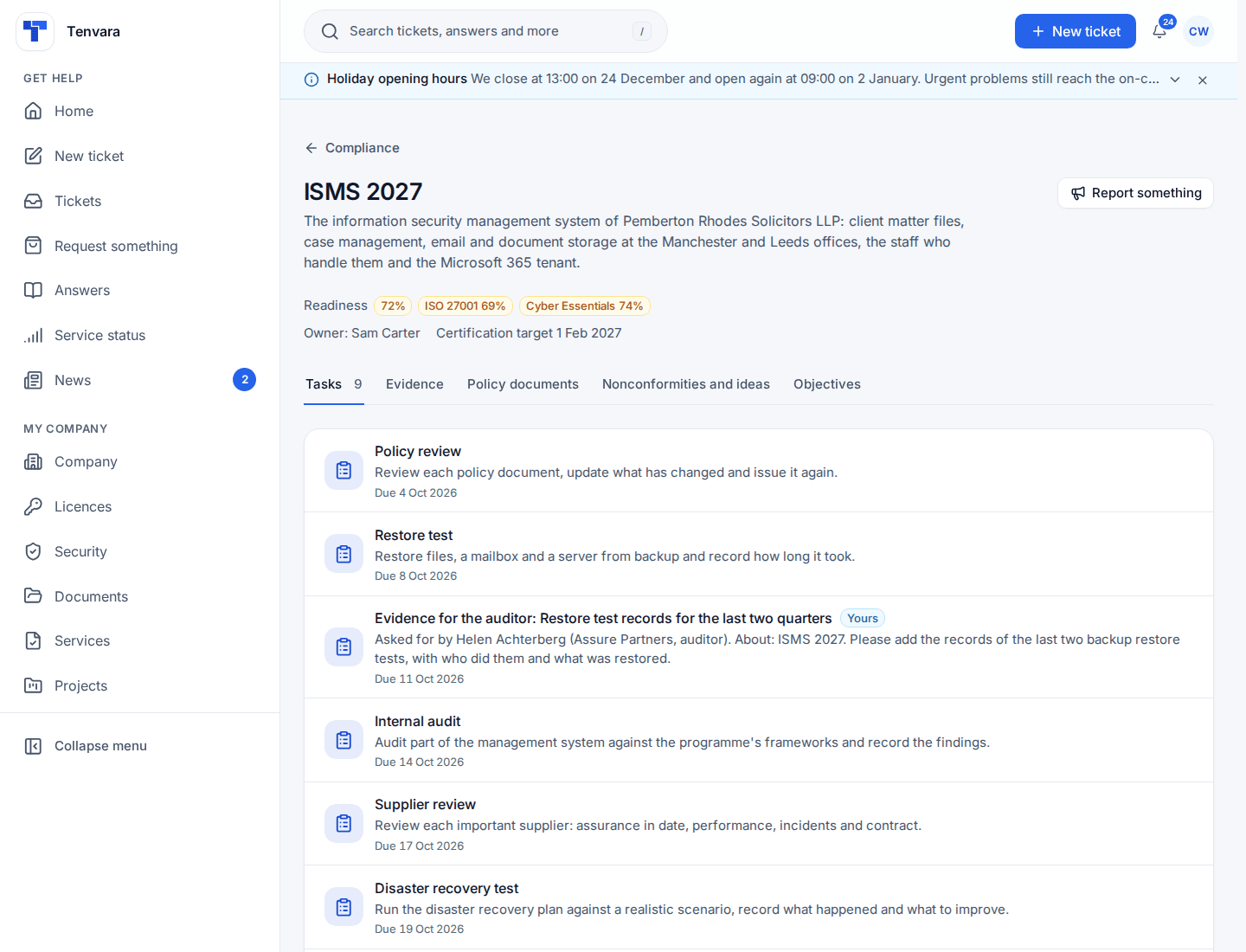
Readiness in the portal is the same figure your staff see on the programme page. Co-managed IT contacts can be given contribute too.
External auditors
A certification body's auditor gets read-only access to one programme, with no portal or staff account.
- Open the programme and choose Auditor access, then Invite an auditor.
- Enter their name, email and firm, the frameworks they audit (all by default), the access window (30 days from today unless you say otherwise, a year at most) and the audit period.
- Choose what they see: scope, Statement of Applicability, documents, evidence and daily checks, internal audits and nonconformities, objectives, management reviews. The risk register is off unless you switch it on.
- Choose whether they must also use an authenticator app.
- Send the invite. The link is emailed to them and shown to you once.
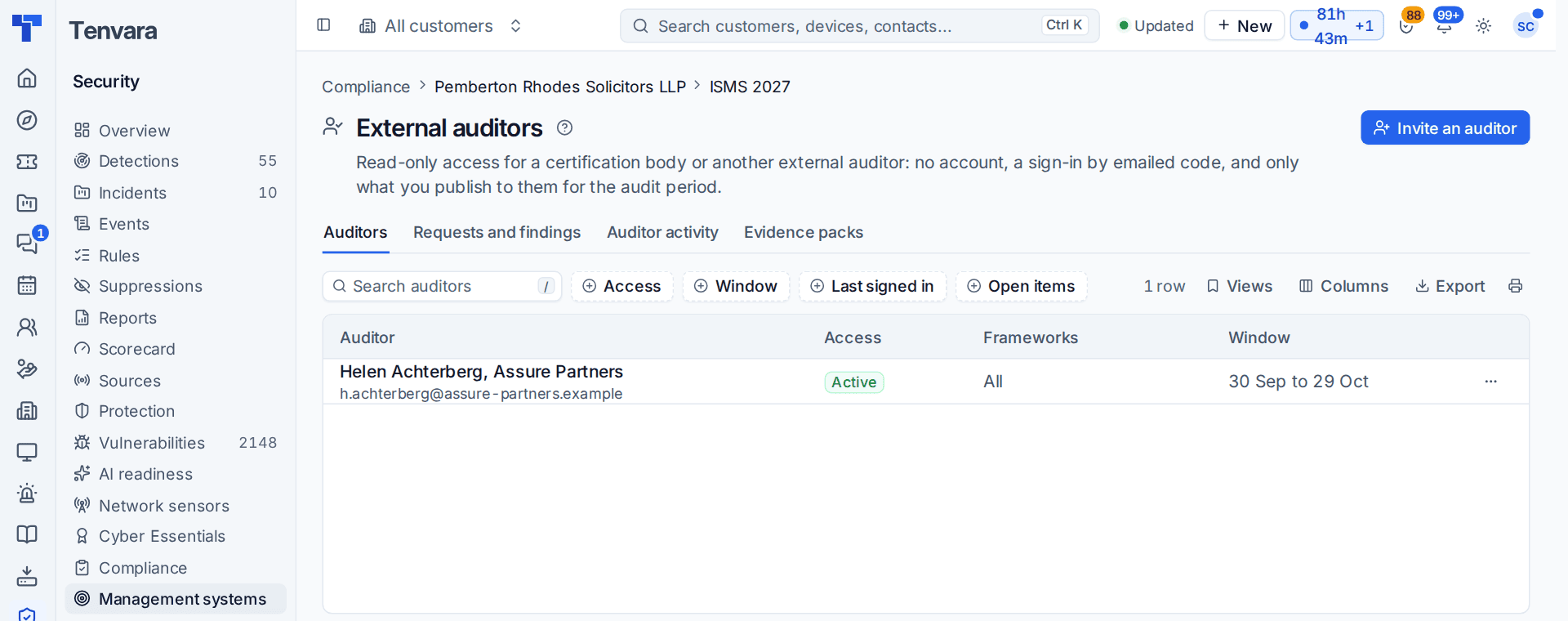
The auditor opens the link and enters a six-digit code emailed to them each time (and their authenticator code if required). Their session ends after eight hours or at the end of the window. Sending a new link stops the old one working, and ending access ends every session.
They see the scope and audit dates, the latest approved Statement of Applicability (PDF and Excel), each document at its latest issued version, evidence in the audit period with its hash, the daily snapshots, and the rest you published.
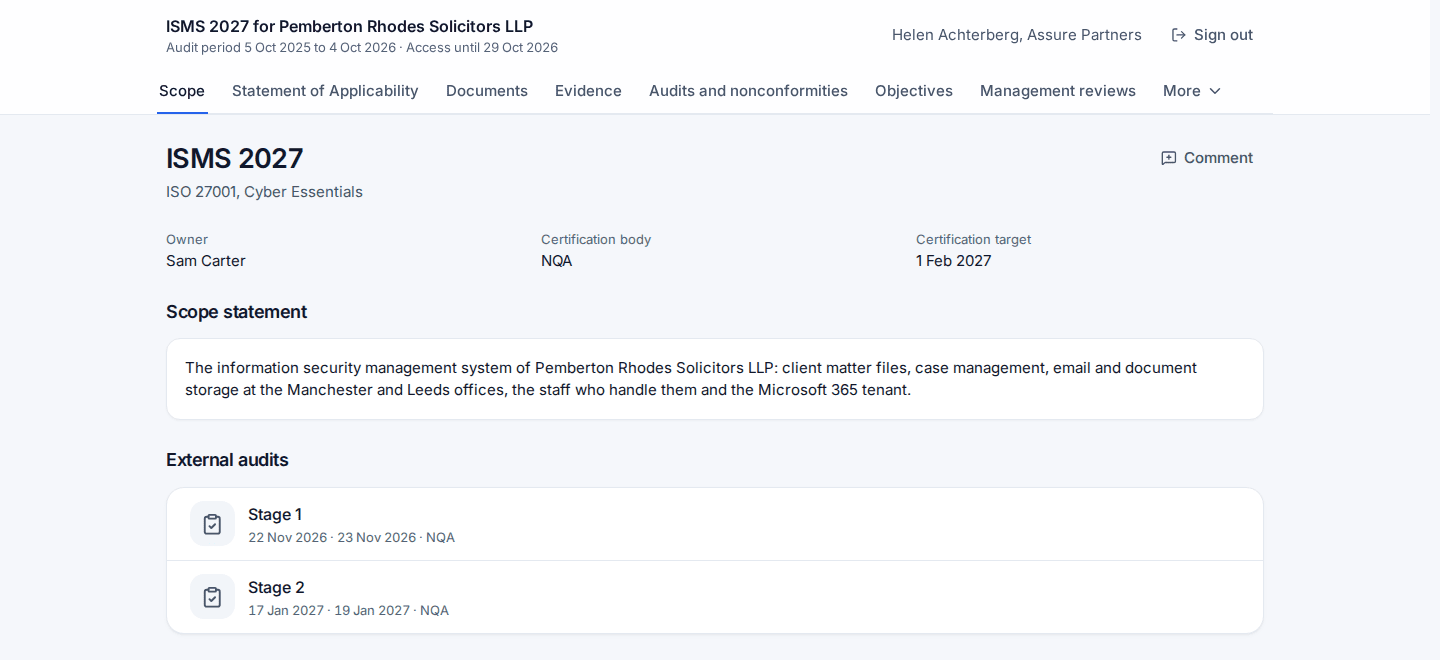
From there they can leave a comment, make an evidence request (which becomes a task for the programme's owner, answered when it is done) or record a finding (major or minor becomes a nonconformity; an observation or opportunity for improvement becomes an improvement). You answer and close them under Requests and findings. Every sign-in, page, download, wrong code and item they raise is recorded and listed under Auditor activity.
Evidence packs
An evidence pack is everything an auditor asks for, for one period, in one zip:
- an index PDF (the scope and every file with its hash);
- the Statement of Applicability per framework, as PDF and Excel;
- each document as PDF at its approved, issued version;
- the evidence files and a spreadsheet of every item and its hashes;
- the daily snapshots;
- the registers (risks when included, nonconformities, audits, objectives, reviews, suppliers, certificates);
- a SHA256SUMS.txt file, so anyone can check every file with sha256sum.
Make one from the programme's Evidence packs tab with Make a pack (staff need the export evidence packs action), or the auditor makes their own for their period. Packs are downloaded through a link that expires and are kept for a set number of days. How long invites, sessions, links and packs last is in Settings > Security monitoring > Compliance > Auditors and evidence packs.
Was this page helpful?
Thanks for the feedback.