Software development projects
Set a project up for software development, work with keyed work items and a ranked backlog, and choose how the team plans its work: Sprints, Kanban or Phased.
If you build software for your customers (a booking app, a website with integrations, a line-of-business system), a project can be set up for software development. It stays an ordinary Tenvara project, with its customer, owner, team, time, budget, portal page and reports, and gains the things a development team expects: keyed work items, a ranked backlog, a board, releases, stages and links to GitHub.
Set a project up for development
There are two ways in:
- A software project type. In Settings > Projects, a project type can be a software type. Projects made with it are set up for development at once, with a key suggested from the project's name.
- An existing project. Open the project's ... menu (or press Cmd+K on the project) and choose Set up for software development. Its existing tasks become work items at the bottom of the backlog.
The set-up dialog asks for:
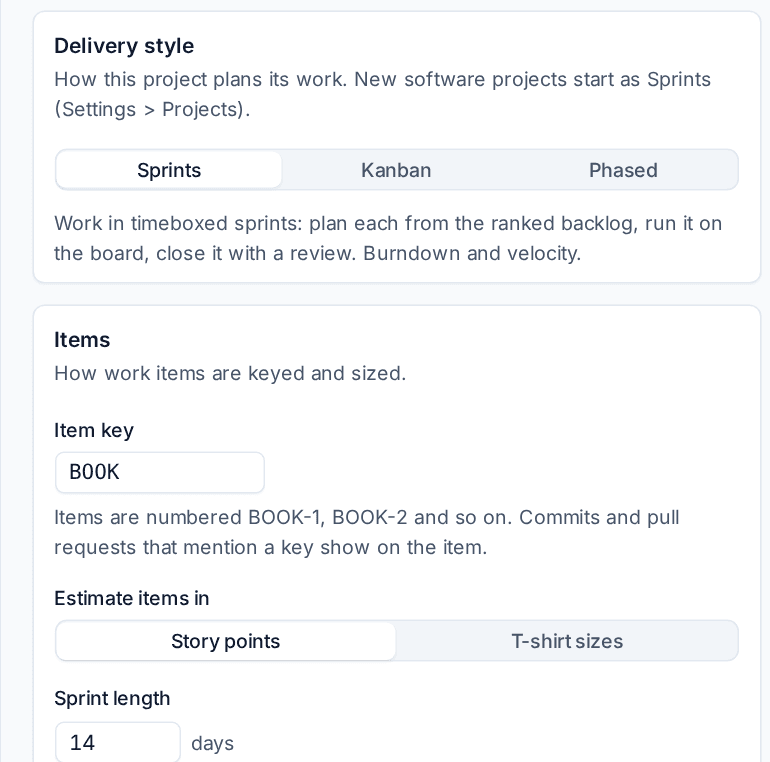
- The Item key, such as BOOK. Items are then numbered BOOK-1, BOOK-2 and so on, and the key is what links commits and pull requests to them.
- Estimate items in: Story points or T-shirt sizes. Sizes count as points for capacity and velocity, using the values in Settings > Projects.
- The Delivery style (see below). It starts with the default from Settings > Projects.
- Start with stages: tick it to start with Development, Staging and Production stages for the deployment log. See GitHub and deployments.
Everything else about the project keeps working: time logged on items counts against the budget, items show in My work, and the project still has its Timeline, Milestones, Team, Time and Financials tabs. A software project adds Backlog, Board, Sprints (or Plan for a phased project), Releases, Stages and Delivery tabs, and its development settings sit on a Development tab under More.
Work items
A work item is a project task with development details. Open one from the backlog, the board or the task list and the panel shows the usual task fields (assignees, dates, time, checklist, files, comments) plus:
| Field | What it holds |
|---|---|
| Key | The item's number, such as BOOK-17 |
| Type | Feature, Bug, Task, Chore or Spike |
| Story points or Size | The estimate, in the project's unit |
| Sprint and Version | Where it is planned and the release it ships in |
| Component | The part of the product it belongs to, each with a lead |
| Labels | Free tags, such as booking or customer-reported |
| Flag | Flag an impediment... marks it blocked with a note saying what is in the way |
| Acceptance criteria | The checks that say this item is done |
| Development | Branches, commits and pull requests that mention its key, with CI status |
Components are set up on the Development tab with Add component, each with a lead.
Bugs from tickets
When a customer reports a fault on a ticket, Send to a backlog on the ticket makes a bug item from it on the project you choose, linked to the ticket. When the item ships, the ticket can be told automatically. See Sprints, Kanban and releases.
The backlog
The Backlog tab is the ranked list of work still to do. The top of the list is what the team should pick up next.
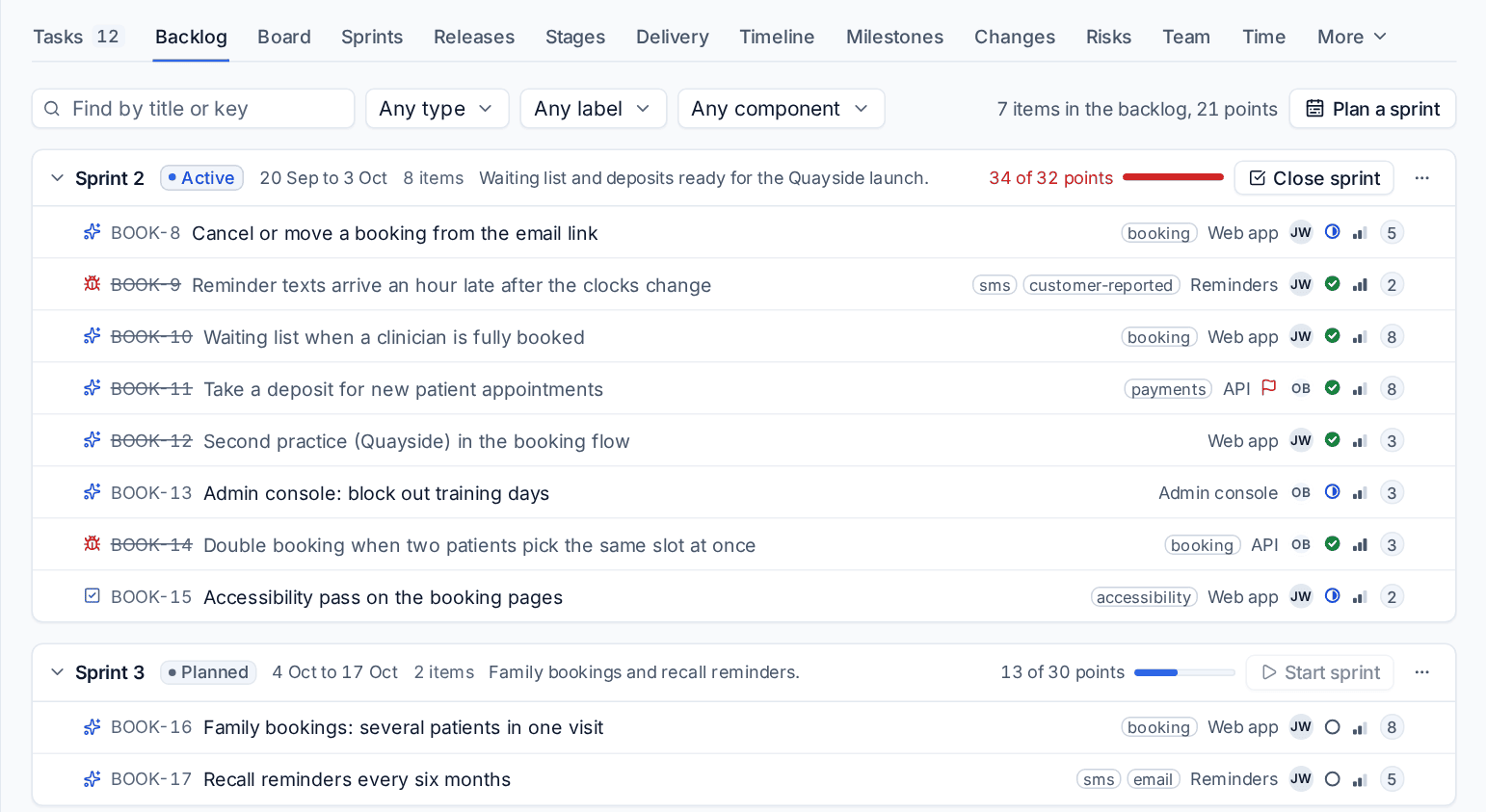
- Drag an item to rank it, or into a sprint to plan it.
- Filter by type, label and component with Any type, Any label and Any component, or search by title or key.
- Add an item at the bottom: choose its type and type its title.
- The line at the top counts the items and points waiting.
Delivery styles
A software project plans its work in one of three styles. Choose it when you set the project up, and change it later on the Development tab. Work items, versions, release notes, stages and GitHub work the same in all three; only the planning views and the reports change.
| Style | How the team plans | Reports on the Delivery tab |
|---|---|---|
| Sprints | Timeboxed sprints planned from the ranked backlog, a sprint board, review and close | Burndown, burnup, velocity, cycle time, throughput, bugs |
| Kanban | One ranked backlog and a continuous board with work in progress limits; the Done column keeps items finished in the last 14 days | Cumulative flow, work in progress by age, cycle time, throughput, bugs |
| Phased | A Plan tab of work items by the project's phases, with milestones and dates beside each phase; the board filtered by phase; the Timeline as the Gantt chart | Phase progress, the project's weekly burnup, cycle time, throughput, bugs |
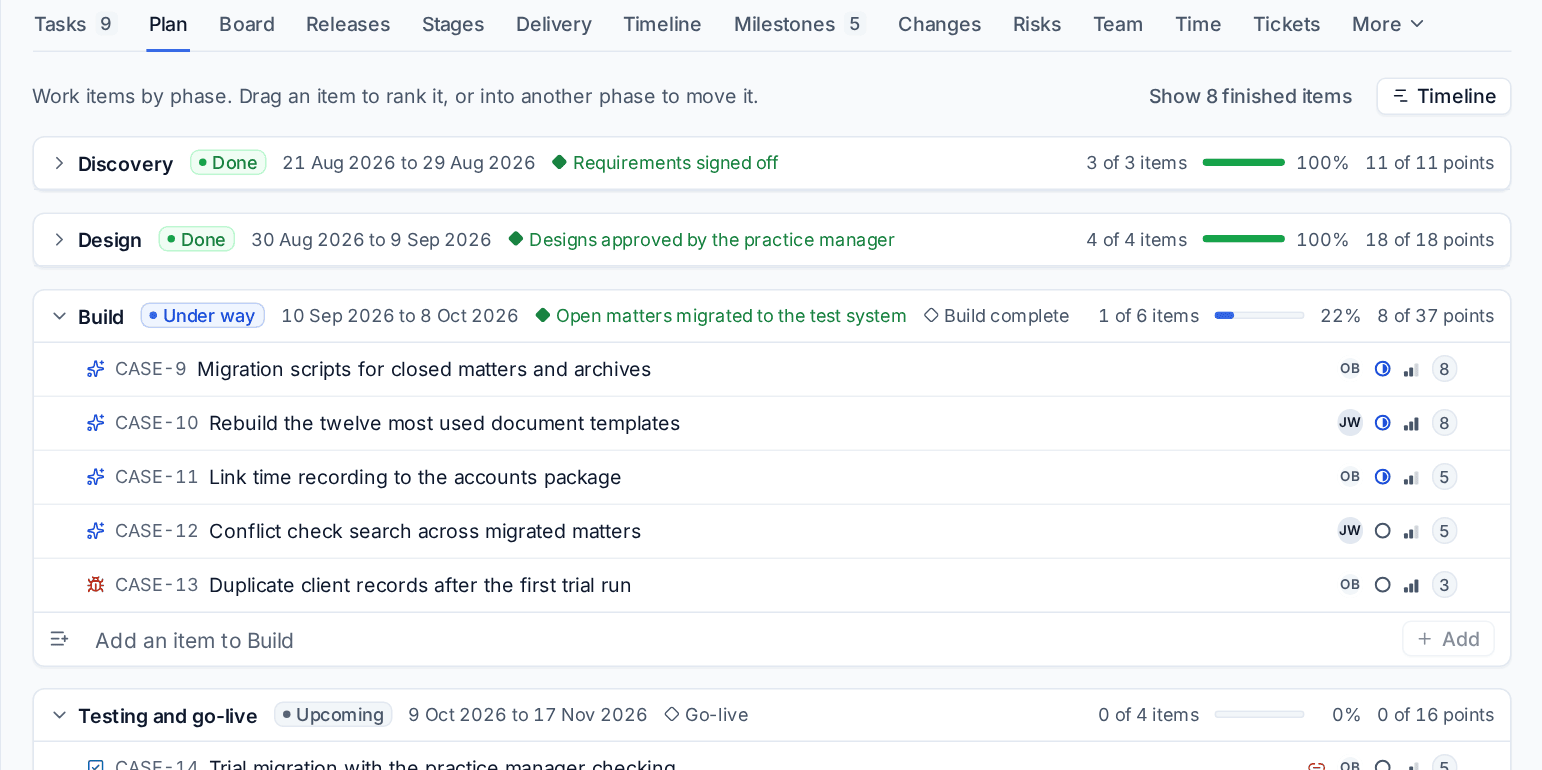
Phased suits fixed-scope work for one customer, such as a system migration with a design sign-off and a go-live date. Sprints suit a product that keeps growing. Kanban suits a steady stream of small changes, such as website updates and fixes.
Note: Switching style never loses data. Leaving Sprints closes the running sprint as it stands (its burndown and velocity are kept) and puts its unfinished items back in the backlog. Planned sprints keep their items in case you switch back. Tenvara says what the switch will do before it happens.
Settings
Settings > Projects > Software development holds the defaults for every software project: the delivery style, the estimate unit and the point values of each t-shirt size, the sprint length, how many sprints the average velocity uses, and how many days Kanban's Done column keeps items. Each project can override the estimate unit, the sprint length and the work in progress limits on its own Development tab.
Who can do what
People who can view projects can read everything. People on an item can change its status and move it on the board. Planning (sprints, versions, stages) and linking repositories need the Manage permission for projects. Connecting GitHub is for administrators. See Roles and permissions.
Related: Sprints, Kanban and releases, GitHub and deployments, Projects overview.
Was this page helpful?
Thanks for the feedback.