The first backups queue
New Microsoft 365 tenants take their first full backup in an order you choose, in slots of their own, so tenants already backed up stay on time. Reorder the queue, run one next, hold and release, see why a tenant is held and fix it, and read the estimates.
A tenant's first backup is its biggest: every mailbox, OneDrive, site and team in full. Onboard five customers in a week and those five first backups could run for days. Tenvara keeps them in a queue of their own, the first backups queue, so you decide which customer goes first and none of them holds up the scheduled backups of tenants you already protect.
Why first backups have their own slots
Scheduled backups and first backups run side by side, in separate slots:
- Scheduled backups of tenants already backed up use the slots set by Microsoft 365 tenants at once. They fetch only what changed, so they are short.
- First backups use the slots set by First backups at once. A first backup never takes a scheduled slot, however long it runs.
Where the two share something, scheduled backups come first. If a scheduled backup has to wait for memory on the backup server, the running first backups drop to one file at a time until it has what it needs, and the first backup's log says "Giving way to a scheduled backup that needs memory". Microsoft's own request limits are per tenant, so a first backup never spends another tenant's allowance.
A tenant part-way through its first backup gets scheduled backups of the parts already finished, beside the first backup.
Opening the queue
Open Backup > Microsoft 365 and press First backups, which shows how many tenants are waiting, or choose First backups in the Backup sidebar. The sidebar item and the button are there while the queue has anyone in it.
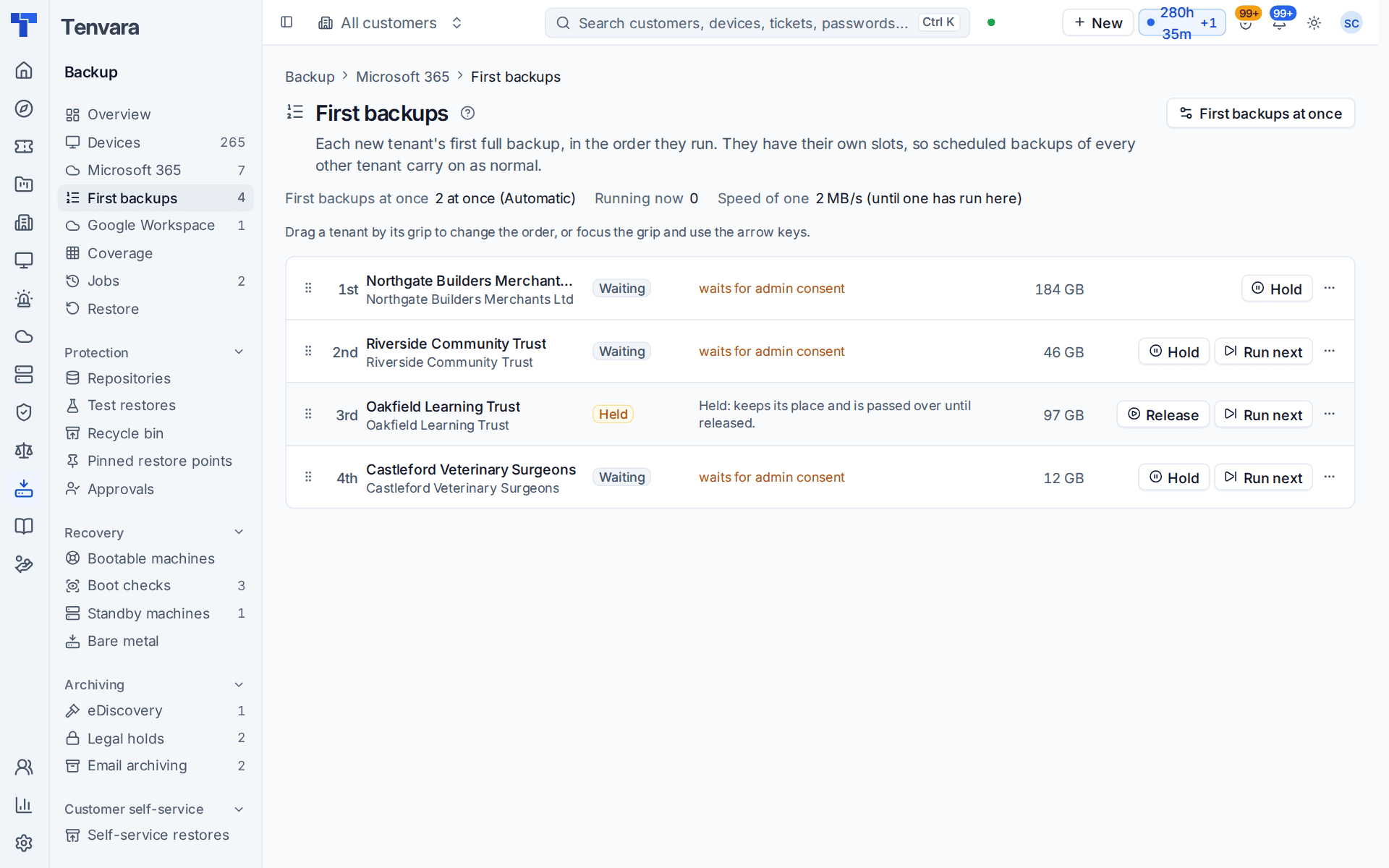
The line at the top says how the server is set up:
- First backups at once: how many run together, for example "2 at once (Automatic)".
- Running now: how many are running. When nothing runs while tenants wait, a line underneath says why, for example "Nothing is running: 2 held by takeover mode and 1 held by a person."
- Speed of one: how fast one first backup reads on this server, worked out from the first backups that have run here. Until one has run, a starting figure is used and the line says so.
Each tenant in the queue shows:
| Column | What it holds |
|---|---|
| Place | 1st, 2nd, 3rd and so on |
| Tenant | The tenant and its customer |
| State | Waiting, Running or Held |
| What it is doing | For a running tenant, a progress bar, "Finishes about ..." and how many of each kind of part are done. For a waiting one, "Starts about ..., finishes about ...". For a held one, why it is held and the fix |
| Size | Read from the tenant's directory. Until that has been read it says "about" a typical size |
Tenants whose first backup finished in the last 7 days are listed underneath, with how long it took.
Held tenants
A tenant the scheduler cannot start yet is held, never shown with a start time it will not keep. Its row says why and offers the fix. When more than one reason applies, the row shows the one to clear first.
| The row says | What to do |
|---|---|
| "Held: takeover mode (backups not started)" | For a customer in takeover mode, press Start backups, which opens the takeover card's own confirmation. If you cannot change the customer, the row says "Backups start once someone starts them on its takeover card." |
| "Held: Backup is switched off in Settings > Modules" | Open Modules and switch Backup on |
| "Held: Backup is off in this tenant's Microsoft 365 features" | Turn Backup on in its features |
| "Held: waiting for the tenant's admin to grant consent" | Open admin consent and have the customer's global administrator approve |
| "Held: Microsoft refuses the tenant's connection" | Reconnect the tenant |
| "Held: the tenant's SharePoint allowance for today is spent, back about ..." | Nothing: it starts once Microsoft's allowance is back |
| "Held: the backup server is low on disk space" | Free up space or change the low space limit. A first backup is almost all large files, so a new one does not start while the server is low on space. Scheduled backups of tenants already backed up still run |
| "Held by Jane Smith: keeps its place and is passed over until released" | Someone held it with Hold: press Release when it should go |
A held tenant has no estimate, and it is left out of the estimates of the tenants behind it: they move up and take the next free slot.
When a customer in takeover mode has a tenant waiting for its first backup, the customer's takeover card says so with the size and rough time, for example "Microsoft 365 first backup is ready to start (713 GB, about 3 days)", with a link to First backups. Starting backups from the card lets the tenant take its place in the queue.
Changing the order
You need to manage backup to change the queue. People who only view backup see it without the grips and buttons.
- Drag a tenant by its grip to the place you want. With the keyboard, focus the grip and use the up and down arrows, or choose Move up or Move down in the row's ... menu.
- The new order shows at once and the estimates are worked out again.
Three buttons act on one tenant:
- Run next: puts the tenant first in line. If it was held, it is released as well.
- Hold: the tenant keeps its place but is passed over, and its first backup is not started until you release it. Its row says "Held by" and your name. Use it for a customer whose go-live date is next month.
- Release: ends the hold.
A change takes effect for the next free slot. A first backup that is already running cannot be held or moved: cancel its job in Backup > Jobs if it really must stop. Each change is written on the customer's activity.
Estimates
Once a waiting tenant's directory has been read, Tenvara reads the size of what is protected in it: each mailbox, OneDrive and site library. With the speed of one first backup, that gives an estimated start and finish for every tenant in the queue: a running tenant finishes when the rest of its data is read, and each waiting tenant takes the first slot to come free, in order. Held tenants are skipped over.
Once a first backup is running, its finish comes from its own rate: "about 3 days at the current rate". If it runs well behind its first estimate, the page says why (for example Microsoft slowing it down, the storage, or index maintenance needed) and an alert goes to whoever connected the tenant, or who pressed Run next.
Estimates are a guide: they move when you change the order and when Microsoft slows a backup down. Times are shown on your own clock.
Where a tenant says it is in the queue
You do not have to open the queue to see where a tenant stands. Until its first backup is done:
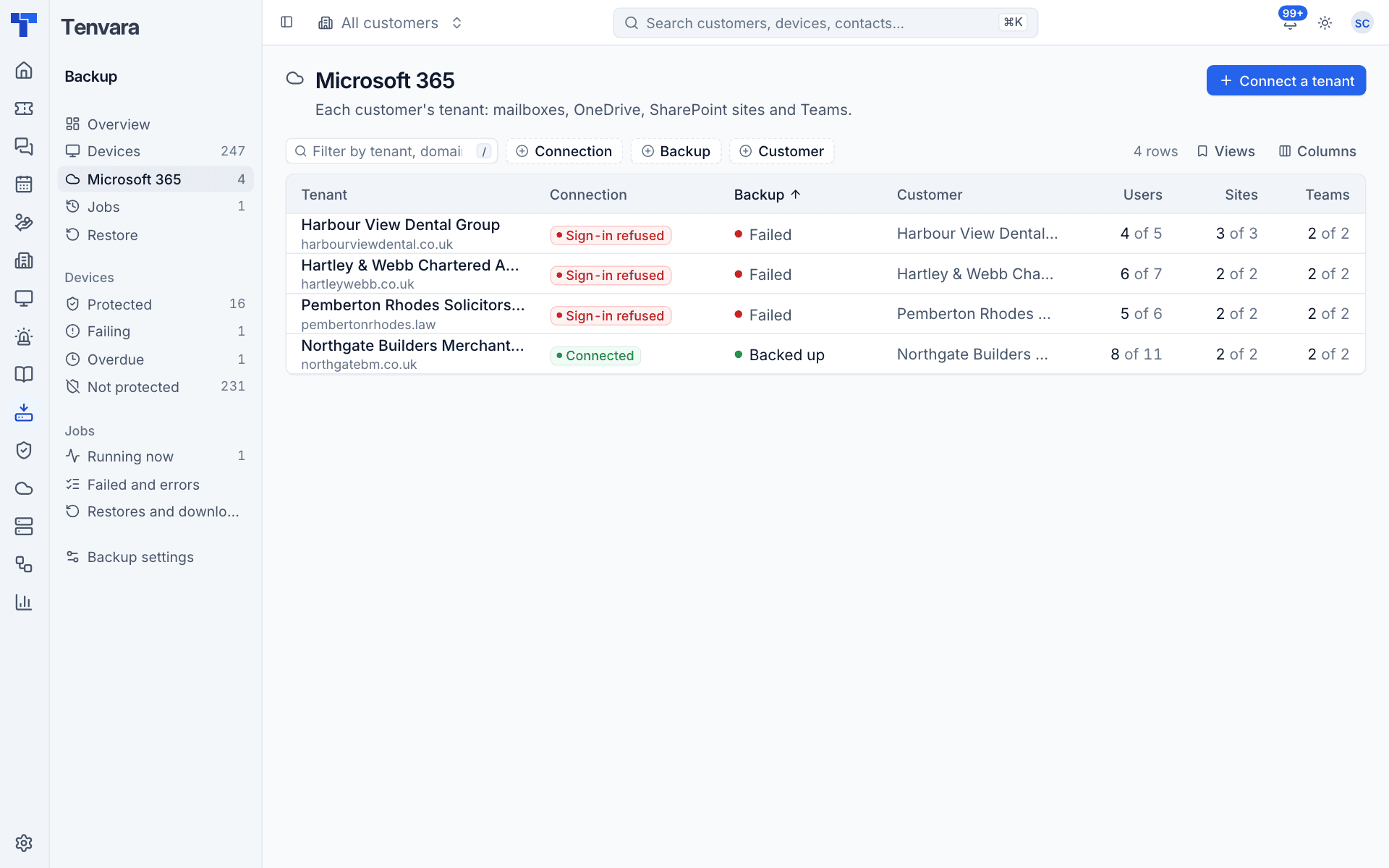
- The tenants list in Backup > Microsoft 365 shows it under the tenant's backup state, for example "First backup: 3rd in the queue, starts about 14:20" or, for a held tenant, the short form of why: "held by takeover mode (backups not started)", "waits for admin consent", "waits for sign-in details that work" or "held until its SharePoint allowance is back".
- The tenant's own page says the same, and the line links to the queue.
When you connect a tenant, the Connect Microsoft 365 dialog tells you before you send the consent link where its first backup will join the queue and when it should start and finish.
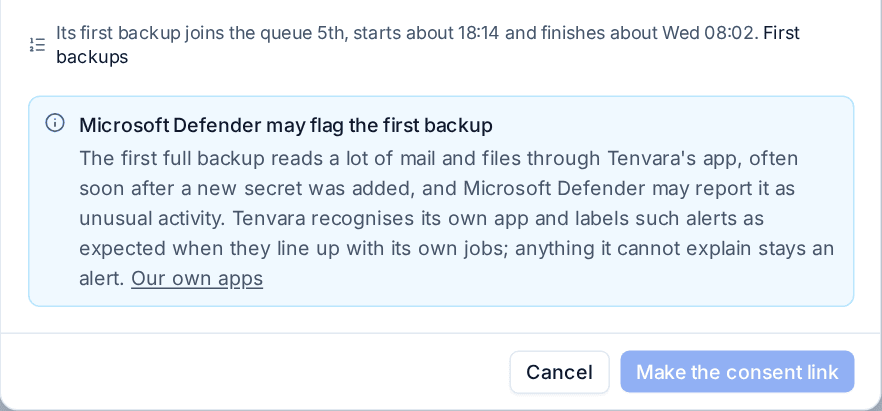
A new tenant joins at the end, and tenants connected one after another keep the order they were connected in.
First backups at once
Press First backups at once on the queue page, or open Settings > Backup, the Defaults tab, and find Microsoft 365 backups at once.
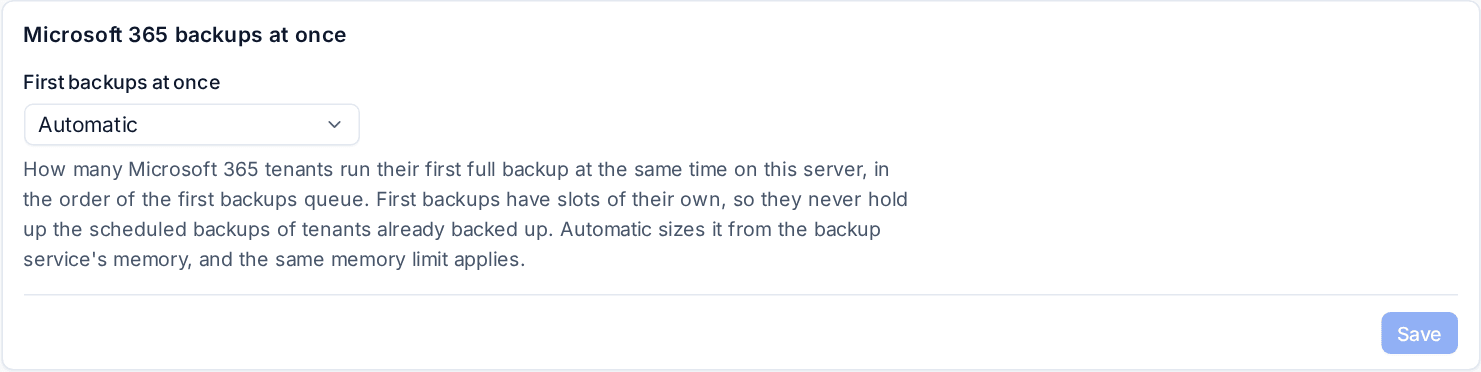
- Automatic, the default, sizes it from the backup service's memory.
- A number from 1 to 16 is your own choice. It is kept within what the memory safely allows, and the page says when it has been held lower than you asked.
Raising it finishes a batch of new customers sooner on a server with memory to spare. It does not change how many scheduled backups run: that is Microsoft 365 tenants at once, on the same tab. See Microsoft 365 backup.
Related
Was this page helpful?
Thanks for the feedback.