Hardware refresh verdicts and asset cost
How Tenvara works out a device's real age, decides between Replace now, Plan for replacement and Fine, and writes a purchase cost down to a book value you can report on.
Tenvara gives every device a verdict with its reasons spelled out, built from the device's real age and from what the agent reports about the hardware, and it keeps the purchase cost with a book value beside it.
The records behind it (purchase details, warranties and warranty lookups) are in Asset lifecycle and warranty.
How the real age is worked out
A device's age is never counted from the day it was added to Tenvara. Tenvara uses the best evidence it has, in this order:
- The purchase date, typed in or filled in from a purchase order.
- The warranty start, typed in or from a warranty lookup.
- The manufacture date, when the agent reports one.
- Otherwise the agent's other facts set the bounds: the year the processor reached the market and the model's release date at one end, the BIOS date and the date the operating system was installed at the other.
The age is shown with where it came from, for example Bought in 2026 or About 2018, from the BIOS date. A BIOS date alone is not trusted as the age, because makers update firmware for years. A virtual machine's age is unknown, and a device with no known age is never due because of its age.
The three verdicts
| Verdict | Meaning |
|---|---|
| Replace now | At least one urgent reason: a date that has passed, a failing disk, or a computer on an operating system that has lost support and cannot run the current one. |
| Plan for replacement | Nothing urgent, but a reason to plan, shown with the month to plan for. |
| Fine | No reason to replace it. Later dates are still listed as worth knowing. |
Every reason is a short sentence, and the forecast's Why column strings them together, for example warranty ended Dec 2023, expected life ends Dec 2026. A fact Tenvara does not know is never a reason.
A Replace by date you set by hand on a device decides on its own. The rules' reasons stay listed under it as worth knowing.
What the rules look at
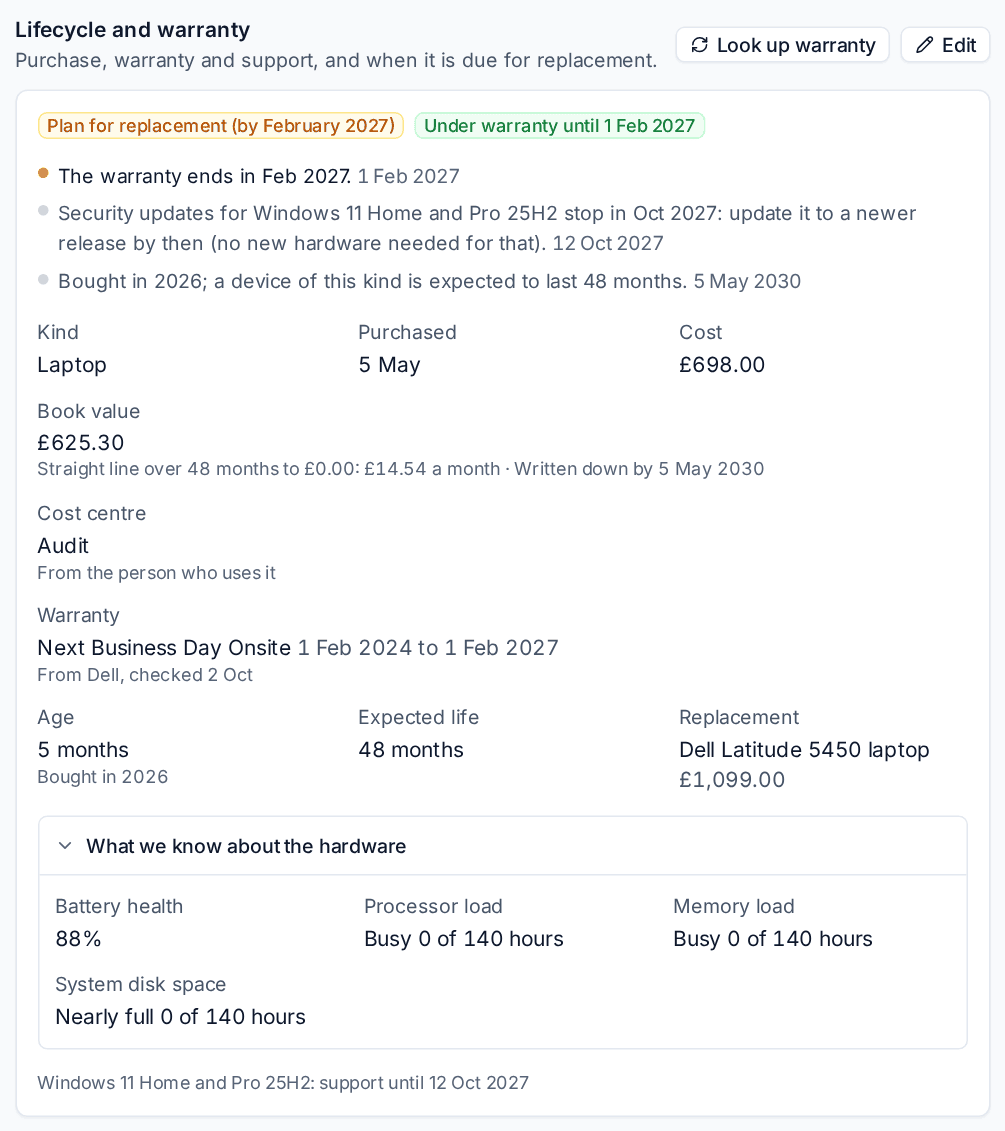
Open a device and find Lifecycle and warranty on its Overview tab. What we know about the hardware opens the facts behind the verdict.
The rules are in four groups under Settings > Assets:
| Group | Rules |
|---|---|
| Refresh rules | The dates: the warranty ending, operating system support, the maker's end of support and the end of the expected life. |
| Fitness rules | Replace when it cannot run the current operating system (a Windows computer that cannot run Windows 11 because of its processor, TPM 2.0 or UEFI, or a Mac the current macOS no longer supports), Replace when it has too little memory, and Replace a desktop or laptop with a spinning system disk. |
| Wear rules | Replace when a disk is failing or worn, Replace a laptop with a worn battery and Replace when the system disk is always nearly full. |
| Coping rules | Replace when it cannot keep up (processor or memory busy for much of the time, from monitoring) and Replace when it keeps crashing (blue screens and unexpected shutdowns). |
A failing disk is urgent. Other wear and coping findings plan a replacement rather than demand one.
Tuning the rules
Go to Settings > Assets. Each rule has a switch, and its thresholds sit under it.
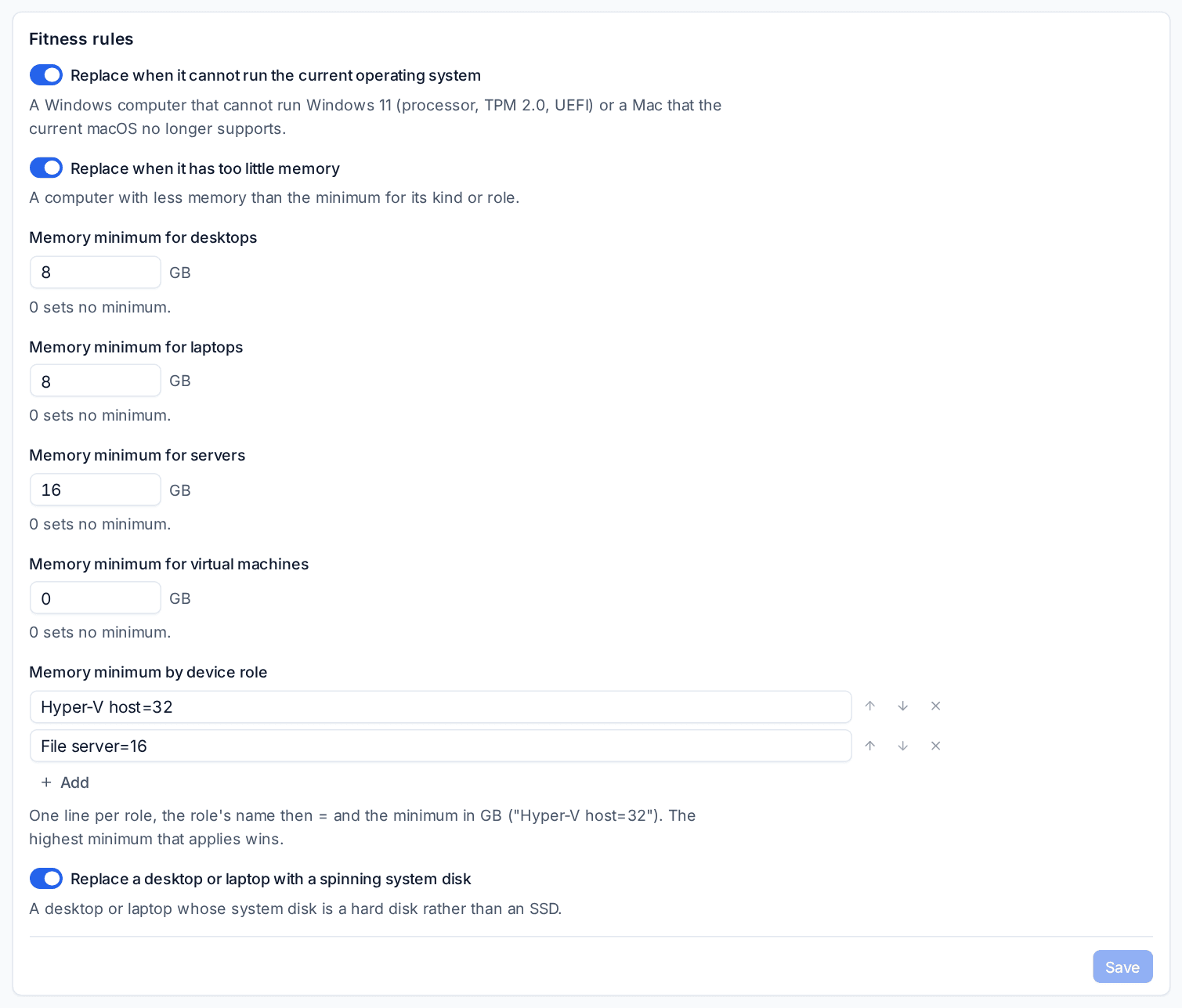
- Memory minimum for desktops, laptops, servers and virtual machines, in GB. 0 sets no minimum.
- Memory minimum by device role: one line per role, such as
Hyper-V host=32. The highest minimum that applies wins. - Wear and coping thresholds such as SSD worn over, Battery health under, Processor busy over and Crashes in the period, with Period looked at in days.
- Plan a replacement within: how many months ahead a fitness, wear or coping finding plans the replacement.
- Plan replacements due within: a warranty, support or expected life date inside this many months shows as Plan for replacement; later dates are fine for now.
Click Save in each section. Reset this page goes back to the defaults.
Rules for one customer
Open the customer, choose the Devices tab and then Lifecycle. Below the forecast, the customer's refresh rules show one card per group, with a switch per rule and its thresholds under it. A value changed here is marked as this customer's own, and the reset arrow puts it back to what Settings > Assets says.
Where the verdicts appear
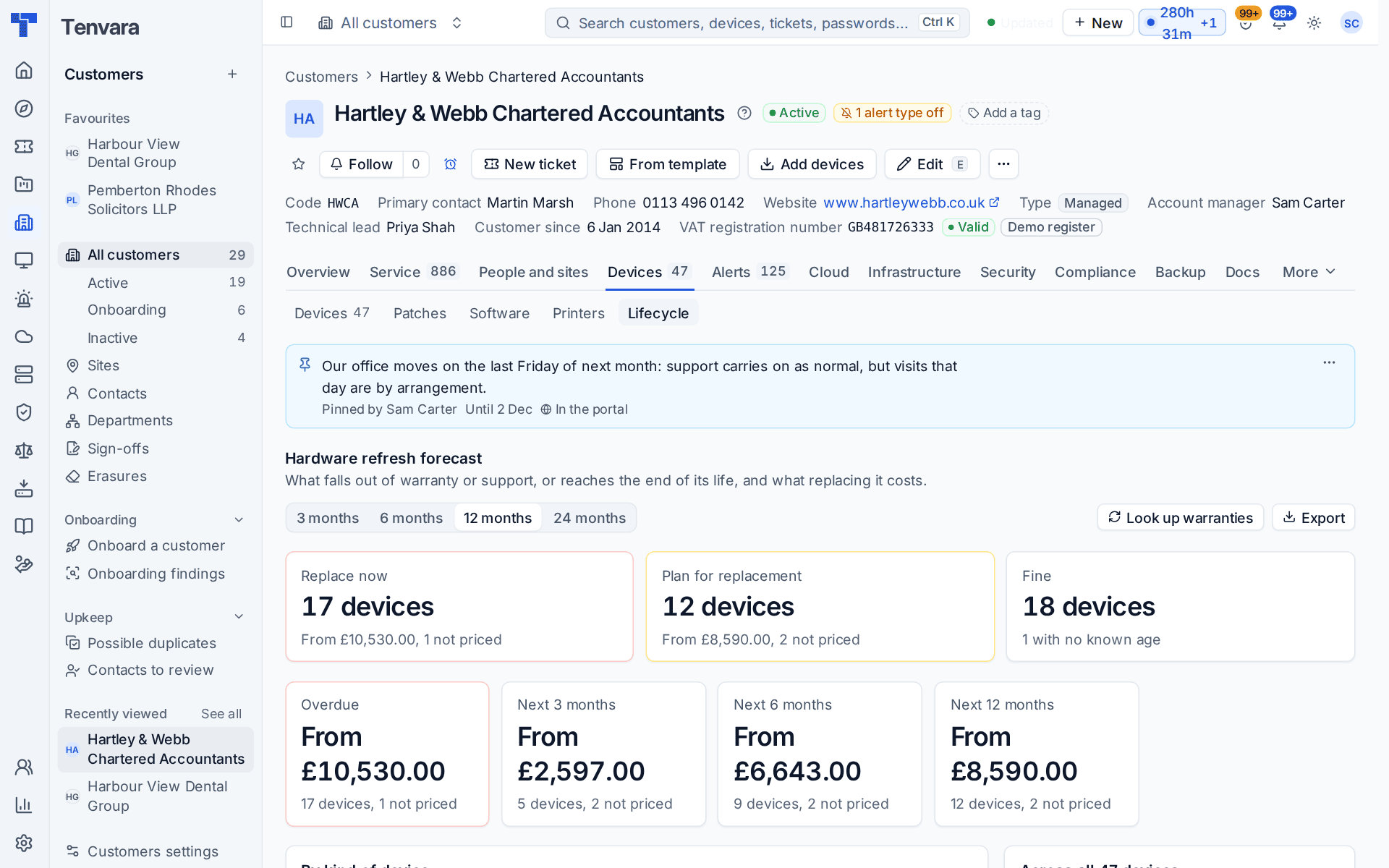
- The customer's Lifecycle tab and Reports > Hardware refresh: three tiles count Replace now, Plan for replacement and Fine over every device looked at. Click one of the first two to filter the list. By kind of device splits each kind's cost by verdict.
- The list on both pages has Verdict, Why and the estimate for a replacement on every row.
- Exports: the CSV and the PDF carry the verdict, the reasons and the age.
- The business review: its hardware refresh section says how many devices to replace now, plan for and leave, and lists each one with its verdict, reasons and age. See Business reviews.
Cost and book value
A device's purchase cost is written down to a Book value, worked out fresh each time it is shown.
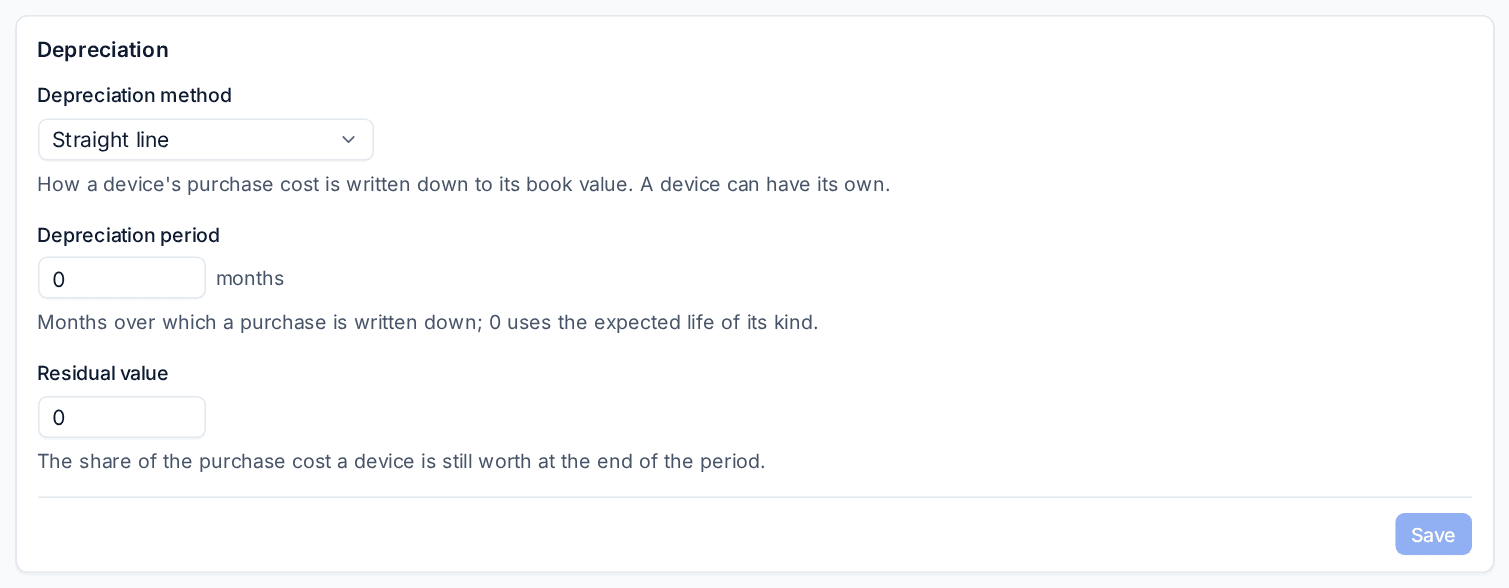
- Go to Settings > Assets and find Depreciation.
- Choose the Depreciation method: Straight line or Not depreciated.
- Set the Depreciation period in months. 0 uses the expected life of the device's kind.
- Set the Residual value: the share of the purchase cost a device is still worth at the end of the period.
- Click Save.
Straight line takes an equal share off each whole month, from the purchase date or, without one, the warranty start. After the period the book value stays at the residual value. A customer can have its own values, and Edit on a device's Lifecycle and warranty section sets the method, period and residual value for that one device.
The device page shows the result under Book value, for example Straight line over 48 months to £0.00: £14.54 a month, written down by 5 May 2030. Beside it, Cost centre comes from the device's department, or from the department of the person who uses it. See Departments.
Book value is also a column you can add with Columns in the device list and in the hardware refresh list, where it sits beside what a replacement costs.
A device needs a purchase cost and a start date before it has a book value.
Related
Was this page helpful?
Thanks for the feedback.