Newsletters and automatic mail: Probably not support
Where newsletters and automatic mail that your mailbox rules let through end up, how to decide It is support, Not a ticket or Block sender, and the rules that stop automatic emails going to no-reply addresses.
A support mailbox gets more than support requests: vendor newsletters, renewal notices, marketing from a supplier's robot address. Tenvara already drops automatic replies, bulk and mailing list mail. But when a mailbox rule keeps everything from a domain, or a sender is on an allow list, a newsletter could slip through as a real ticket, get an acknowledgement and start an SLA clock. Probably not support catches it instead.
What lands there
When mail comes in through a mailbox rule or an allow list, Tenvara still checks whether it looks like bulk or automatic mail: a robot sender address, "Auto-Submitted", "Precedence: bulk" or "list", an automatic reply header, a mailing list ID or an unsubscribe link. If it does, the ticket opens in Probably not support, with a line saying "This looks like bulk or automatic mail" and which check it matched.
Two kinds of mail are still treated as support, as before:
- a web form the mailbox lists as one of its forms,
- a sender on an allow list by their exact address, because someone chose that one sender.
Mail with no rule or allow list behind it is still dropped as bulk mail, so the view only ever holds the cases where a person has to decide.
What it means for the ticket
A ticket in Probably not support:
- gets no acknowledgement,
- has no SLA clock, so it never breaches,
- shows only in its own view and in All tickets, never in All open, Unassigned, the queue counts or triage,
- is logged in the mail log as "Probably not support" with the reason, and its activity says so.
The Probably not support view sits in the Service desk sidebar while it has tickets, and is always in the view picker.
Decide what it is
Open the ticket. In the details panel, the Probably not support block offers three choices:
- It is support: the ticket goes into the queues and its SLA starts now. No acknowledgement is sent after the fact. Tick Treat mail from the sender as support from now on to put their exact address on the mailbox's allow list, so their mail is support next time.
- Not a ticket: the ticket goes to the recycle bin. The sender is not blocked, so their next real request still arrives.
- Block sender: marks it as spam. The ticket goes to the recycle bin and the sender (or their whole domain) goes on the mailbox's ignore list (see Email to ticket and alert rules).
Not a ticket and Block sender are also on the Triage block of any ticket with no customer, for the junk that reaches No customer (triage). Not a ticket and allowing a sender need the right to delete tickets, as Mark as spam does.
Tip: Check the view once a day. Most of what lands there is a newsletter you can mark Not a ticket, but now and again a supplier's robot sends something that really is support, such as a failed delivery notice for a customer's order.
No automatic email to robots
Whatever a mailbox is set to, Tenvara never sends an automatic email to a no-reply or robot address: no acknowledgement, no customer email as the ticket moves, no resolution or rating email, no closing email, no out-of-hours reply, no chaser, and no unknown sender or confirmation email. That stops the loop where an acknowledgement bounces and the bounce lands on the ticket as another message. Replies you write yourself still go.
Fewer emails to real people
Two more rules keep your customers' inboxes quiet:
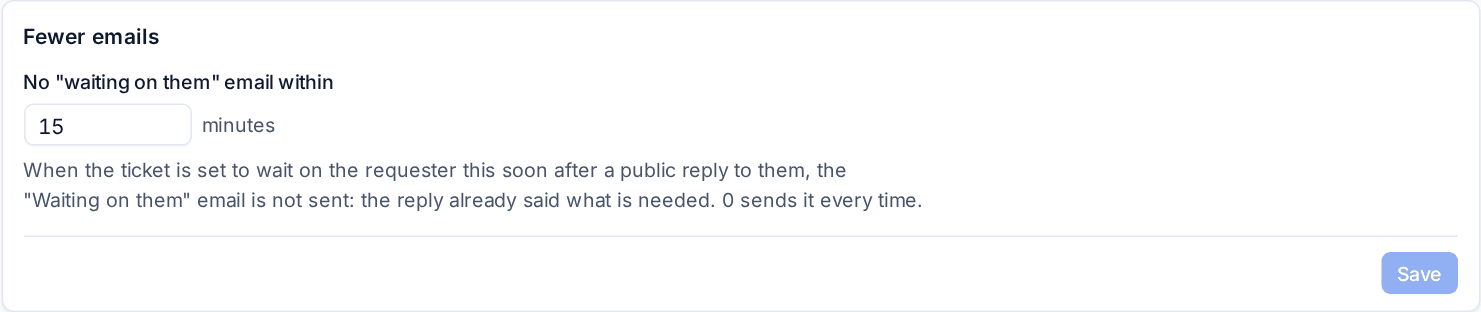
- No "waiting on them" email within: when a ticket is set to wait on the requester this soon after a public reply (15 minutes unless you change it, on the Customer emails tab of Settings > Ticket setup), the Waiting on them email is not sent: the reply already said what is needed. A customer can have its own value, and 0 sends it every time.
- One resolution email: resolving asks how it was resolved first, then sends one email with your summary under "What we did" (when you chose to share it), the greeting and the rating question, instead of separate emails.
Related
Was this page helpful?
Thanks for the feedback.