Security software and the agent
What the Windows agent installs, what it runs and how its scripts are protected, so you can check it against your antivirus or EDR product, the allow rules to use if one still raises alerts, and why TLS inspection must leave the agent's connection alone.
Remote management agents run as the system, start scripts and install software, which security software is right to watch. This page says exactly what the Tenvara agent installs and runs, so you can check it against your own product. The allow rules at the end are a fallback: none should be needed.
The agent's behaviour was tested with Microsoft Defender Antivirus with every attack surface reduction rule on, on Windows 11, Windows Server 2022 and Windows Server 2025.
How the agent runs scripts
- The agent runs PowerShell only as signed script files that ship with it, started with
-File. It never uses-Command,-EncodedCommandor-ExecutionPolicy Bypass, never builds a script at run time and never puts input on a command line: input goes in on standard input. - Before every run the agent checks the file: its text must match the copy the agent was built with, and its signature must be valid and from the agent's own publisher. Otherwise the run is refused and reported.
- The scripts folder is readable by SYSTEM and Administrators only.
- Where a Windows API does the job (inventory, volumes, Active Directory, printers, Windows Update, Hyper-V, services), the agent calls the API directly and no script runs at all.
- The agent never opens
lsass.exe. - Your own scripts from the script library run through one signed wrapper,
scripts\device\run-script.ps1, the same way.
A Windows device carries only the scripts it needs: the core ones, plus those of each module the device uses (device hardening, web hosting, Hyper-V, printers and so on). A module's scripts arrive when the device starts using it and go when it stops. Show agent health on the device lists them; see Diagnostics.
What is installed
Every file the agent installs, programs and scripts alike, carries an Authenticode signature with a Microsoft timestamp. The signing certificate is renewed often, so each update may be signed with a new certificate from the same publisher. To see the publisher, open the properties of tenvara-agent.exe and look at Digital Signatures.
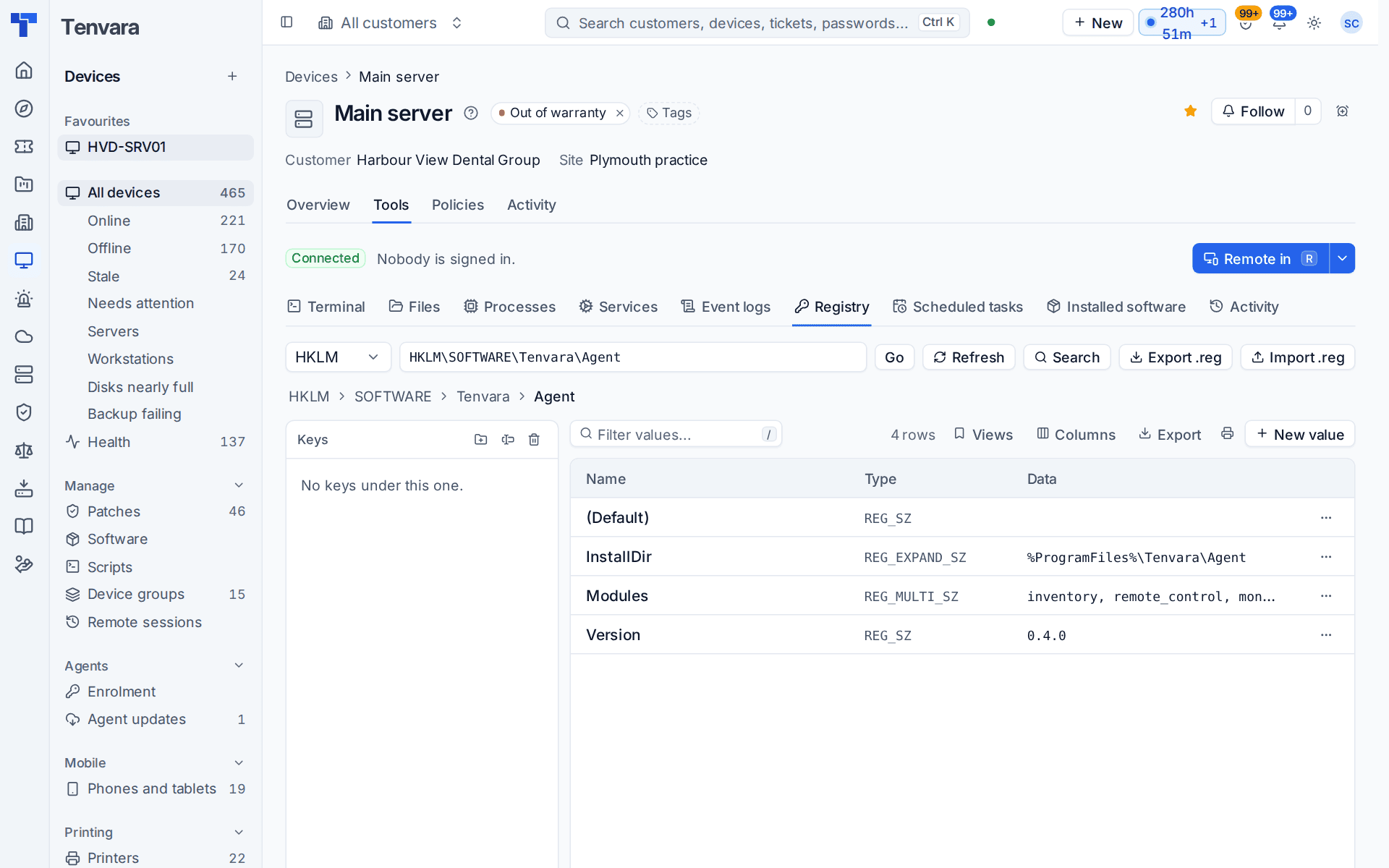
| What | Where |
|---|---|
| Programs | C:\Program Files\Tenvara\Agent\: the service tenvara-agent.exe, the updater tenvara-updater.exe, the remote control helper tenvara-rc.exe and the tray tenvara-tray.exe |
| Signed scripts | C:\Program Files\Tenvara\Agent\scripts\ |
| Settings, keys, queues and logs | C:\ProgramData\Tenvara\Agent\, with updates\ while an update is applied and backup\tenvara-backup-helper.exe when Backup is on |
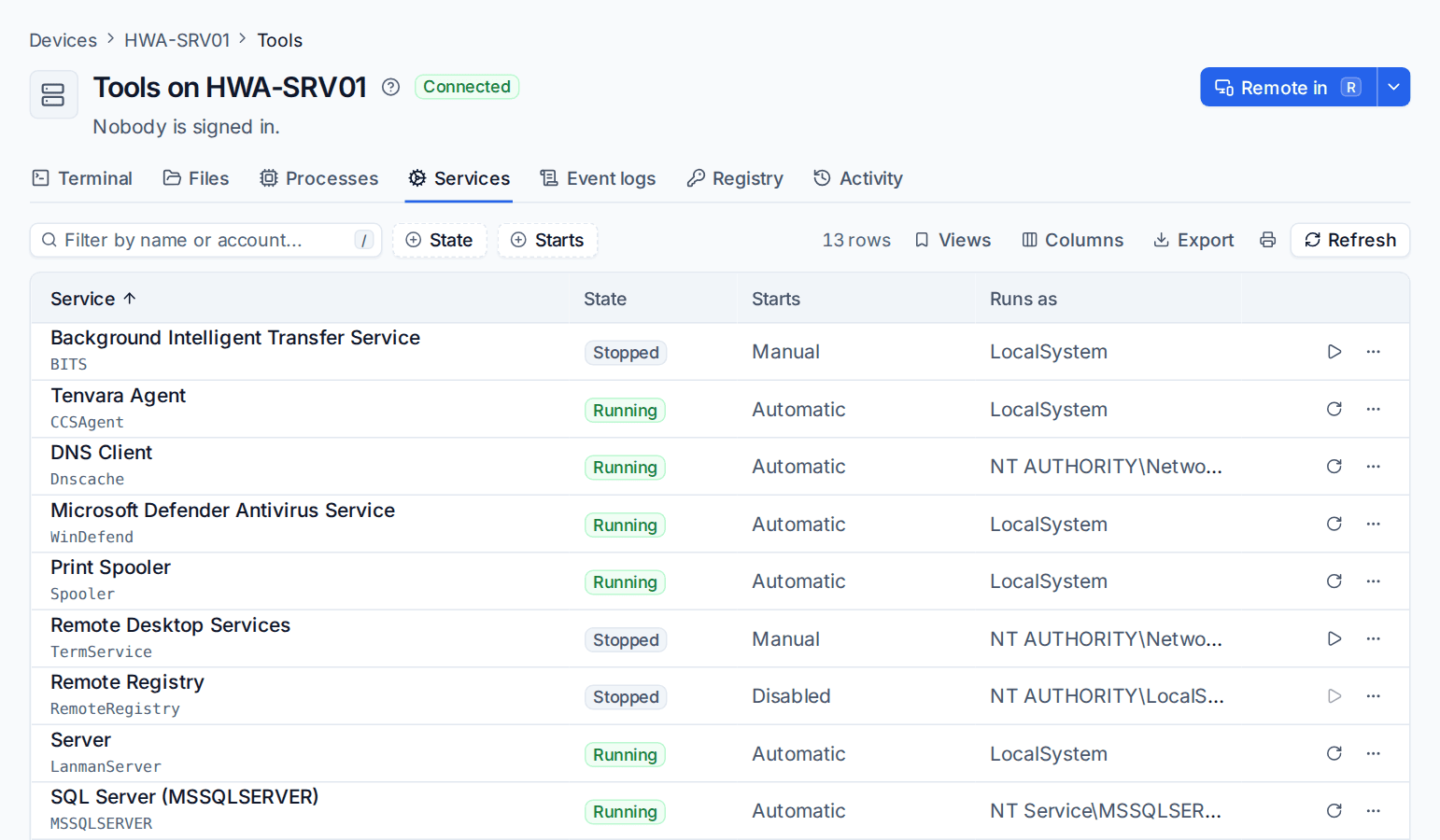
| Service | TenvaraAgent, running as LocalSystem. Its display name is Tenvara Agent, or your brand's agent name |
| Registry | HKLM\SOFTWARE\Tenvara\Agent |
| The Lite agent, on older Windows | C:\Program Files\Tenvara\AgentLite\tenvara-agent-lite.exe, C:\ProgramData\Tenvara\AgentLite\, the service TenvaraAgentLite and HKLM\SOFTWARE\Tenvara\AgentLite |
Warning: Exclusions and allow rules written for any other folder, program or service name do not cover the agent. Check yours against the table, along with the detection rules in Intune or Group Policy. See Agent names and folders.
What you will see running
tenvara-agent.exe runas SYSTEM: the agent itself.tenvara-tray.exe --trayas each signed-in person: the tray icon.tenvara-rc.exeas SYSTEM in the console session, only while a technician is connected.tenvara-updater.exeas SYSTEM during an update: it installs the signed update package withmsiexec.tenvara-backup-helper.exeas SYSTEM when Backup is on.powershell.exe -NoLogo -NoProfile -NonInteractive -ExecutionPolicy RemoteSigned -File "C:\Program Files\Tenvara\Agent\scripts\<module>\<name>.ps1"as SYSTEM, withtenvara-agent.exeas its parent.msiexec.exe,winget.exeand vendors' installers when you deploy software or patches.
Tenvara agent activity on detections
The agent records every program it starts, with the job it was for. When Microsoft Defender or SentinelOne is connected to Tenvara with your own account, an alert about a process the agent started for a job is labelled Tenvara agent activity, with the job, and can be closed. An alert about the agent's process that matches no job is not labelled and stays at its severity, because that is exactly the case worth looking at.
Allow rules, only if needed
Add a rule only when a product still alerts or blocks, and keep it as narrow as the product allows: by publisher first, then for powershell.exe -File in the agent's scripts folder, and a folder exclusion last. Never exclude powershell.exe itself.
| Product | What to add |
|---|---|
| Microsoft Defender | A suppression rule scoped to the parent C:\Program Files\Tenvara\Agent\tenvara-agent.exe and the command line -File "C:\Program Files\Tenvara\Agent\scripts\. If an attack surface reduction rule blocks a script, a per-rule exclusion for C:\Program Files\Tenvara\Agent\scripts\. |
| SentinelOne | A certificate exclusion for the agent's signer, in the mode that suppresses alerts. A path exclusion for the scripts folder only if a script is still flagged. |
| CrowdStrike Falcon | A certificate-based exclusion for the publisher. For an IOA detection, an IOA exclusion for the image powershell.exe with the command line -ExecutionPolicy RemoteSigned -File "C:\Program Files\Tenvara\Agent\scripts\...ps1". Avoid sensor visibility exclusions. |
| Sophos Central | Allow the agent by certificate under allowed applications. If behaviour monitoring still blocks a script, an exclusion for tenvara-agent.exe and an AMSI exclusion for the scripts folder. |
| ESET PROTECT | A rule exclusion by the signer name or the parent process tenvara-agent.exe. A detection exclusion for the scripts folder only if a script is detected. |
| Bitdefender GravityZone | A process exclusion for tenvara-agent.exe. A folder exclusion for the scripts folder only if a script is quarantined. |
Tip: Write rules for the publisher, not for one certificate thumbprint or a file hash. The certificate changes between updates and the hash changes with every update, so those rules stop matching.
TLS inspection and server pinning
Every connection the agent makes to your Tenvara server is pinned: as well as checking the certificate in the usual way, the agent accepts only a certificate key that your own server vouches for, in a set signed with the key the agent learnt when it enrolled. Certificate renewals need no planning, because your server signs the new key into the set.
A firewall or secure web gateway that inspects TLS presents its own certificate, which the machine may trust but your server never vouched for. The agent refuses it, stays offline and writes the reason to its log, naming a TLS-intercepting proxy. Exclude your Tenvara server's name from TLS inspection on any network that inspects traffic.
Related
Was this page helpful?
Thanks for the feedback.