Supported systems
The versions of Windows, macOS and Linux the agent runs on, which Windows versions use the Lite agent, which part of the agent runs where, and what happens on a machine that is too old.
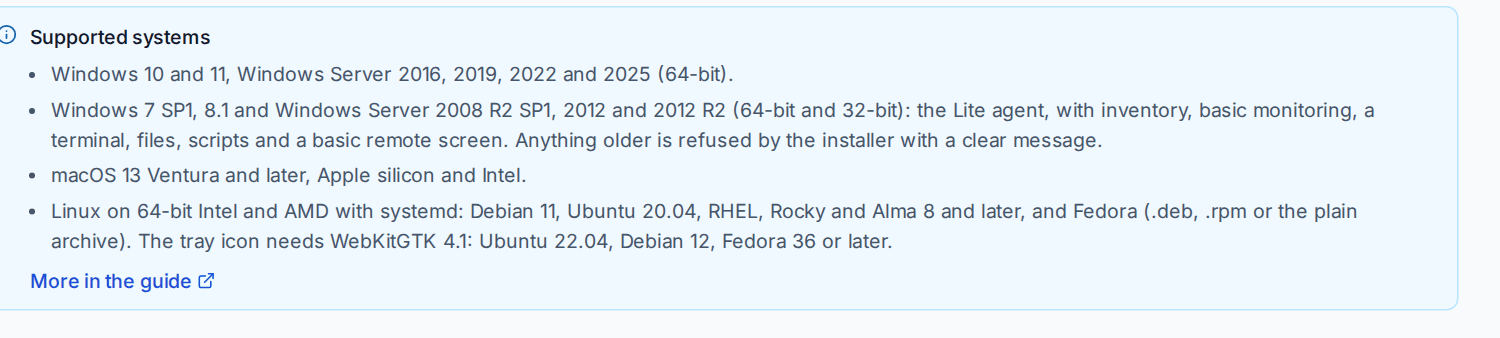
This page lists the systems the Tenvara agent runs on, and which parts of it (the tray, remote control, the desktop viewer and the backup helper) run where. The same list is in the product, under Supported systems on Devices > Enrolment, the Installers tab.
At a glance
| System | Versions | Which agent |
|---|---|---|
| Windows | Windows 10 and 11, Windows Server 2016, 2019, 2022 and 2025, 64-bit | The agent |
| Older Windows | Windows 7 SP1, Windows 8.1, Windows Server 2008 R2 SP1, 2012 and 2012 R2, 64-bit and 32-bit | The Lite agent |
| macOS | macOS 13 Ventura and later, Apple silicon and Intel | The agent |
| Linux | 64-bit Intel and AMD with systemd: Debian 11, Ubuntu 20.04, Red Hat Enterprise Linux, Rocky Linux and AlmaLinux 8 and later, and Fedora | The agent |
Packages for ARM64 Windows and for ARM Linux are also offered on the Installers tab.
Phones and tablets are managed differently, without the agent. See Mobile device management.
Windows
Windows 10 and 11, and Windows Server 2016, 2019, 2022 and 2025, run the agent with everything it does: inventory, monitoring, remote control, the background tools, patching, software, scripts, backup, hardening, the tray and the rest.
Every way of installing checks the Windows version first and stops before anything is copied:
- The installer (MSI) refuses to start on a version it does not support.
msiexecends with 1603 and the message is in its log. - The one-line install command stops with the message and reports it back. The enrolment token's Refused column then counts the machines that were turned away, so you know which ones to look at.
- Moving from another tool: the cutover shows the message for that device instead of a failed install.
On Windows 7 SP1, 8.1, Server 2008 R2 SP1, 2012 and 2012 R2 the message points to the Lite agent. On anything older it says what the device runs and what Tenvara needs.
Older Windows
Windows 7 SP1, Windows 8.1, Windows Server 2008 R2 SP1, 2012 and 2012 R2, in 64-bit and 32-bit, run the Lite agent. It reports the device, its software and its updates, runs basic monitoring, and gives you a terminal, files, scripts, power actions and a basic remote screen in the browser. It does not back up, patch or deploy software.
Windows XP, Vista, Server 2003, Server 2008 (not R2) and Windows 7 without Service Pack 1 are not supported by either agent.
The Lite agent has its own packages, under Older Windows (Lite agent) on the Installers tab. See Older Windows and the Lite agent for what it does, what it leaves out and how to install it.
macOS
macOS 13 Ventura and later, on Apple silicon and Intel. Remote control needs Screen Recording and Accessibility allowed for the agent, backup needs Full Disk Access, and the device page's macOS permissions card shows which are granted. See Installing the agent and The tray app.
Linux
64-bit Intel and AMD systems with systemd: Debian 11, Ubuntu 20.04, Red Hat Enterprise Linux, Rocky Linux and AlmaLinux 8 and later, and Fedora. Install the .deb, the .rpm or the plain archive; the one-line install command picks the right one.
| Part | Runs on |
|---|---|
| The agent and remote control | Every system above, servers included. Remote control of a Wayland desktop also needs PipeWire. |
| The desktop viewer | The same, with a desktop (X11 or Wayland) |
| The tray icon | Ubuntu 22.04, Debian 12, Fedora 36 or later desktops, because it needs WebKitGTK 4.1. Elsewhere the agent works without a tray icon. |
| The backup helper | Any 64-bit Linux |
Note: Proxmox VE 8 nodes are Debian 12, so the agent runs on them.
What "supported" means for a feature
A supported system runs the agent, but a feature may still depend on what the operating system offers:
- Patching uses Windows Update on Windows, Software Update on macOS, and apt, dnf or yum on Linux. Removing an update is possible on Windows and Linux, not on macOS.
- Software uses winget, MSI and EXE installers on Windows, Homebrew and macOS packages on Macs, and apt or dnf on Linux. winget itself needs Windows 10, Windows 11 or Windows Server 2022 or 2025; see Software deployment.
- The registry editor, Ctrl+Alt+Del, blanking the screen and blocking input are Windows only.
- The tray needs a desktop session, so a server with nobody signed in shows no tray icon.
Where a device cannot do something, the button is greyed out or left out and says why, rather than failing when you click it.
Where the installers are
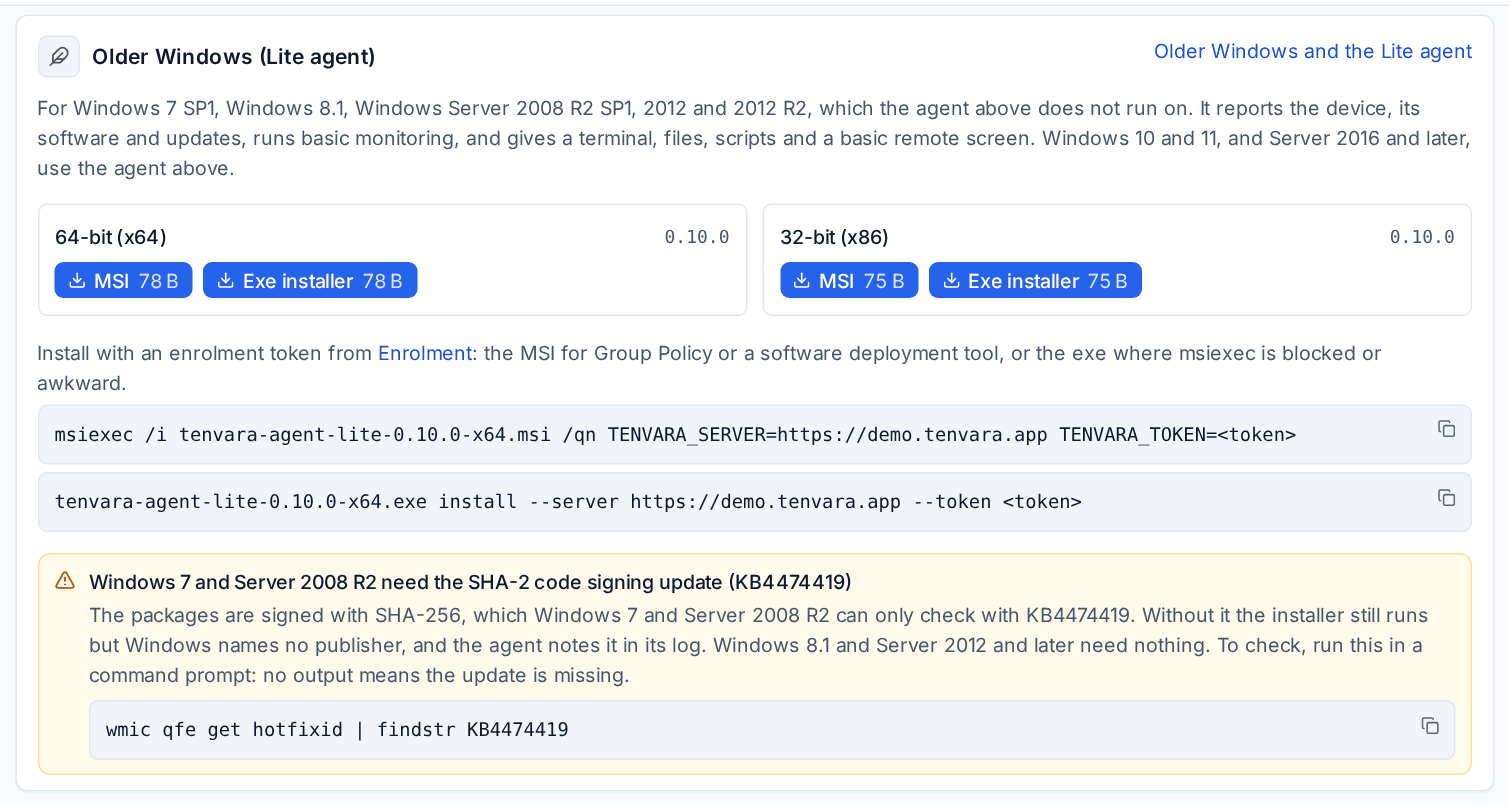
Devices > Enrolment, the Installers tab, has:
- the newest signed agent package for each platform, and Get an install command, which creates an enrolment token and gives you the one-line command;
- Older Windows (Lite agent), with the MSI and the exe installer for 64-bit and 32-bit Windows;
- Packages for a customer, for packages in a customer's brand;
- Release history, every package on your server.
The desktop viewer's downloads are in Settings > Remote access, on the Desktop viewer tab. See The desktop viewer.
Related
Was this page helpful?
Thanks for the feedback.