Tickets that link back to their alert or chat
See the live alert behind a ticket, raise a ticket from an alert where the alert rules would put it, act on a Microsoft 365 user from their alert ticket, and raise a ticket from a chat that carries on.
A ticket raised from an alert or a chat is only half the story. Tenvara keeps the ticket tied to where it came from, so the technician can see whether the alert is still true, or read and carry on the chat, without hunting for it.
Tickets from alerts
The alert card
A ticket raised from an alert, by an alert rule or by hand, shows the alert in a card at the top of its details panel, whatever the ticket type's layout:
- the alert's severity and state (Open, Acknowledged, Snoozed or Resolved),
- whether its source still says it is true ("Still true" or "No longer true"), checked again when the ticket opens,
- when it opened and when it was last checked,
- its fix, while the alert is open (the same offers as the alert's own page),
- Open alert.
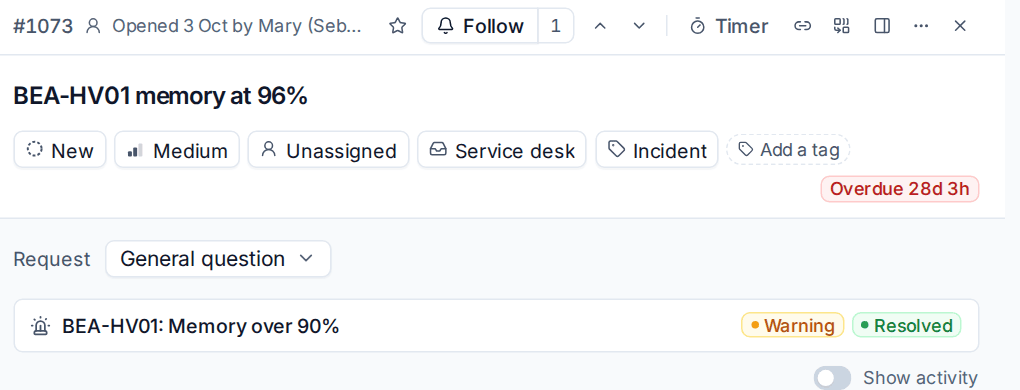
A ticket with more than three alerts shows the rest one line each. Someone who cannot open the alert still sees the ticket's own copy of its title, severity and when it opened.
The ticket's activity has an Alert linked line that opens the alert. When a rule linked it, the line names the rule, for example "Alert linked by the rule "Critical alerts become tickets"". The same happens when a repeat of the alert joins an open ticket, a root cause gathers alerts onto one ticket, or the alert reopens the ticket. When the alert clears, the activity says so too.
Raising a ticket from an alert by hand
On an alert, Raise ticket opens the new ticket form already filled in the way your alert rules would place it: the queue, type and priority of the first enabled rule that makes tickets and matches the alert. When no rule matches the alert's severity, the first rule that matches its kind gives the queue and type, and the priority is left as usual. Anything you choose yourself is kept.
Send the customer a confirmation starts off for a ticket from an alert, so pressing Enter does not email the customer about your own monitoring. Tick it if you want them told. See Email to ticket and alert rules for the rules themselves.
Microsoft 365 alert tickets show the person
When the alert is about a Microsoft 365 user, such as a risky sign-in or a suspicious inbox rule, the ticket shows the person: whether they can sign in, their risk level and recent sign-ins, the rule and the alert. From there, with the customer's tenant connected, you can Sign out everywhere, Reset password, Block sign-in or Disable this rule. Each action is noted on the ticket. When the ticket's request needs an identity check, these follow its policy (see Verifying who a caller is).
Tickets from chats
Raise a ticket and keep talking
In the chat console, Convert to ticket (or t) opens a short form: the subject, customer, contact and the ticket's priority, assignee, queue and type. Press Raise ticket.
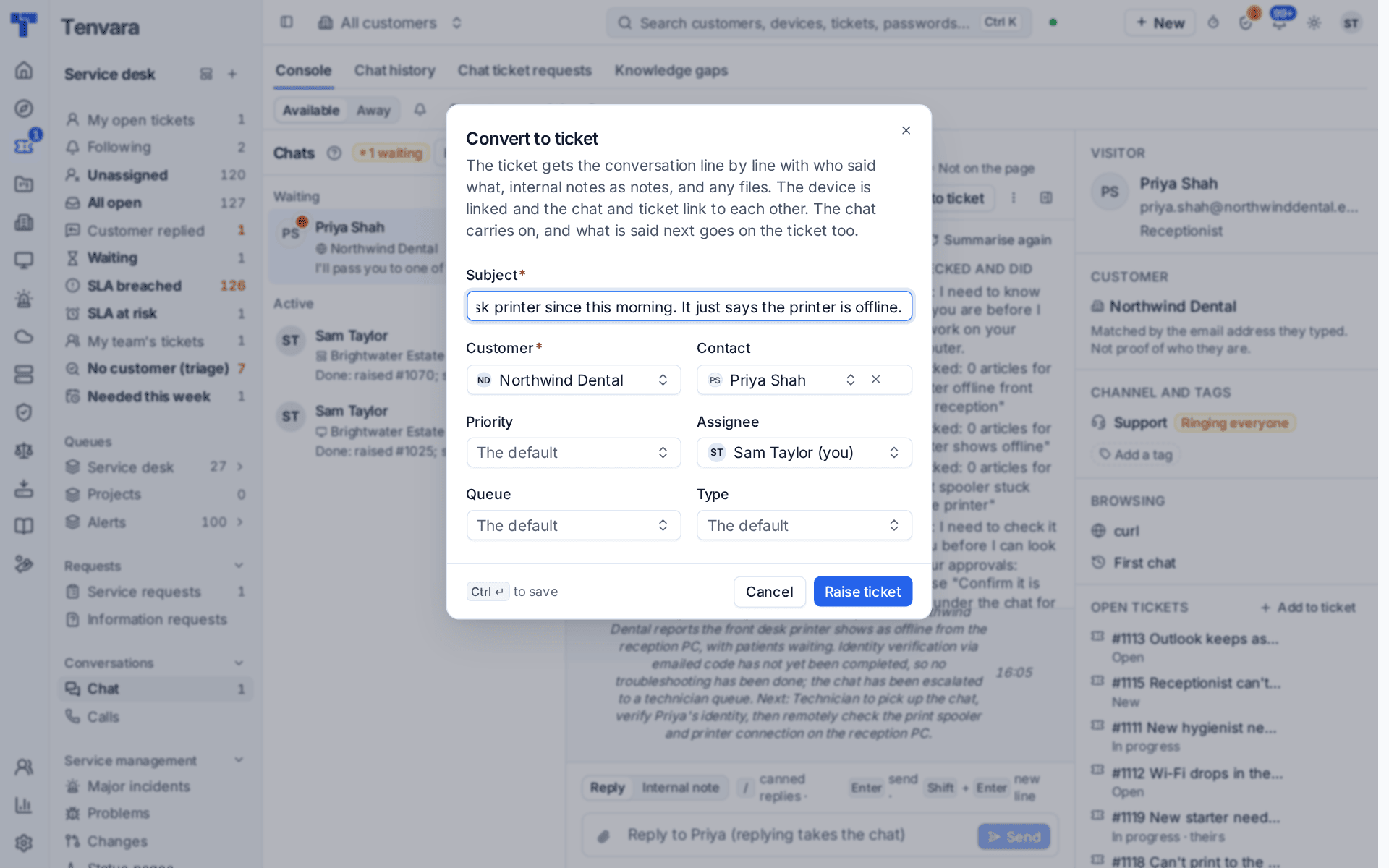
The chat carries on: the visitor sees "Ticket #1020 raised", and ending the chat is still its own End chat. See Chats and tickets.
What the ticket gets
- From chat C-1003 in its header and About section, a link back to the chat for anyone who may see chats, and plain words for everyone else. The first activity line reads that it was raised from the chat.
- The chat line by line, at the times things were said, with real authors: the customer's lines as theirs, your replies as yours (never emailed again: they were said in the chat), internal chat notes as internal notes, and the chat bot's lines under its name. Each file stays with the line it came with, and the thread marks these lines In chat.
- Everything said afterwards, as it is posted, and a line when the chat ends with its wrap-up outcome.
Add to a ticket puts the chat so far on an existing ticket as one internal note, and later lines follow one by one in the same way.
First response and emails
- Your first reply in the chat counts as the ticket's first response, at the time you wrote it, even if that was before the ticket was raised. Later chat replies count as updates. The chat bot's replies do not count.
- A customer's line in the chat does not reopen or move the ticket, but counts as the customer replying for snooze, chasing and scheduled replies.
- No "ticket logged" email goes to a customer who is still in the chat. A chat that has already ended when it becomes a ticket still gets the email, as nobody is there to read the chat.
Related
Was this page helpful?
Thanks for the feedback.