Sign-up mail: codes, links and renewals
Read the mail to a customer's sign-up addresses on the Accounts tab, what Tenvara recognises in it, revealing a code, vendor accounts as credentials, renewal reminders, and rules for sign-up mail.
Mail to a customer's sign-up addresses is kept on the customer, never as a ticket. Tenvara reads each message once as it arrives and says what it is (a code, an invoice, a renewal, a failed payment), who sent it and what it holds, and offers to put that information where it belongs: a credential, a reminder, a licence's end date.
The Accounts tab
Open the customer, choose Docs, then Accounts. From top to bottom:
- Sign-up addresses: the customer's live addresses, with New address and Show retired.
- Latest code (for people who may see codes): the newest code from each vendor, such as Latest code from Contoso Cloud, 2 min ago, masked. Reveal shows it for 30 seconds; Copy puts it on the clipboard without showing it. Either is logged.
- Mail: newest first. Search the sender, subject and text with
/, filter by address and by All or Unread. Unread mail is in bold; there is no unread count or badge anywhere, because nobody has to watch this mail. Icons show attachments, a code, or a ticket made from the message.
Each new message also puts one line on the customer's timeline, such as Sign-up mail from Contoso Cloud: Your renewal invoice, with Open message.
Reading a message
Click a message (or press Enter) to open it beside the list; it is marked read, and u marks it unread again. The message shows the sender (the vendor's name when Tenvara knows it), the address, the time, what kind of mail it is, a renewal date when one was found, and any ticket or forward.
- Code and links: with Sign-up codes and links, the code is masked until you reveal it, and Show the links shows the sign-in or reset links. Without it, a note says the message has a code or link and who can see it.
- The body: a message holding a code or link is sensitive, so its body is hidden until someone with the codes permission chooses Show the message (logged). Other messages show as sent. HTML mail is shown in a sealed frame of its own, and pictures from the internet are hidden so the sender cannot tell you opened it, with Show images to load them for that message.
- Attachments, each with its virus scan state (clean, waiting for the scan, or infected and removed) and a download once clean.
- Recognised: the vendor account, the customer's credentials registered with this address for that vendor, the customer's licences with the vendor, and the renewal offer (below).
- Who opened what (for people who manage codes): every code, link and body view.
People who manage sign-up addresses can Assign a message, Forward it (f) to someone here or an email address with a note, or Make a ticket (t) by hand, once. A message with a code or link can only be forwarded or made a ticket by someone who may see codes.
What Tenvara recognises
Each message is judged by its structure and headers, never by a list of vendors, in English, French, German, Spanish and Dutch:
| Kind | For example |
|---|---|
| Payment failed | A card declined, could not charge, past due |
| Account suspended | An account or service suspended, locked or closed |
| Password reset | A reset or forgotten password message with its link |
| Verification code | A one-time code, PIN or passcode |
| Sign-up | Welcome, confirm or verify your email or account |
| Invoice | An invoice or receipt, or an attachment named like one |
| Renewal | Will renew, will be charged, upcoming payment |
| Expiry | Expires, ending soon |
| Newsletter | Mail sent to a list |
| Service notice | Maintenance, outage, changes to terms |
From the text it also picks out the code, the links to act on (never unsubscribe or social links), the vendor's name and domain, and for bills and renewals the date, amount and invoice number. A code or a link makes the message sensitive.
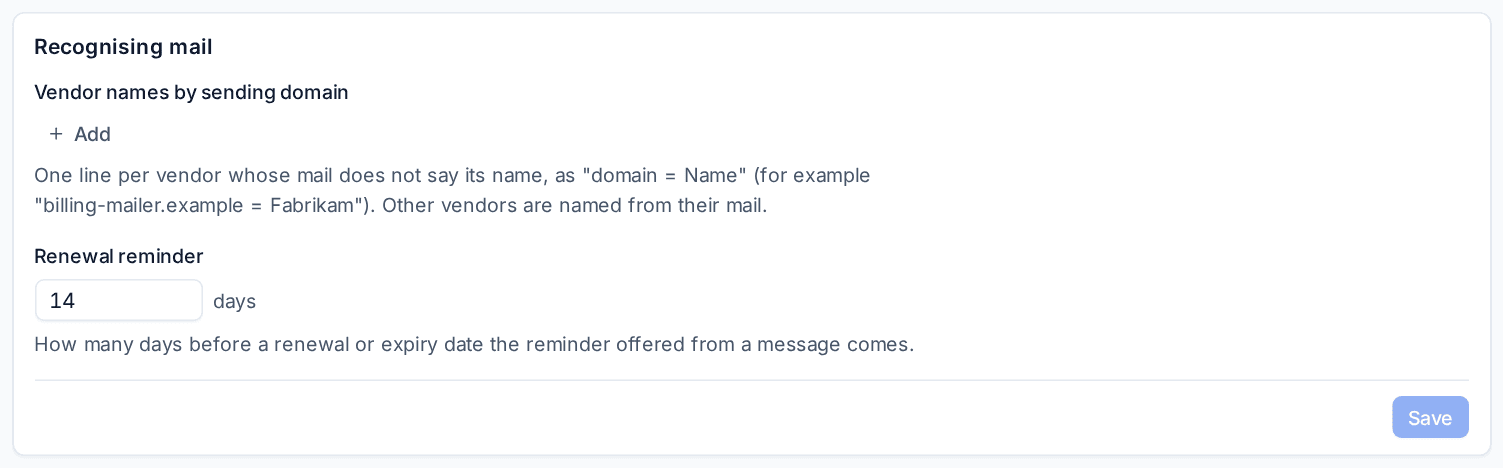
Where a vendor's mail does not say its name (a bill sent through a billing service), add a line under Vendor names by sending domain in Settings > Sign-up addresses, as domain = Name.
Revealing a code
A code or sign-in link opens a vendor account, so it is protected like a password in the vault:
- Press Reveal on the code, or Show the links.
- If your administrator protects showing a saved password, Tenvara asks you to confirm it is you first. One confirmation covers a short while.
- The code shows for 30 seconds, or Copy puts it on the clipboard without showing it.
Revealing needs Sign-up codes and links and the role action Reveal credentials. Every view is one line in the message's Who opened what and in the audit log; a refused one leaves nothing.
Vendor accounts become credentials
When account mail arrives (a sign-up, a code, a reset, an invoice) from a vendor the customer has no credential for with that address, Tenvara offers it once, for example Contoso Cloud account registered with northwind@accounts.yourcompany.com, above the customer's documentation and in the message. Choose:
- Record as a credential, with the address as its username and the vendor's site; add the password in the vault afterwards. Or Record as a document... from a record template you choose.
- Link to a credential... the customer already has.
- Not an account, if it is not one. Suggest it again brings the offer back.
A credential whose username is the address (a +tag counts) and whose site is the vendor's is found by itself, and the vendor's mail is listed on the credential's page.
Renewal reminders
When an invoice, renewal or expiry notice gives a date, the message offers where it can go, one click each, and only where you may change things:
- a reminder on the customer before the date (14 days before to start with, set under Renewal reminder);
- the linked credential's expiry;
- the end of a matching licence subscription entered by hand;
- the end of the contract that bills it (MSP edition);
- a date field of the Docs record the vendor account was recorded as.
Each one done is kept on the message and the customer's timeline.
Rules for sign-up mail
Automation has a trigger for this mail: Mail arrives at a sign-up address, once per message after it is recognised. Conditions in the Sign-up mail group test the kind of mail, the vendor, the sender's address, the subject and the sign-up address. Besides the usual steps (raise an alert, create a ticket, notify), two steps are made for it: Forward the sign-up message and Delete the sign-up message. Codes and links never travel in a rule's placeholders or its run log.
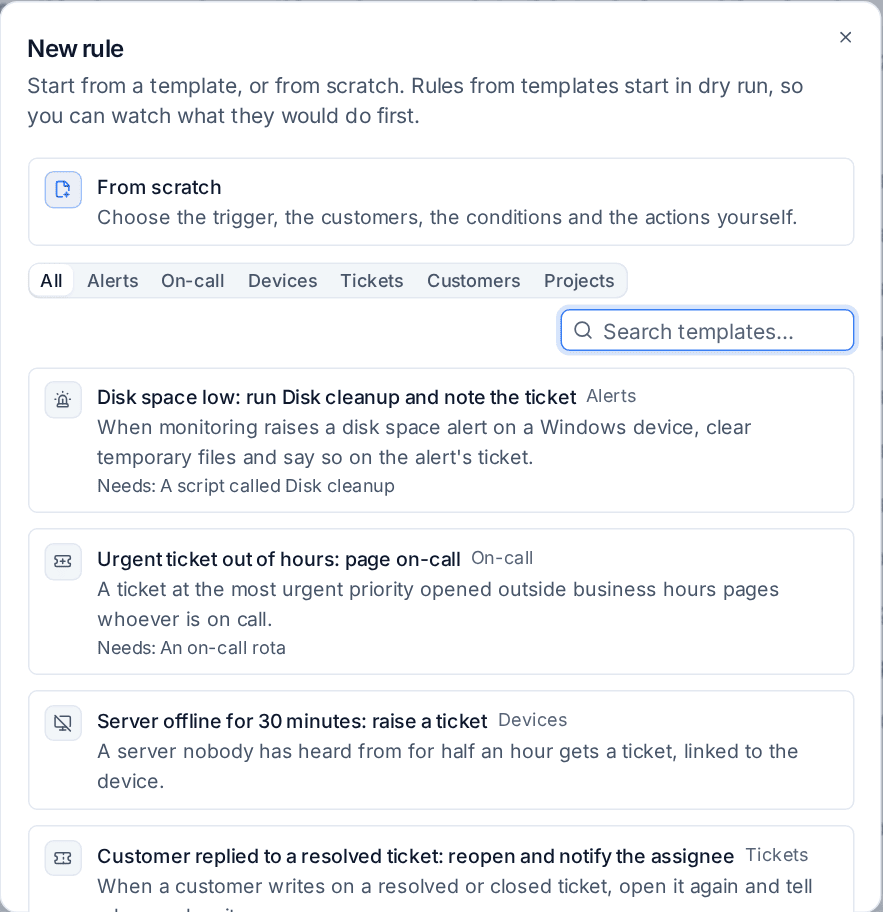
The template gallery's Sign-up mail group has four ready-made rules, each starting in dry run:
- A vendor says a payment failed: raise an alert, one per vendor, without a ticket;
- A vendor suspends an account: raise a critical alert;
- Something is about to expire (a domain, a subscription): raise an alert with the date;
- Newsletters to sign-up addresses: delete them.
See Building a rule and Templates, import and export.
In the portal
With Show sign-up mail in the portal on, a customer's in-house IT and managers see their own addresses' mail on the portal's Sign-up mail page. Codes and protected messages stay hidden until they ask, and they confirm it is them with their portal password, an authenticator code or by signing in again; every view is logged with the contact.
Related
Was this page helpful?
Thanks for the feedback.