Customers and import
The Customers and import section of the setup helper: bring customers, sites, contacts, contracts and open tickets across from the tool you use now, check the import, and settle duplicates, primary contacts and account managers.
Customers and import is in the Foundations phase and takes about 90 minutes. It brings your customers, sites, contacts, contracts and open tickets across from the tool you use now, checks that the import matches the source, and sets how duplicates and contacts are handled.
Open Set up (Health once you have gone live) and choose Customers and import. It runs through the same six beats as every section: see Working through a section.
Note: Finish Company, brand and regional first. The section works best after Staff, roles, teams and sign-in, so account managers and technical leads exist to be matched. This section is part of the MSP edition; the Company edition has one organisation and no customer import.
What it reads from your data
What we found counts your customers and contacts, customers with no primary contact, customers with no account manager, possible duplicate customers, your import sources and the date of the last import.
What it asks
| Question | Choices and notes |
|---|---|
| Where are your customers now? | HaloPSA, ConnectWise Manage, Autotask, Syncro, Spreadsheets or email, None or Something else. The import starts from that tool. The four PSAs come across from their own CSV exports. Usually answered in discovery |
| Where is your documentation now? | IT Glue, Hudu, None or Something else. Optional, and only asked while the Documentation module is on |
| How should imported contracts arrive? | As drafts until we switch billing over or Active, as they are in the old tool. Drafts are not billed, so nothing is invoiced twice while the old tool still bills |
| How alike must two customer names be to flag a possible duplicate? | A percentage from 30 to 100. Lower finds more possible duplicates. The default is 55 |
| Should a customer's technical lead get its new tickets? | Yes or no |
| Use contacts' Microsoft 365 photos? | Yes or no |
What it recommends
- An import is started from your old tool: a dry run first, then you check it before anything is written. Tenvara adds the import source for the tool you named, with contracts set to arrive as drafts or active as you answered. With spreadsheets it starts a CSV import of customers.
- Possible duplicates and who gets a customer's tickets follow your answers.
- Contacts show their Microsoft 365 photo, when you said yes.
Press Apply to add the source and the settings. You can undo an apply for 7 days.
Importing from your old tool
The Apply beat of this section has its own step, Import from your old tool. It is the same import you find in Settings > Migration, on the Sources tab, led from the section:
- Upload the export from your old tool, or connect the source.
- Run the dry run. Nothing is written. Every row gets a decision, so you see what would be created, matched, updated or skipped.
- Check it with Verify: the totals against the source, duplicates, orphans (rows whose customer is in neither the source nor Tenvara), and ten records side by side with what the source said.
- When it looks right, import.
- If an import is not right, undo it. Everything it created is removed.
The full steps for each source are in Importing from other PSAs, Importing from CSV and Importing from IT Glue and Hudu. Prospects, deals and their history in Zoho CRM, HubSpot or Pipedrive come across from Settings > Migration too: see Importing from Zoho CRM, HubSpot or Pipedrive.
Tip: Not ready to import real customers? The practice customer lets you try every section on data that is clearly marked as practice and is left out of this section's counts. See The practice customer and plan export.
How it is verified
| Check | What it looks at | Where to fix it |
|---|---|---|
| Your customers are in | Real customers exist, the practice customer aside. Needed to go live | Run the import, or add customers on the Customers page |
| The last import matches the source | The totals of the last import against what the source held | Open the import, which opens that run with its Verify section |
| No customer is in twice | Pairs of customers that look alike | Open Customers, then Customers > Possible duplicates |
| Every customer has a primary contact | Customers with nobody to write to | Open Customers, then the customer's People and sites tab |
| Every customer has an account manager | Customers nobody owns | Open Customers and edit the customer |
The last three are warnings, so the section can finish as Done with warnings while you tidy up.
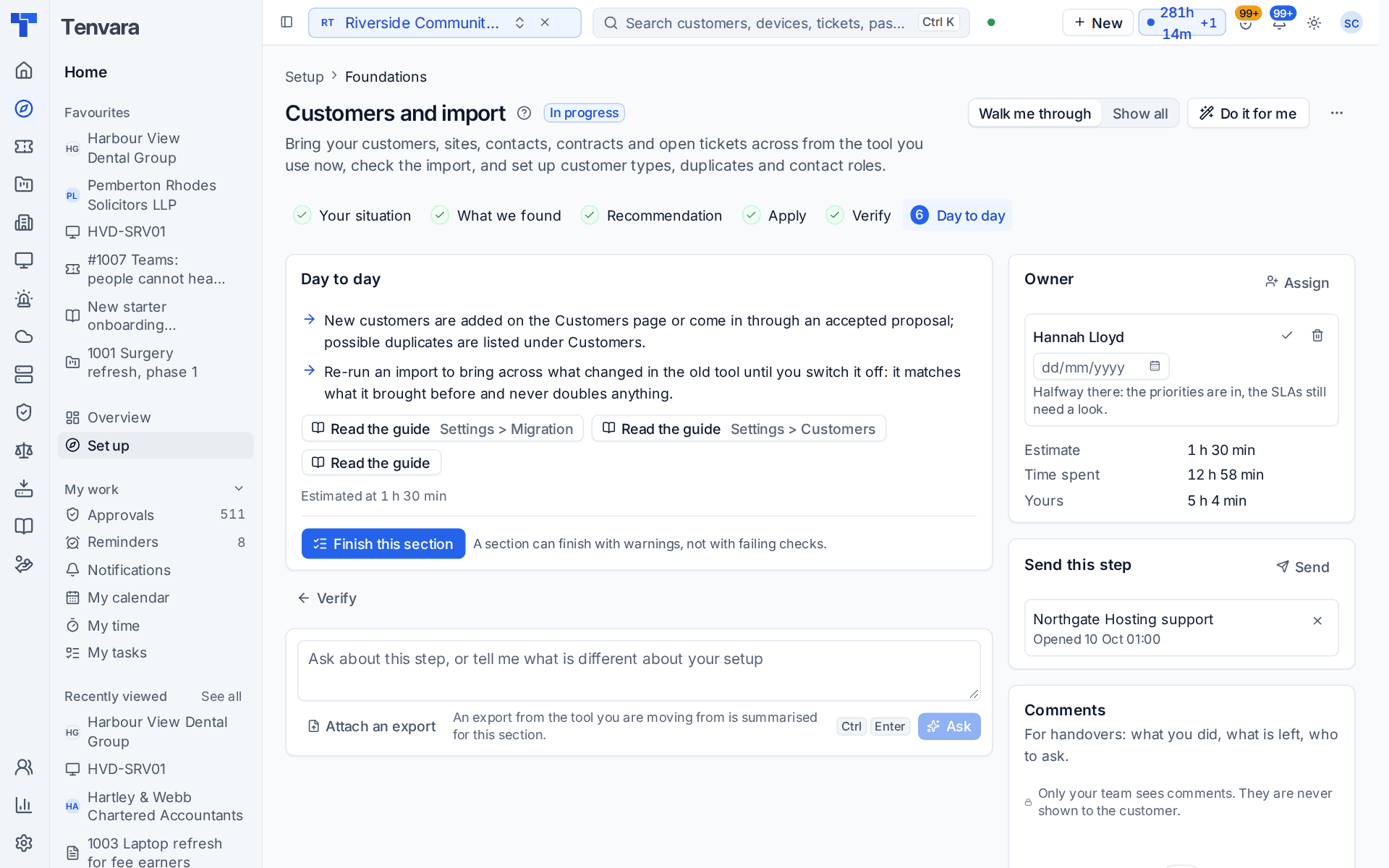
Day to day
- New customers are added on the Customers page or come in through an accepted proposal. Possible duplicates are listed under Customers > Possible duplicates.
- Run an import again to bring across what changed in the old tool until you switch it off. It matches what it brought before and never doubles anything.
- Once an export from your old PSA is in, the Tickets, priorities and SLAs section offers to copy its priorities, SLAs and ticket types, and Contracts, billing and accounting can make the imported contracts active when you switch billing over.
Related guides
Was this page helpful?
Thanks for the feedback.