App registration health and Fix it for me
Tenvara checks your own Entra app registration every day, says what is missing and why it matters, and can add missing redirect URIs and permissions for you after one sign-in.
Everything Tenvara does in Microsoft 365 goes through one app registration in your own Entra tenant (see Connecting a tenant). When that registration is missing a redirect URI or a permission, things fail in ways that are hard to trace: a consent link ends on a Microsoft error page, or a feature cannot be turned on for any customer. The App registration tab finds those problems first, and Fix it for me puts most of them right.
Where to find it
Go to Settings > Microsoft 365 and open the App registration tab (under More when the tab row is full). The same result is shown as the Microsoft 365 app registration health step in Set up, and as a row in Settings > System status.
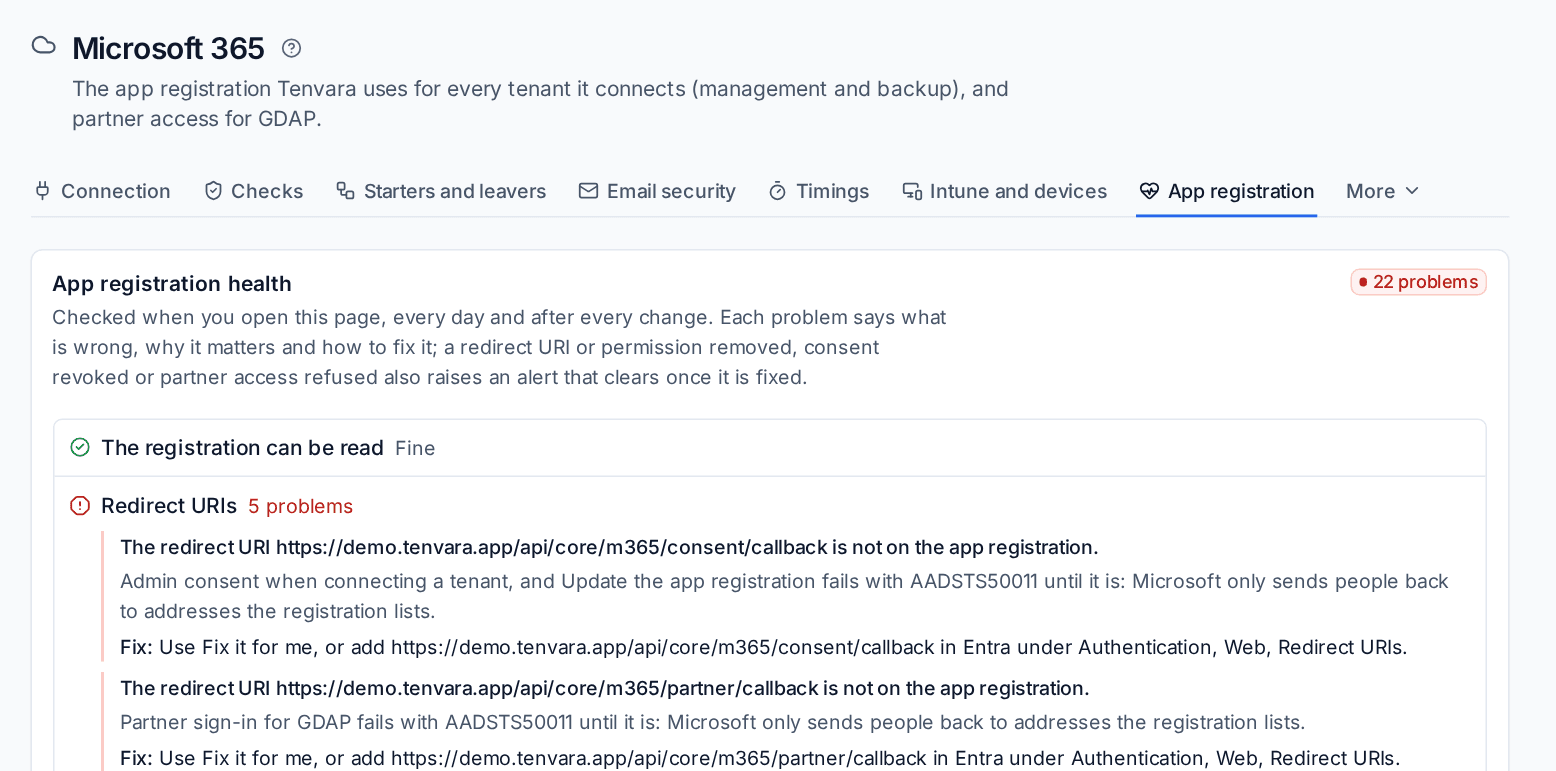
What is checked
Tenvara reads your registration in your own tenant and only reads. Each check shows Fine or the number of problems it found.
| Check | What it looks at |
|---|---|
| The registration can be read | The registration answers. A wrong client id or tenant, a refused secret or a refusal from Microsoft is itself the problem, with the fix |
| Redirect URIs | Every address a Microsoft sign-in comes back to: admin consent when connecting a tenant, partner sign-in for GDAP, the customer portal's Sign in with Microsoft and connecting a Microsoft 365 calendar for bookings. Each address is listed with a copy button |
| Application permissions | Every permission Tenvara needs is on the registration, and admin consent was given for them in your own tenant. A missing permission on an API other than Microsoft Graph is named with its API, for example "Machine.Read.All (WindowsDefenderATP)", with the features in use that fail without it (for example "In use now: Defender for Endpoint (on for 5 tenants)") |
| Delegated permissions | The permissions the sign-ins you use ask for, such as the partner access ones once you have signed in as a partner |
| Multi-tenant | The registration accepts accounts in any organisational directory |
| Client secret and certificate | When the secret in use ends, and the certificate if you made one |
| Publisher | Your publisher domain and whether the publisher is verified. Customers see this on the consent screen |
| Partner access | Your partner sign-in still works, when you use one |
A redirect URI for a sign-in nobody has used yet is marked Not used yet and counts as a warning. One for a sign-in in use is critical, because that sign-in is failing now.
Reading a problem
Each problem is three lines:
- What is wrong, for example "The redirect URI ... is not on the app registration."
- Why it matters, in terms of what fails: "Admin consent when connecting a tenant fails with AADSTS50011 until it is: Microsoft only sends people back to addresses the registration lists."
- Fix: what to do, both the quick way and by hand in Entra.
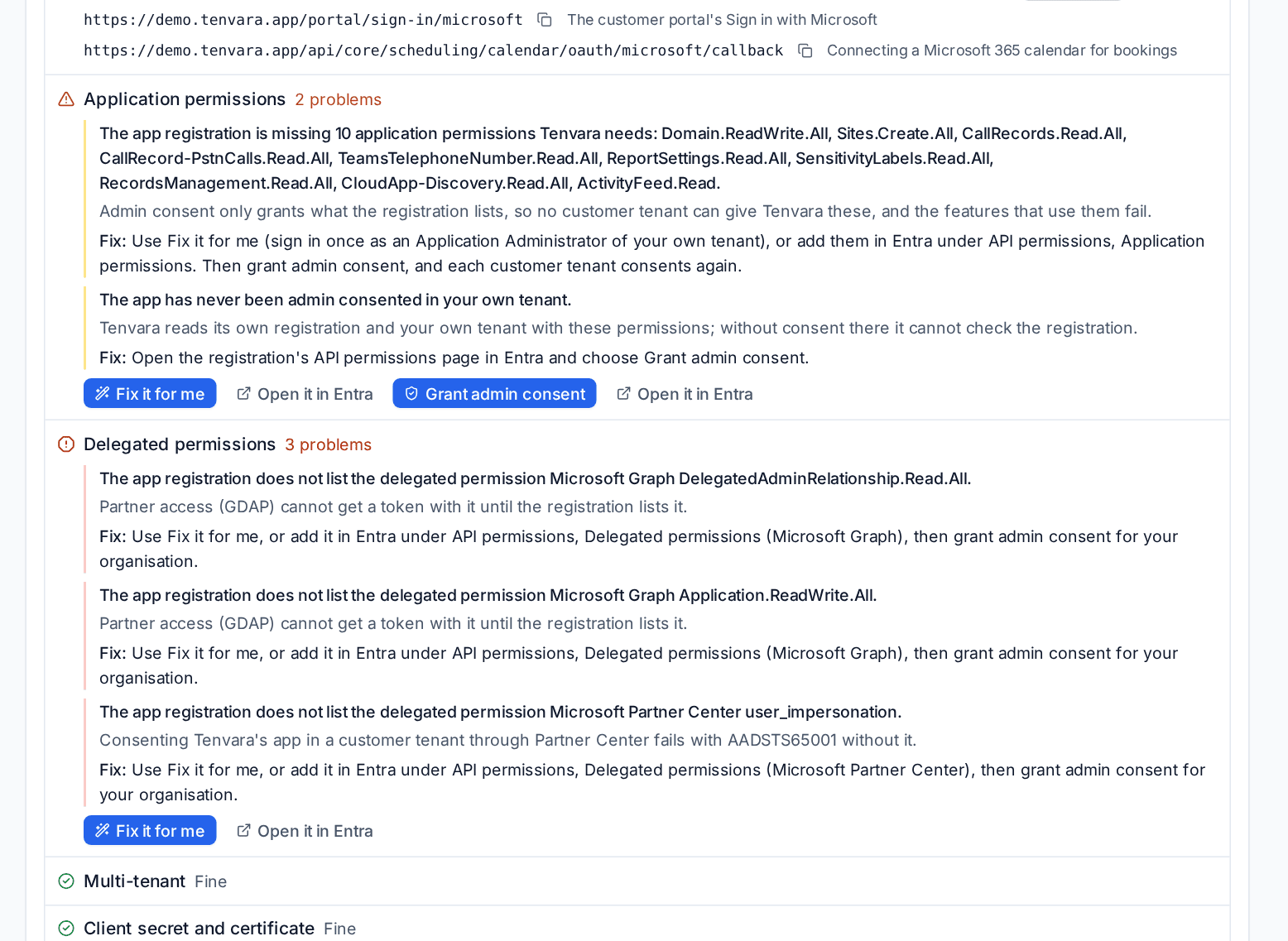
Under each check are the buttons that fix it: Fix it for me, Grant admin consent or Open it in Entra, which opens the right page of the registration.
Note: Publisher problems are shown here only and never raise an alert. They are worth fixing: a customer tenant that only allows apps from verified publishers refuses an unverified one.
Fix it for me
Fix it for me adds what is missing to your own app registration.
- Press Fix it for me under Redirect URIs, Application permissions or Delegated permissions.
- Sign in at Microsoft as someone who may change the app: an Application Administrator of your own tenant (a Cloud Application Administrator, a Global Administrator or an owner of the app works too).
- Tenvara adds every missing redirect URI and permission the health check names, in one go, keeping everything the registration already has. That includes the Defender for Endpoint permissions on Microsoft's WindowsDefenderATP API. Delegated permissions are added only for the sign-ins you use.
- If a permission was added, Microsoft's admin consent page opens next. See below.
- Back in Settings, the health check runs again and the fixed problems are gone.
What it will not do:
- It changes its own registration only. It never lists, reads or changes another application in your tenant.
- It does not keep your sign-in. The sign-in is used for that one update and dropped.
- It leaves a record. Every run is in the audit log under your name: what was added, a sign-in that was refused, or Microsoft's refusal.
The admin consent click
A permission added to a registration still needs an administrator's consent in your own tenant. This is the one click Tenvara cannot make for you.
- After Fix it for me adds a permission, your browser goes straight on to Microsoft's admin consent page for your own tenant. Approve it and you come back to Settings, which says Admin consent given.
- Where the check only says consent is missing, press Grant admin consent to open the same page on its own.
Admin consent needs a Global Administrator or a Privileged Role Administrator. If the person who ran Fix it for me is not one, a colleague who is can press Grant admin consent on the same tab.
Redirect URIs need no consent, so a fix that only added addresses ends at step 3.
Partner access (GDAP) and Fix it for me
Connecting customers through partner access needs more than the permission being listed: Partner Center's delegated permission must also be granted in your own tenant. When partner access is in use, Fix it for me does both. It adds what the registration lacks, then grants the delegated permissions the partner sign-in needs in your own tenant (where your app holds the right to grant them; otherwise it sends you to Microsoft's admin consent for your own tenant, which makes the same grants). It then proves the route: the grants read back, a Partner Center sign-in works, and when it was started from a failed GDAP connect, that customer's connection is tried again. Settings says Fixed only when every step worked, otherwise Not fixed yet with the step that failed and why.
The Partner access check shows the GDAP route step by step: the permission on the registration, its grant in your tenant, a Partner Center sign-in, the last GDAP connection that worked and the last Fix it for me run. A permission that is listed but not granted says so, with Fix it for me as the fix.
After your registration lists a new permission, each customer tenant that needs it consents again. See Choosing features and consent. For Defender for Endpoint, turning on the tenant's Defender for Endpoint feature asks for just those permissions.
Note: Updating the registration, Fix it for me, the admin consent that follows and the partner sign-in are recorded, so the consent events Microsoft logs for your own app at that moment are explained in Security rather than reported as unexplained. See Working detections.
When it is checked, and alerts
The check runs:
- when you open the page (if the last result is more than a few minutes old),
- once a day,
- after every change that touches the registration: saving the connection, signing in to or disconnecting partner access, a tenant's consent and Fix it for me itself.
When the registration drifts (someone removes a redirect URI or a permission in Entra, consent is revoked or partner access is refused), Tenvara raises an alert for that check, and clears it once the check is fine. Change its severity or switch it off in Alerts > Alert types. The client secret has its own alert 30 days before it ends.
Partner access: list only
If you would rather Tenvara did not act through your partner access at all, switch on List only on the Partner access (GDAP) card of the Connection tab.
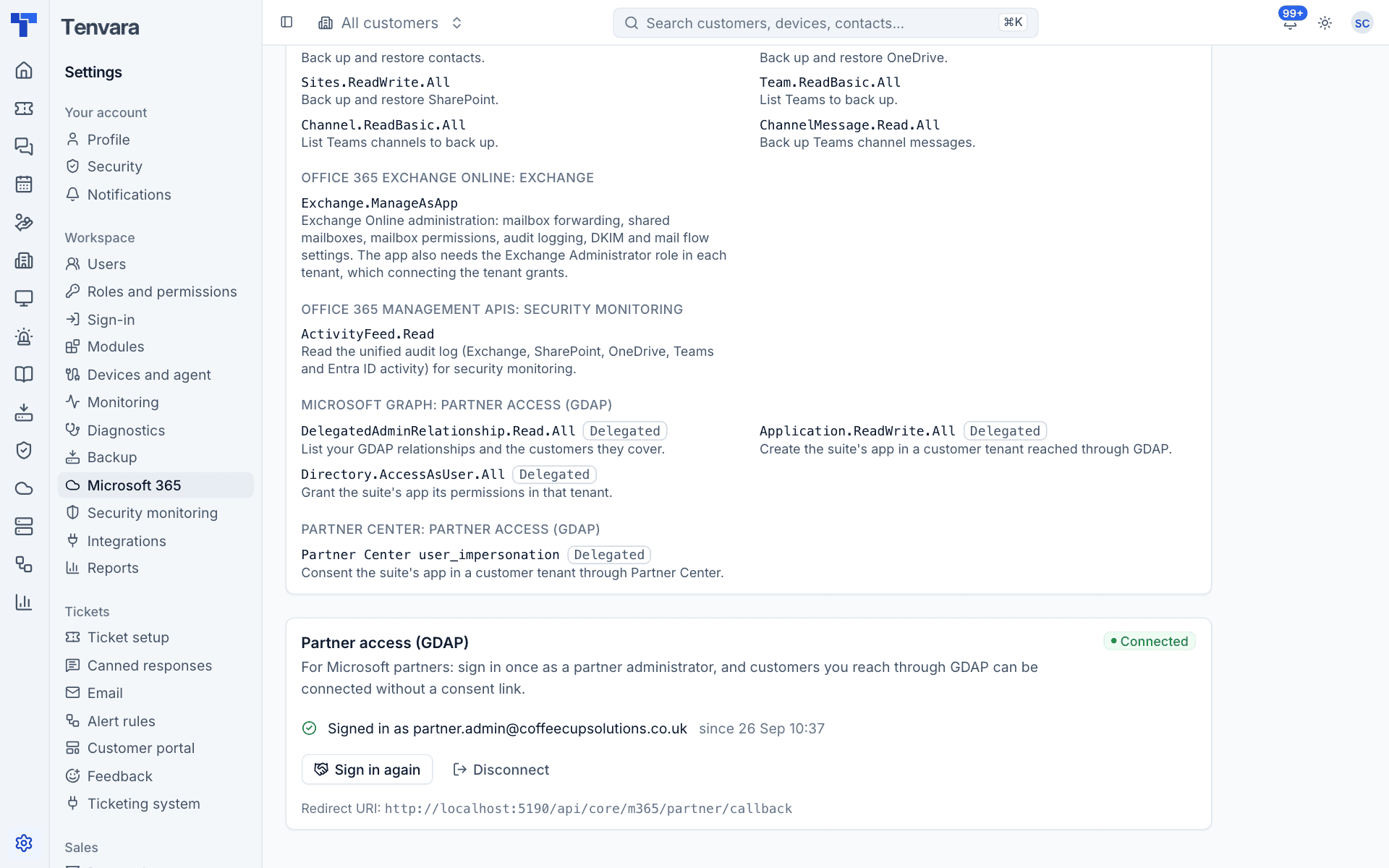
While it is on, Tenvara still warns you before a relationship ends, but connecting customers, turning on features through GDAP, publishing the Teams app and ending relationships are refused, each with the reason. Customers are connected with admin consent links instead. See GDAP, LAPS and BitLocker.
Related: Connecting a tenant, System status.
Was this page helpful?
Thanks for the feedback.