Backup
The setup section for backup: storage and an immutable copy, how long device and Microsoft 365 backups are kept, how often Microsoft 365 is backed up, the status email, and the checks that prove a restore works.
This section of the setup helper sets up backup end to end: where backups are stored and an immutable copy, how often devices and Microsoft 365 are backed up and how long copies are kept, test restores, and who hears about failures. It sits in the Devices and monitoring phase and takes about 90 minutes, the longest of the device sections.
Open it from Home > Set up, then Backup. It runs through the same six beats as every section: see Working through a section.
Before you start
- Finish Customers and import first. Until then the section shows Blocked.
- It works best after Agent and rollout, Microsoft 365 and Alerts, automation and on-call, because devices, tenants and alert routing are what backups protect and report through.
- Have your storage details to hand. Storage is your own: an S3 bucket with its endpoint, access key and secret key, or a folder the server can reach.
- If discovery says backup is not something you provide and you use no backup product today, the section is listed as not needed.
What it reads from your data
What we found shows:
- storage locations, and how many are immutable;
- devices backed up;
- customers with a backup policy of their own;
- the last test restore;
- backup jobs that failed in the last day.
The questions it asks
| Question | Choices | Pick for me |
|---|---|---|
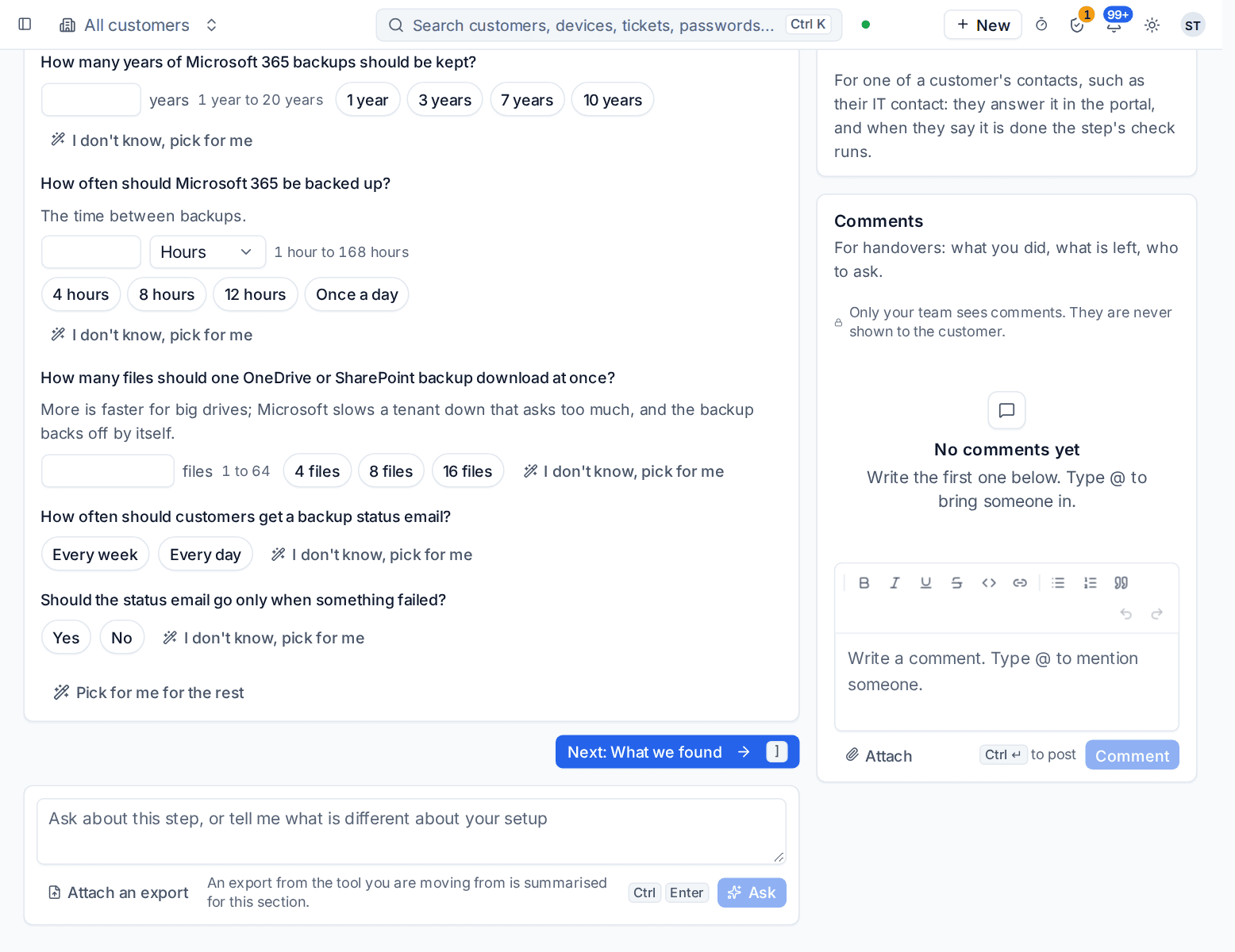
| How long should device backups be kept? | 14 daily, 8 weekly and 12 monthly copies; 30 daily, 12 weekly and 24 monthly copies; or 30 daily, a year of weekly and seven years of monthly copies | 14 daily, 8 weekly and 12 monthly |
| How many years of Microsoft 365 backups should be kept? | 1 to 20, with 1, 3, 7 and 10 offered | 7 |
| How often should Microsoft 365 be backed up? | The time between backups, 1 to 168 hours, with 4, 8 and 12 hours and once a day offered | Every 12 hours |
| How many files should one OneDrive or SharePoint backup download at once? | 1 to 64 | 8 |
| How often should customers get a backup status email? | Every week or every day | Every week |
| Should the status email go only when something failed? | Yes or no | No |
Customers with a standard to meet often need seven years. On the download question, more files at once is faster for big drives. Microsoft slows down a tenant that asks too much, and the backup backs off by itself.
What it recommends and why
- Retention and frequency in one line, for example devices keep 14 daily, 8 weekly and 12 monthly copies, and Microsoft 365 is backed up every 12 hours and kept 7 years. If discovery says some of your customers must meet a standard, the helper says so as the reason for longer retention.
- Big OneDrives and SharePoint sites download the number of files you chose at once, backing off when Microsoft asks.
- Customers hear how their backups are doing without asking, through the status email.
The Apply beat starts with a step of its own, Add storage and an immutable copy, because nothing can be backed up until there is somewhere to put it. An apply can be undone for 7 days.
Warning: Every backup is encrypted with one master key, and without it no backup can be restored. Download a recovery copy of the key once storage is in place, and keep it away from the backup server. See Recovery copy of the encryption key.
Checking it worked
Verify runs these live checks:
- Backup storage is writable. This one must pass before go-live.
- An immutable copy cannot be deleted. Fix it in Settings > Backup.
- A test restore passed lately. This one must pass before go-live too: a backup nobody has restored is not proven.
- Last day's backups finished. It links to Backup when jobs failed.
- Backup failures reach a person.
- The backup catalogue in ClickHouse can be used. This one must pass before go-live as well: the catalogue is the index of what is in every backup, and it is needed whenever Backup is on. A second check confirms the space the catalogue used to take in the app database has been given back.
Day to day
- Failed and missed backups become alerts and tickets. Backup > Overview shows every customer's state.
- Test restores run on their schedule and prove the backups can be read back. Customers get their status email.
- A customer can have a backup policy of its own. Everything this section set is in Settings > Backup.
- To keep many devices at one site from filling its internet line at night, switch on Spread backups automatically for the customer; the default for new customers is on the Defaults tab of Settings > Backup. See Spreading backups across the night.
Related guides
Was this page helpful?
Thanks for the feedback.