What each role switch controls
The role switches that matter most (Run scripts, Reveal credentials, Restore backups, the remote switches, Export, Bulk changes, Module settings, Change Microsoft 365, identity check overrides, device web pages, Docker, sales settings and the mobile app) and every place each one applies, with Owner protection, role templates, Reset to template and what happens to tokens.
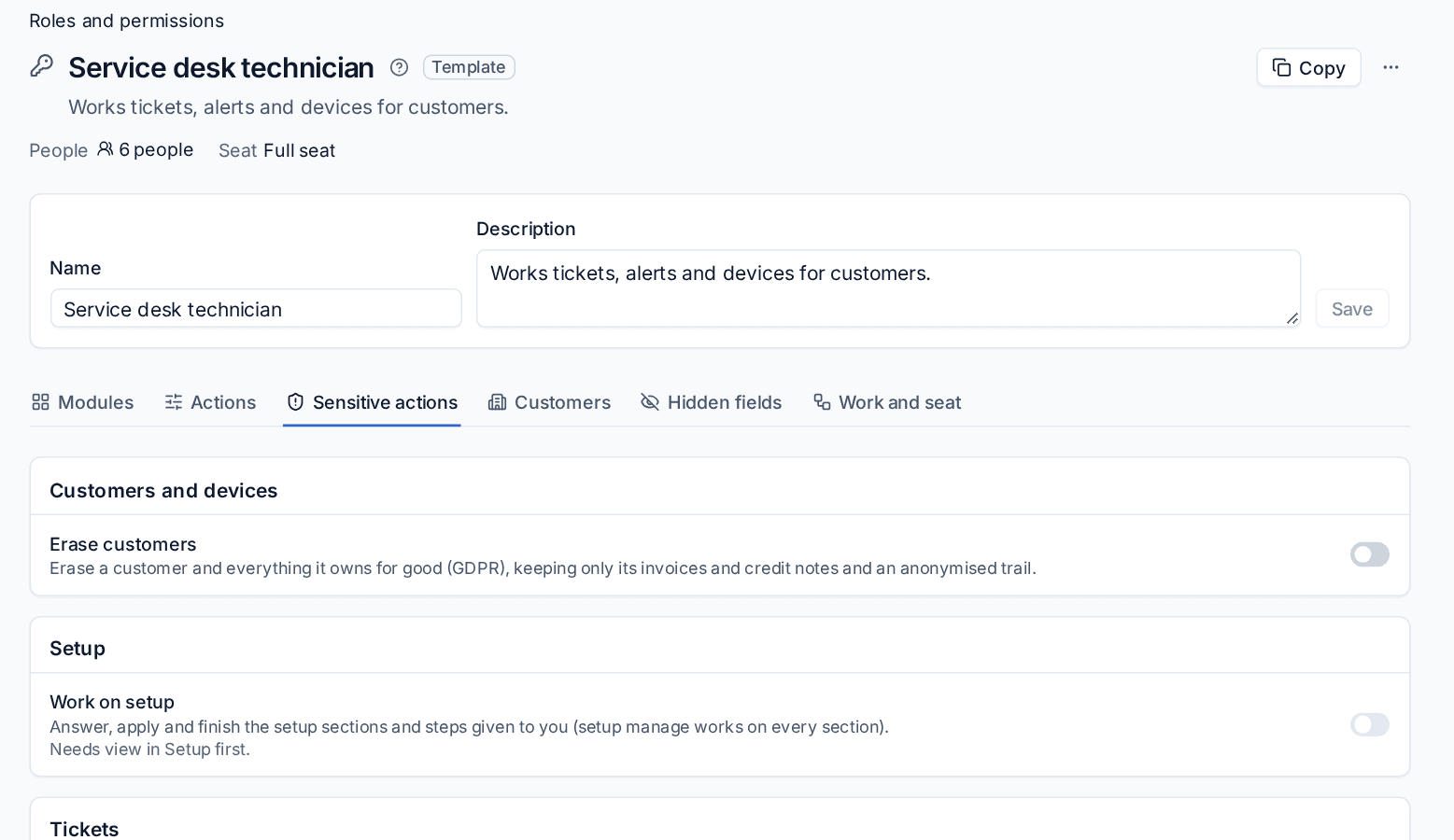
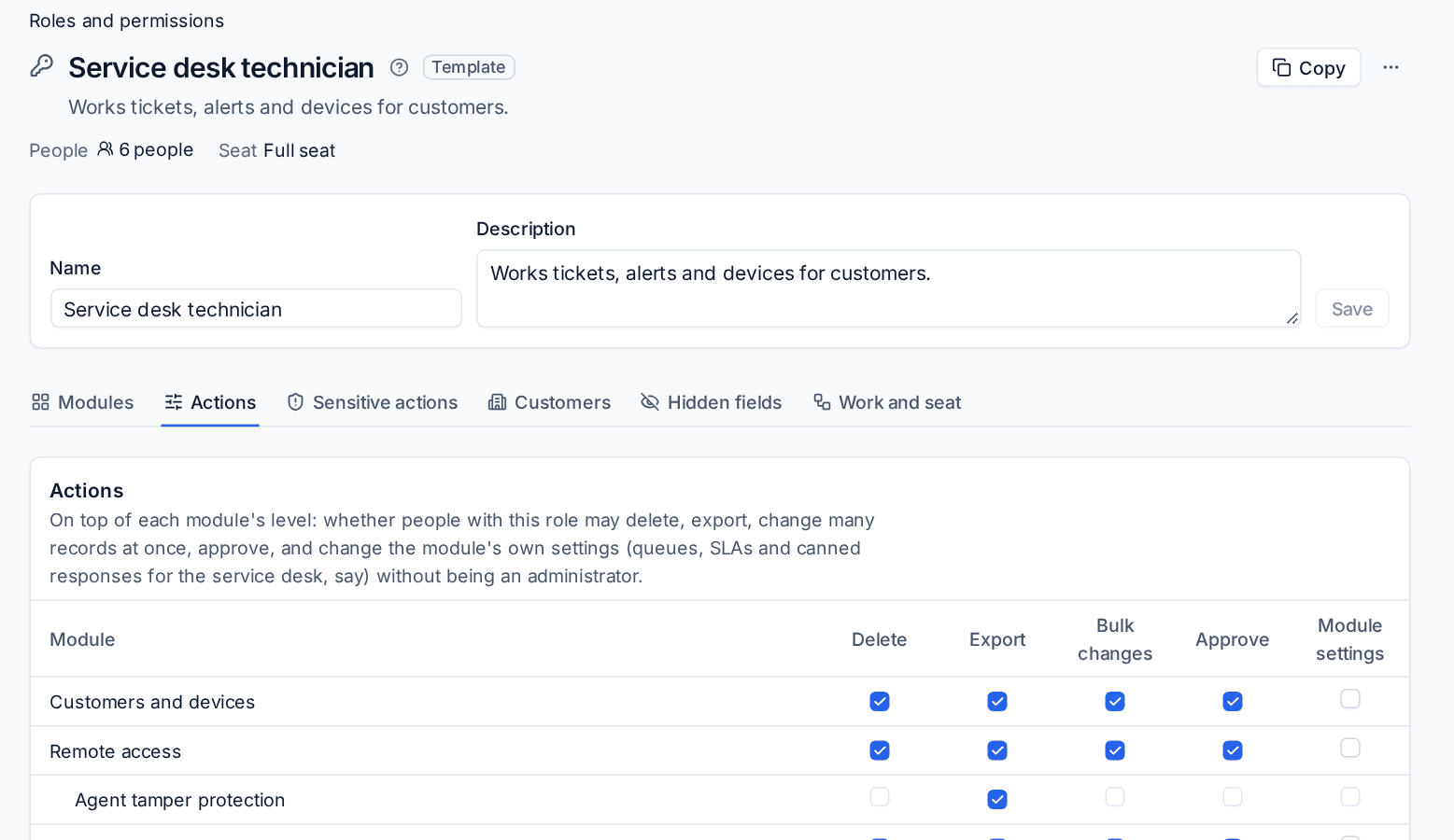
A role gives a level in each module (None, View or Manage) and, on top of that, switches for the things that deserve their own yes or no. This guide says exactly what the most important switches cover. They are in Settings > Roles and permissions: open a role, then the Actions tab for Export, Bulk changes and Module settings, and the Sensitive actions tab for the rest. See Roles and permissions for the editor itself.
Two rules hold for every switch:
- A switch is checked by the server on every route to the action, not just on the button. A scheduled run, an automation rule, an approval, an AI fix and an API token all meet the same check as a click.
- A sensitive action also needs a level in its module first. The editor says so under each one, for example "Needs manage in Invoices and payments first".
Owner and Admin have every switch, always.
Run scripts
Run scripts (under Scripts) lets people run scripts from the library on devices, now or on a schedule. Without it, a script does not run for that person by any path:
- running a script from a device or the script library, and scheduling one. A schedule stops running once the person who made it may no longer run scripts, and its history says why;
- asking for an approval to run one: an approval is no way round the switch, and an approved bulk run does not start if the person who asked has lost the switch meanwhile;
- a fix offered on an alert that runs a script;
- a fix proposed by AI assist that runs a script;
- an automation rule's Run a script step, and scripts run before and after a backup;
- a project task's action, which runs as the person who moves the task;
- script checks in a monitoring policy, checked when the check is added, changed or switched on.
The refusal says why: "Your role does not allow running scripts: Run scripts is switched off for it." Write scripts (adding and changing scripts) and Run commands (typing a one-off command) are separate switches. Fixes that install updates or software ask Install updates or Deploy software instead, hardening fixes ask Enforce baselines, and removing unwanted software automatically needs Deploy software.
Reveal credentials
Reveal credentials (under Credentials) lets people show passwords, two-factor codes and licence keys. Every reveal is logged. It covers every way a secret can leave the vault:
- revealing or copying a password, and showing a two-factor code;
- secret fields on documentation records, and their history;
- filling a password through the browser extension, including its "is this the password?" check;
- signing in to an SSH terminal with a saved credential, and typing a credential into a remote screen session;
- BitLocker recovery keys and local administrator passwords from Microsoft 365;
- one-time links, PDFs that include secrets, and the staff view of a customer's portal vault.
Codes, sign-in links and password reset links in mail to a customer's sign-up addresses are guarded in the same spirit by their own area on the Modules tab, Sign-up codes and links: hidden from every role but Owner and Admin until you give it. View reveals them one at a time, each view logged; manage also shows who viewed what. The mail itself is the Sign-up addresses area.
If the role hides the Credential secrets field group, reveals are refused whatever this switch says. By default a reveal also asks the person to confirm it is them: see Sessions, IP allowlists and API tokens.
Restore backups
Restore backups (under Backup) covers restoring, and everything that hands out backed-up content, because downloading is restoring by another name:
- restoring files, mailboxes, deleted items and whole machines;
- browsing, searching, previewing and downloading backed-up files and mail;
- exporting a virtual machine's disk, and eDiscovery searches and exports;
- making and downloading recovery media, and the screens and console of a recovery machine;
- self-service restore settings for a customer or contact.
Recovery media act for the person who made them: each time a machine started from them asks for a backup, Tenvara checks that person may still restore that customer's backups, so the media stop working the moment their maker can no longer restore. Deleting backups is the Delete switch for Backup on the Actions tab. Job status, counts and lists of recovery points need only the Backup level.
The remote switches
Under Remote access there are five: Remote control, Remote view only, Terminal and files, Browse the registry and Change the registry. They are checked when a session is asked for and again when the viewer opens.
| What someone does | Switch needed |
|---|---|
| Take control of a device, or a quick support session with control | Remote control |
| Watch a device, or a view-only quick support session | Remote view only (or Remote control) |
| Make or cancel a quick support code | Either of the two above |
| Open a terminal, browse files, send or fetch a file | Terminal and files |
| Make a download link for a transferred file, or cancel someone else's transfer | Terminal and files |
| Watch a screen recording of a session | Remote view only or Remote control |
| Watch a terminal recording | Terminal and files |
| End someone else's live session | The switch for that session's mode. Your own session always ends |
Remote access rules follow the role a person has now, so a change of role takes effect within seconds, not at their next sign-in.
Export and Bulk changes
On the Actions tab, each module has an Export and a Bulk changes switch.
Export covers every file of a list or a report across records in that module: the Export button on any list (CSV and Excel), report PDFs and packs of many documents, the audit and access reports of the vault, custom field exports, the aged debtors export, an information request's CSV, checklist reports, and Scheduling's leave balances and payroll files. The PDF of one record (an invoice, a quote, a ticket, an article) is that record, and needs only permission to see it.
Bulk changes covers changing many records at once: the bulk bar on any list, tagging in bulk, and importing custom field values. The switch is checked for every module the selected rows belong to, before any row changes.
The refusals read "Your role does not allow exporting here." and "Your role does not allow changing many records at once here."
Module settings
Module settings lets a role change a module's own settings without being an administrator: queues, SLAs and canned responses for the service desk, monitoring policies for a NOC analyst, project settings for a project manager. It needs Manage in the module as well.
Some settings stay with administrators whatever the switch says: anything that turns a control off, sign-in and approval settings, the copy of the backup encryption key, saved credentials for integrations and channels, and who may make automation rules that run scripts or send webhooks.
Change Microsoft 365
Change Microsoft 365 covers every change to a customer's tenant: users, licences, mailboxes, groups and policies. It is needed however the change arrives: one change, a bulk change, a scheduled change, an undo, and a change that runs after an approval (which runs as the person who asked). Without it, people with Microsoft 365 access see everything and change nothing. Change approvals are only shown to people who work with that customer.
Erase customers
Erase customers (under Customers and devices) is off for every role except Owner and Admin until you switch it on. See Erasing a customer.
Override identity checks
Override identity checks (under Tickets) lets someone send on a ticket that is blocked until its requester is verified, without a check, giving a reason that is audited. It also shows them every technician's identity checks and overrides. It is off for every role except Owner and Admin until you switch it on. See Verifying who a caller is.
Open device web pages
Open device web pages (under Remote access) lets people open a device's web page, such as a NAS, printer, switch or UPS, or forward a port through an agent on its network. Every session is audited. Technicians have it by default; it is never offered in the portal. See Opening device web pages.
Docker containers
Light management of Docker hosts has a switch for each kind of action, under Infrastructure, all off except for Owner and Admin until you give them:
| Switch | What it allows |
|---|---|
| Read container logs | Read and follow a container's logs, which may hold what the application writes about people and secrets. Needs view in Infrastructure |
| Start and stop containers | Start, stop and restart containers. A stop on a host tagged production can wait for a second person's approval |
| Remove containers and prune | Remove containers and prune unused images and build cache, after a preview of what it frees |
| Open a shell in a container | A shell in a running container through the remote terminal, recorded like any terminal. Also needs Terminal and files |
See Docker hosts.
Rename computers
Rename computers (under Customers and devices) lets someone ask the agent to change a device's own computer name, after an approval. Renaming a device in Tenvara itself needs only manage.
Manage sales settings
Manage sales settings (under Tickets, MSP edition) lets a sales manager change pipelines, stages, targets, won and lost reasons, sources and statuses in Settings > Sales without being an administrator. The Sales and account manager template has it.
The mobile app
- Phone follows the desktop: the mobile app can show what you have open in the web app. It also needs the install's switch in Settings > Mobile app. See Follow your desktop on your phone.
- Offline passwords for visits (under Credentials): take a sealed copy of the passwords you can already reveal for the customer of your booked visit onto your phone, expiring after the visit. It also needs the install's switch, every password is logged, and it is off in every template. See Settings > Mobile app.
Owner protection
- Only an Owner can change an Owner: edit them, change their role, email or password, turn them off, delete them, reset their two-factor, remove a passkey, or hand over their work. Anyone else is told "Only an Owner can change an Owner."
- Only an Owner can make someone an Owner.
- The last active Owner can never be demoted, turned off or deleted, by anyone, themselves included: make someone else an Owner first.
- Single sign-on never gives or takes the Owner role, whatever a provider's rules say.
An Admin can still end an Owner's sessions and revoke their API tokens. That is an emergency stop, not a way in.
Role templates and Reset to template
Templates built for people who do not work on devices start with every sensitive action off and list only what they need:
| Template | Sensitive actions on |
|---|---|
| Service desk technician, Field or project engineer | Remote, scripts, software, updates, credentials, restores, Microsoft 365 changes, hardening, recordings and seeing the portal as a contact |
| Service desk manager | The technician's, plus Delete tickets |
| NOC and security analyst | The technician's, with hardening at view only |
| Finance and accounts | The five invoicing actions |
| Co-managed IT | Remote, scripts, software, credentials and recordings, for their own company only |
| Project manager, Sales and account manager, HR and office manager, Dispatcher, Read-only auditor, Contractor or subcontractor | None |
A role you have edited, and every role of your own, keeps exactly what you gave it. When a template's defaults are tightened, Owners and Admins get a notice listing any of your roles that can still do something the template now turns off. Open the role and press Reset to template to bring it to the current defaults, or leave it if the difference is what you want.
Tokens follow the account
API tokens, MCP connections and OAuth approvals end for good when their account is turned off, signed out everywhere, or has its password or two-factor reset. Turning the account back on does not bring them back: make new ones. A token can never do more than its owner's role allows, and its export, bulk and delete rights follow the same switches.
Related
Was this page helpful?
Thanks for the feedback.