Deleting a device removes its agent
What happens to the agent when you delete a device, at once or when it next checks in, keeping the agent instead, following pending uninstalls, cancelling and restoring, and why an old enrolment token cannot bring the device back.
Deleting a device in Tenvara removes the Tenvara agent from the machine as well. A deleted device used to leave its agent installed and running, and a deployment tool running the installer again could bring the machine straight back as a new device. Now the agent is told to uninstall itself, its identity is refused from then on, and the device stays deleted.
Delete a device
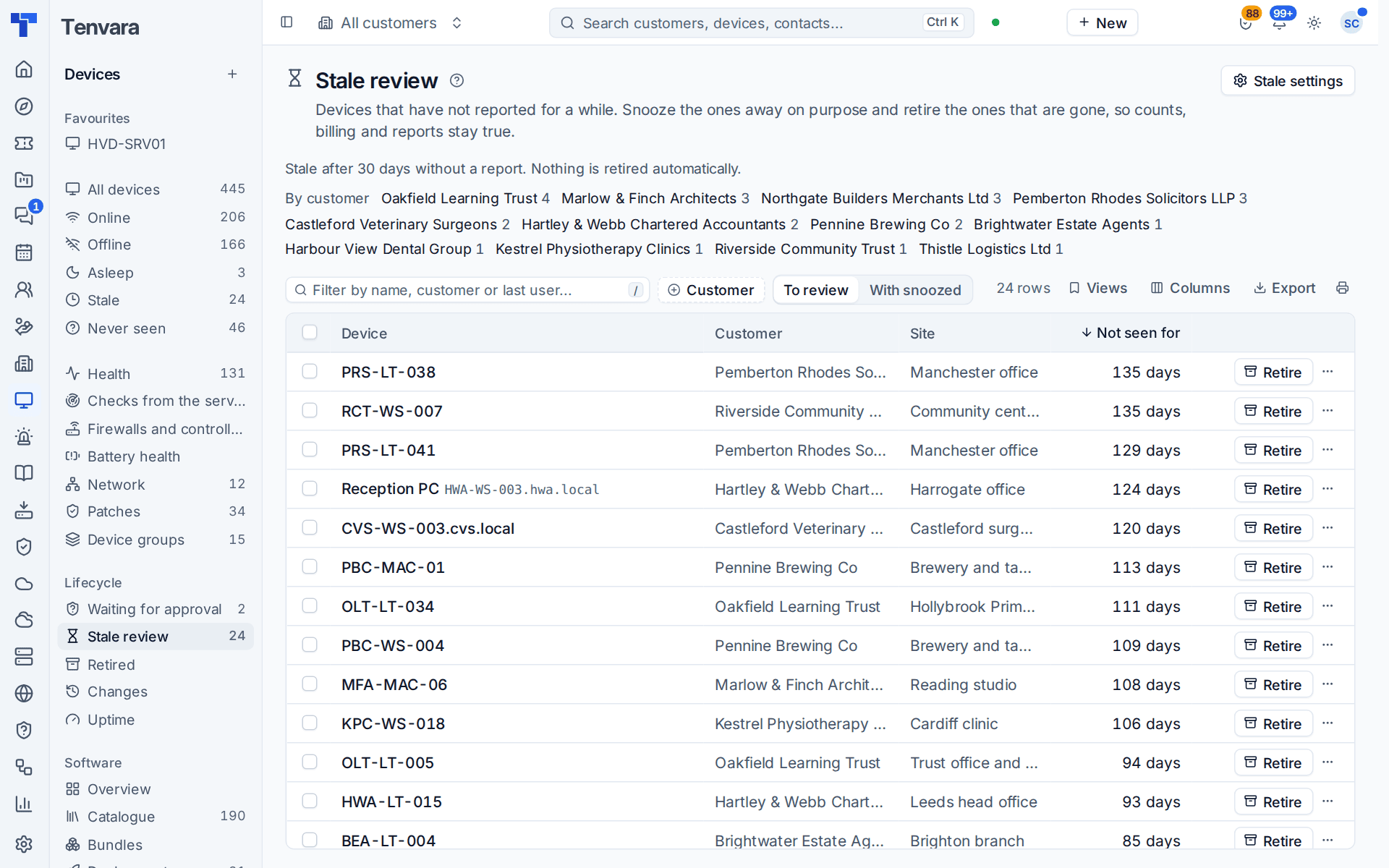
- Open the device and choose Delete device from its More actions menu. For several at once, tick them in the device list and choose Delete... in the bulk bar, or use Delete... on the Stale review tab of Devices > Lifecycle.
- Choose what happens to the agent:
- Remove the agent too (the default): the agent is removed from the device when it next checks in. If the device is offline, that happens when it comes back.
- Keep the agent, just remove it from the list: the agent stays installed but can no longer connect or add the device again. Enrolling the device again needs a new enrolment token.
- Click Delete device.
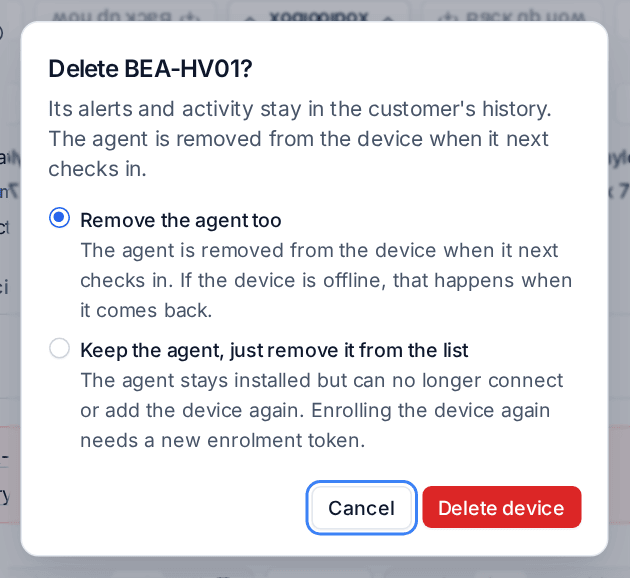
The device goes to the recycle bin. Its alerts and activity stay in the customer's history.
What the agent removes
When the order reaches it, at once if the device is online, the agent removes itself completely: its service, the tray, its helpers, the backup helper, the desktop viewer it installed, and its settings and keys. This works on Windows and Linux, and with the Lite agent too.
The order is signed by your server, so tamper protection accepts it without the customer's uninstall token. See Tamper protection.
A device that is offline gets the order whenever it next checks in, for up to the days set under Deleted and retired devices in Settings > Device lifecycle (Wait for a removed device's agent, 90 by default). Retiring a device with Uninstall the agent ticked waits the same number of days, so a laptop that sat in a drawer for a month still removes its agent when it comes back. After that time the order lapses, but the agent's identity stays refused whatever happens.
An old token cannot bring it back
Once a device is deleted, its agent can no longer sign in, and enrolling it again with the old enrolment token is refused too. A deployment tool or startup script that reruns the installer with a token you used before no longer recreates the device. To manage the machine again, enrol it with a new token. The device's activity records the fresh enrolment. See Installing the agent.
Pending uninstalls
Devices > Lifecycle, the Pending uninstalls tab, lists every deleted device whose agent has not confirmed it uninstalled itself, with its customer, status, when it was deleted and by whom. Finished ones stay listed for 14 days. Filter by Customer.
Cancel on a row stops the order. The device is not brought back and its agent stays refused, as if you had chosen to keep the agent. To bring the device back, restore it from the recycle bin, or enrol the machine again with a new token.
Restoring a deleted device
Restoring the device from the recycle bin gives its agent its identity back, as long as the agent had not started uninstalling: it then connects again as before. Once the agent has begun removing itself, the restored device needs the agent installed again.
Keeping the agent
Choose Keep the agent, just remove it from the list when you want the record gone but the software left alone, for example on a machine another provider now manages. The agent keeps trying to connect quietly and is refused each time, and it never adds the device again. Remove it at the machine with the customer's uninstall token when you are ready.
Deleting, retiring or revoking
| Action | When to use it | The agent |
|---|---|---|
| Retire device... | The machine left service: sold, lost, broken or replaced. Its history and the replacement link stay on a retired record. | Removed when it next checks in, if Uninstall the agent is ticked |
| Delete device | The record should not exist: a duplicate, a test install, a machine added by mistake. | Removed when it next checks in, unless you keep it |
| Revoke agent | Stop a device reporting but keep the record active. | Stays installed, cannot sign in; a valid token enrols it again |
See Device lifecycle, retire, replace and stale devices.
Related
Was this page helpful?
Thanks for the feedback.