Policies: monitoring, patching, software and scripts
The setup section for device policies: when updates install and restart, a pilot group that gets them first, monitoring servers by role, offline alerts, app updates and script approvals.
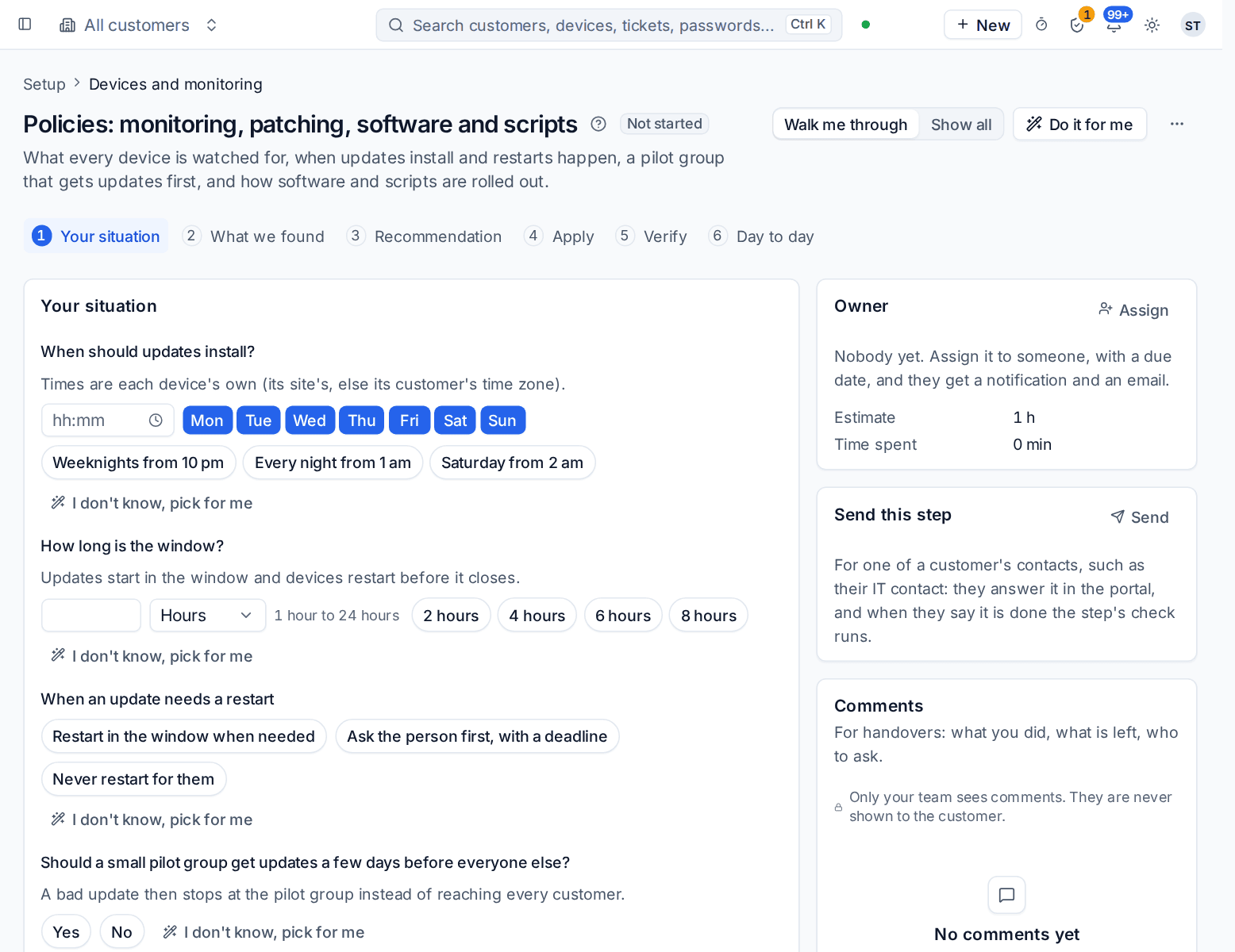
This section of the setup helper decides what every device is watched for, when updates install and restarts happen, whether a pilot group gets updates first, and how software and scripts are rolled out. It sits in the Devices and monitoring phase and takes about an hour.
Open it from Home > Set up, then Policies: monitoring, patching, software and scripts. It runs through the same six beats as every section: see Working through a section.
Before you start
The section works best after Agent and rollout, because its findings and checks count the devices that already report. You can answer the questions before then and come back to the checks.
What it reads from your data
What we found shows what Tenvara already knows:
- how many servers you look after;
- monitoring policies besides the global one;
- which server roles are already monitored by a template, and how many templates are still to apply;
- the default patch window;
- whether a pilot group already gets updates first;
- scripts published in the library and software bundles.
The questions it asks
| Question | Choices | Pick for me |
|---|---|---|
| When should updates install? | Any start time and any days of the week, with weeknights from 10 pm, every night from 1 am and Saturday from 2 am offered | Weeknights from 10 pm |
| How long is the window? | 1 to 24 hours. Updates start in the window and devices restart before it closes | 4 hours |
| When an update needs a restart | Restart in the window when needed, ask the person first with a deadline, or never restart for them | Restart in the window when needed |
| Should a small pilot group get updates a few days before everyone else? | Yes or no | Yes |
| Should servers be monitored by their role? | Yes or no | Yes |
| Which devices should raise an alert when they go offline? | Servers and virtual machines; servers, virtual machines and network kit; or every device, laptops included | Servers, virtual machines and network kit |
| When an app being updated is open | Skip it and try again later, or warn the person and then close it | Skip it and try again later |
| Which script runs need a second person's approval? | None, running as system on a server, or running on more than 25 devices | None |
Window times are each device's own: its site's time zone, or else its customer's. The server role question is answered for you when discovery already knows whether you look after on-premises servers, and then shows under Already known.
What it recommends and why
- Updates install in a quiet window, with restarts handled the way you chose. The window (its start, days and length) and restart rule go on the default patch policy. Devices are also put into maintenance while they patch, so alerts are held back while updates install and machines restart, and the night does not fill the alerts list.
- A pilot group gets updates three days early. The section makes a device group called Patch pilot with its own patch policy, so a bad update is caught before it reaches every customer. It is offered only when you have no pilot group.
- Servers are watched for what they do. The server role templates are applied: replication on a domain controller, the SQL services, shares on a file server.
- Offline alerts, software updates and script approvals follow your answers. Publishing a script to the library also gets a second person's approval.
What changes lists each of these with its value Now and what it Will be. Change anything that is not right, then press Apply. An apply can be undone for 7 days.
Checking it worked
Verify runs three live checks:
- Every device has a monitoring and a patch policy. This one must pass before go-live.
- Servers have a maintenance window.
- A pilot ring gets updates first.
A failing check says what it found and offers a fix, a link to the page where you fix it, or Send this step to hand it to someone else.
Day to day
- Updates install in the window without anyone pressing a button. The pilot group gets them first, and a failure there holds them back for everyone else. Follow them in Devices > Patches.
- A device that updates itself (through WSUS, its own updater or automatic updates on Linux) can be set to Updates handled by the device itself, or by nobody with an accepted risk, so Tenvara stops installing on it and raises one alert only when its own updating falls behind. See Who updates a device.
- A customer, a site, a device group or a single device can have its own policy. Settings > Policies and the Policies tab on a device show which level each setting comes from.
- The settings this section touches live in Settings > Monitoring, Settings > Device management and Settings > Device lifecycle.
Related guides
Was this page helpful?
Thanks for the feedback.