Alerts, automation and on-call
The Alerts, automation and on-call section of the setup helper: who handles things out of hours, queue by queue, which alerts become tickets, where people are told, the on-call rota and pay, and the checks that prove a page reaches someone.
Alerts, automation and on-call is in the Service desk phase and takes about an hour. It starts with who handles things out of hours, then decides which alerts become tickets, where people are told, who is on call and when, and it keeps an eye on the rules that do routine work for you.
Open Set up (Health once you have gone live) and choose Alerts, automation and on-call. It runs through the same six beats as every section: see Working through a section.
Note: Finish Staff, roles, teams and sign-in and Tickets, priorities and SLAs first: a rota needs people, and alert tickets need a queue and an SLA.
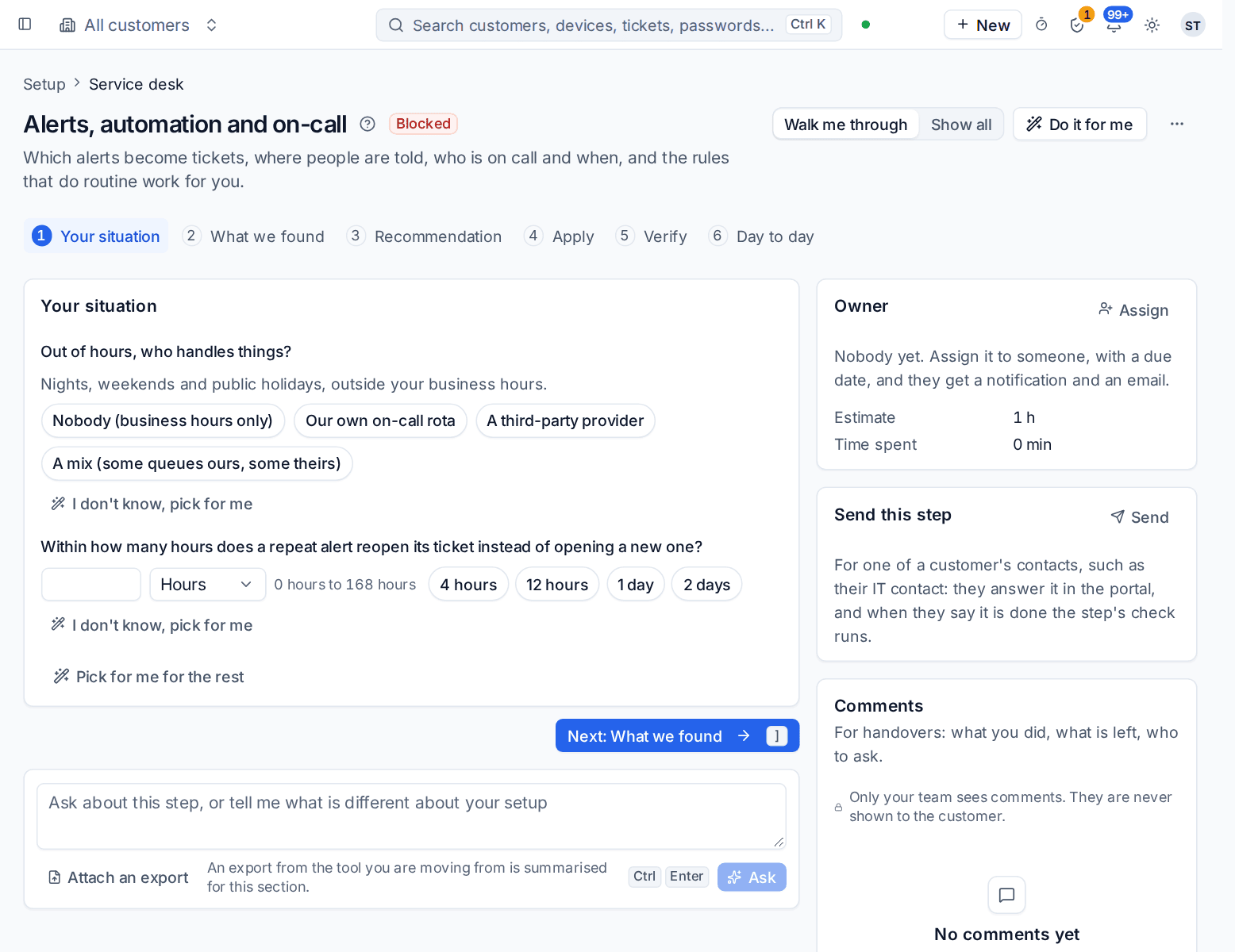
What it reads from your data
What we found counts your alert rules, the automation rules switched on, your on-call rotas, who is on call now, your notification channels, and the hours with nobody on your own rota in the next 14 days.
What it asks
| Question | Choices and notes |
|---|---|
| Out of hours, who handles things? | Nobody (business hours only), Our own on-call rota, A third-party provider or A mix (some queues ours, some theirs). Nights, weekends and public holidays, outside your business hours. Usually answered in discovery |
| Who handles each queue out of hours? | Only for a mix: pick who handles most queues, then the queues that differ |
| Still page someone for Critical alerts out of hours? | Only when some queues belong to nobody at night. Everything else waits for business hours and is on the morning list |
| How often does the on-call person change? | Every week or Every day. Only with your own rota |
| When does on call hand over? | Any time, and for a weekly rota the day it changes, with 8 and 9 in the morning and 5 and 6 in the evening offered. Only with your own rota |
| Do you pay staff for being on call? | Standby and call-out pay are worked out from the rota for payroll. Only with your own rota |
| What is the out-of-hours provider called?, How do they get the work? | Only with a provider: an email to their service desk, the ticket forwarded to them, a webhook to their system, a link to their PSA or portal, or a phone number shown to people out of hours, with the address or number for each |
| What may they see? | Only with a provider: the ticket only, or the ticket and the device, read only |
| Within how many hours does a repeat alert reopen its ticket instead of opening a new one? | 0 to 168, with 4, 12, 24 and 48 offered. The default is 24 |
What it recommends
- Each queue is handled out of hours the way you chose. With nobody, alerts and tickets wait for business hours with no pages and no SLA clock running, and are on a morning list on Home, on Team > On-call and by email; Critical alerts still page someone if you said so.
- Urgent alerts out of hours page whoever is on call, and the rota shares the nights and weekends fairly. With your own rota, it is created with the rotation and hand-over you chose.
- The provider gets the work for its queues, and their replies come back to the ticket. With a provider, it is added in Settings > Channels, on the Out-of-hours providers tab, and people who contact you out of hours are given its portal or phone number. See Out-of-hours cover per queue.
- Repeat alerts stay on one ticket, and on-call pay follows your answer when you run your own rota. A server that goes offline three times in a night gives one ticket with its history, not three.
Check What changes, then press Apply. You can undo an apply for 7 days. Afterwards, open Team > On-call to check the right people are on the Rota.
Channels you connect yourself
How a page reaches someone is set in Settings > Channels: Microsoft Teams, Slack, text messages and phone calls. Each one needs your own account with that service, so the section checks them; it does not create them. See Notifications and channels.
How it is verified
| Check | What it looks at | Where to fix it |
|---|---|---|
| Our own on-call rota has no gaps in the next 14 days | No gap in your own rota for the next two weeks. Only checked for queues your own rota handles | Open the on-call rota, which opens Team > On-call |
| Out of hours, every queue is handled the way you chose | Each queue has the cover you picked: nobody, your rota or the provider | Team > On-call and Settings > Channels |
| Notification channels work | Every channel you switched on can send | Open the channels, which opens Settings > Channels |
| A test page reaches the person on call | Sends a test page to whoever is on call now and cleans up after itself. Runs when you press the play button on it | Team > On-call, the Pages tab shows what was sent |
| Alerts from your tools become tickets | Alert rules turn the alerts that matter into tickets | Open Settings > Alert rules |
| No automation rule keeps failing | Rules whose runs fail again and again | Settings > Automation rules, and Settings > Run log with its Failed runs view |
Warning: The test page really pages the person on call. Tell them before you press the play button, or run it in working hours.
Day to day
- Alerts that matter become tickets in the alerts queue. A repeat alert reopens its ticket instead of opening another.
- Out of hours, each queue is handled as you chose. On your own rota, urgent alerts page whoever is on call by their channels, and they acknowledge from the page or a text. Team > On-call shows who handles each queue out of hours, including a provider, and what came in overnight.
- Alerts > Alert types lets you switch a kind of alert off or on, for everyone or for one customer.
- Rules that do routine work live in Settings > Automation rules, and what they did is in Settings > Run log.
Related guides
Was this page helpful?
Thanks for the feedback.