Account management
Get opportunities suggested from what Tenvara already knows about each customer, see which of your services each customer does not take, keep account plans for key accounts, and turn recommendations into deals in one click.
Your best new business is often with the customers you already look after. Tenvara knows their hardware, licences, tickets, health and seat counts, and Account management turns that into opportunities for each customer's account manager: suggested deals, the services they do not take yet, and a plan for every key account.
Open Sales and billing > Account management. Its tabs are Suggested, Whitespace and Account plans.
Note: Account management is part of the CRM, in the MSP edition. Suggestions go to each customer's account manager, so set one on every customer you want to grow.
Suggested opportunities
Every night, Tenvara checks each customer for five signals. Each one it finds becomes a suggested opportunity for the customer's account manager, who is told in the bell:
| Signal | Suggests |
|---|---|
| Hardware past warranty or age | A refresh, when enough of their devices are past their warranty or age on the hardware refresh forecast, priced from your catalogue |
| Licences ending | A renewal, when a licence subscription's term or commitment ends soon, at its monthly price |
| Ticket spike | A project or training, when the last 30 days' tickets are well above their usual monthly level |
| Falling health | A review and a remediation project, when their health score has fallen over 30 days |
| Seat growth | An upsell, when they have more Microsoft 365 users or managed workstations than 90 days ago, at the per-seat price on their contract |
The Suggested tab lists them, for Mine or Everyone, as To do, Accepted or Dismissed, with a count per signal. Check now looks again straight away. Each customer's own suggestions are also on their Account plan tab.
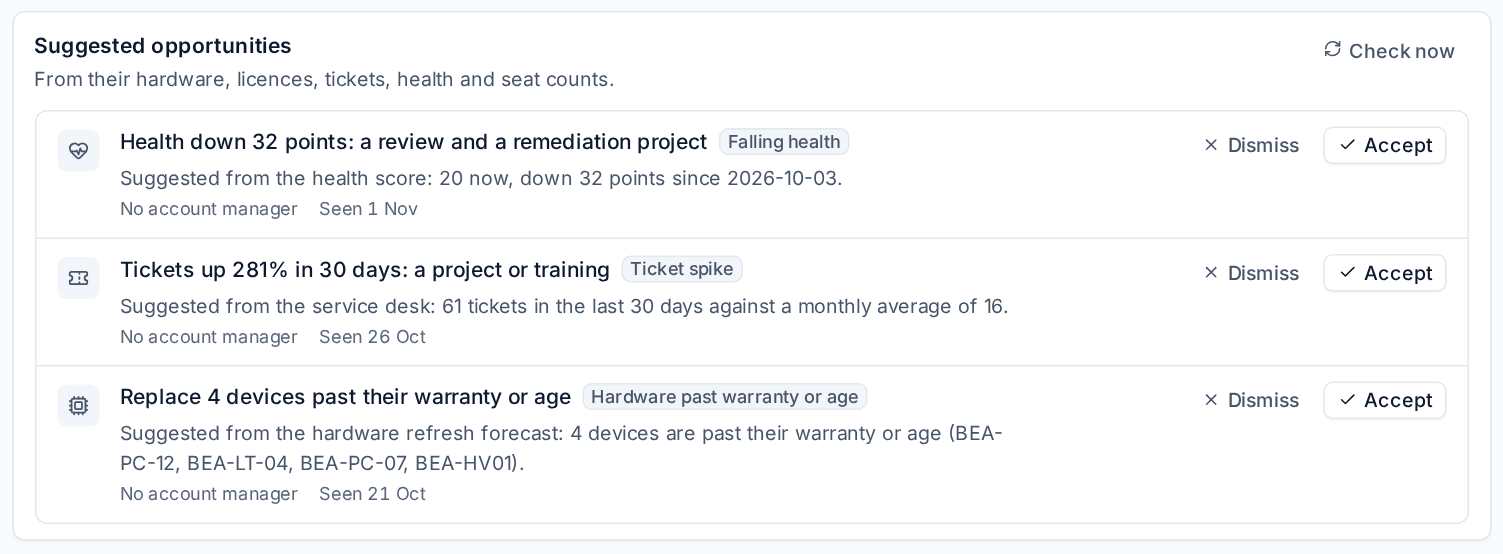
- Accept makes the opportunity at the suggestion's value, with the reason in its description.
- Dismiss asks why (not now, not relevant, already in hand, the customer said no, or another reason with a note).
A suggestion accepted or dismissed is not made again for the same customer and signal for a while (90 days to begin with), nor while its deal is open. When a signal goes away, its open suggestion goes too.
Set the thresholds
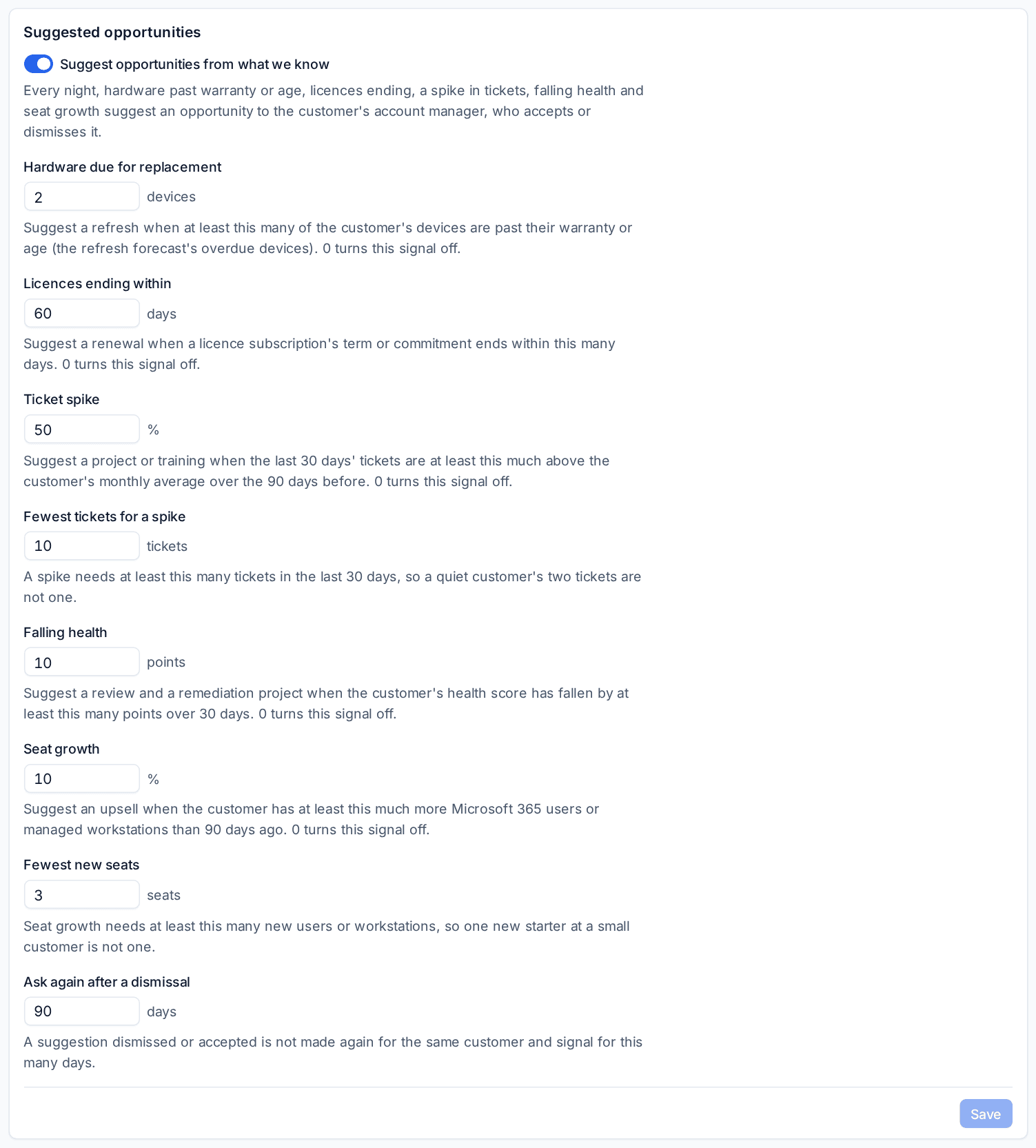
In Settings > Sales, under Suggested opportunities, switch Suggest opportunities from what we know on or off and set when each signal fires: how many devices are due for replacement, how many days before licences end, the ticket spike percentage and the fewest tickets for one, how many points of falling health, the seat growth percentage and the fewest new seats, and how long to wait after a dismissal. 0 turns a signal off. Suggestions can also be turned off for one customer.
Whitespace
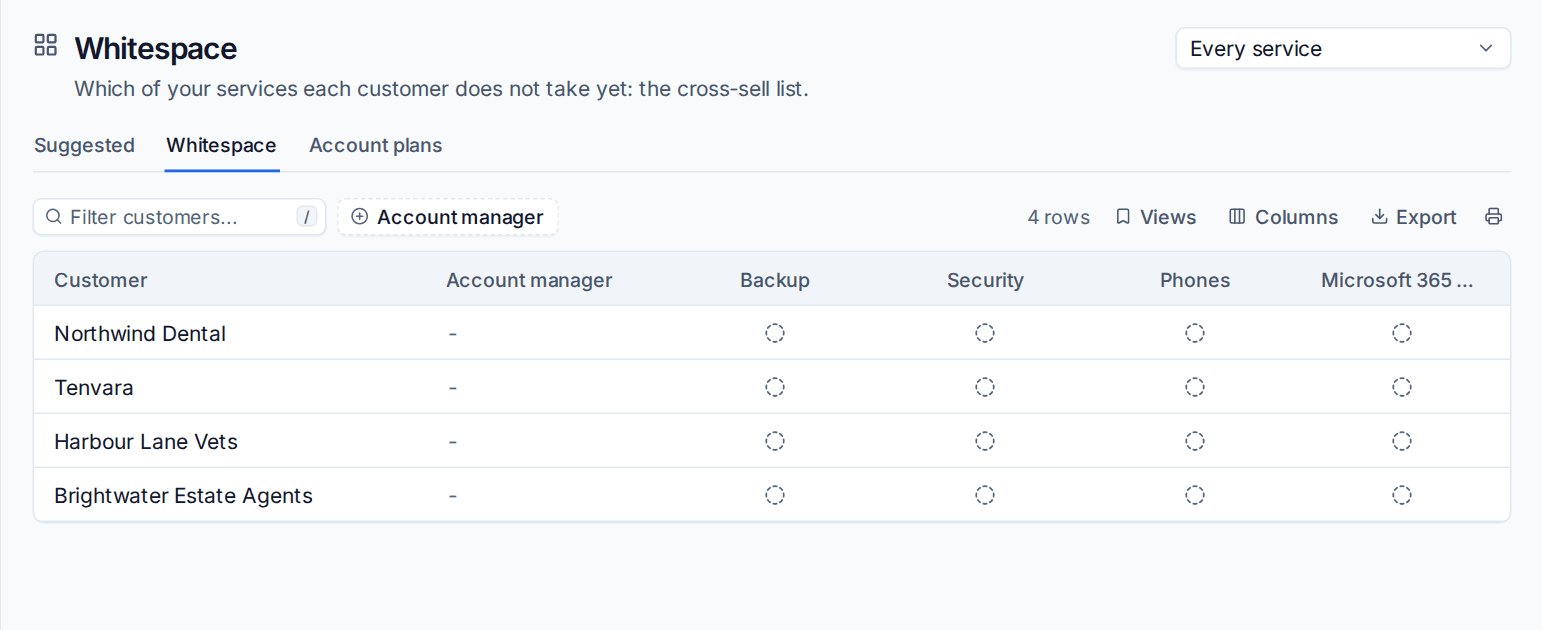
Whitespace is your cross-sell list: which of your services each customer does not take yet. A customer takes a service when a live line on one of their active contracts matches it.
The Whitespace tab is a grid of every customer against every service, filtered by Account manager; choose one service to list every customer without it. On a customer's Account plan tab, the whitespace card says how many services they take and, for each gap, an estimate priced from the service's first recurring catalogue item at the customer's seats (Microsoft 365 users or managed workstations), with Make an opportunity.
The services checked
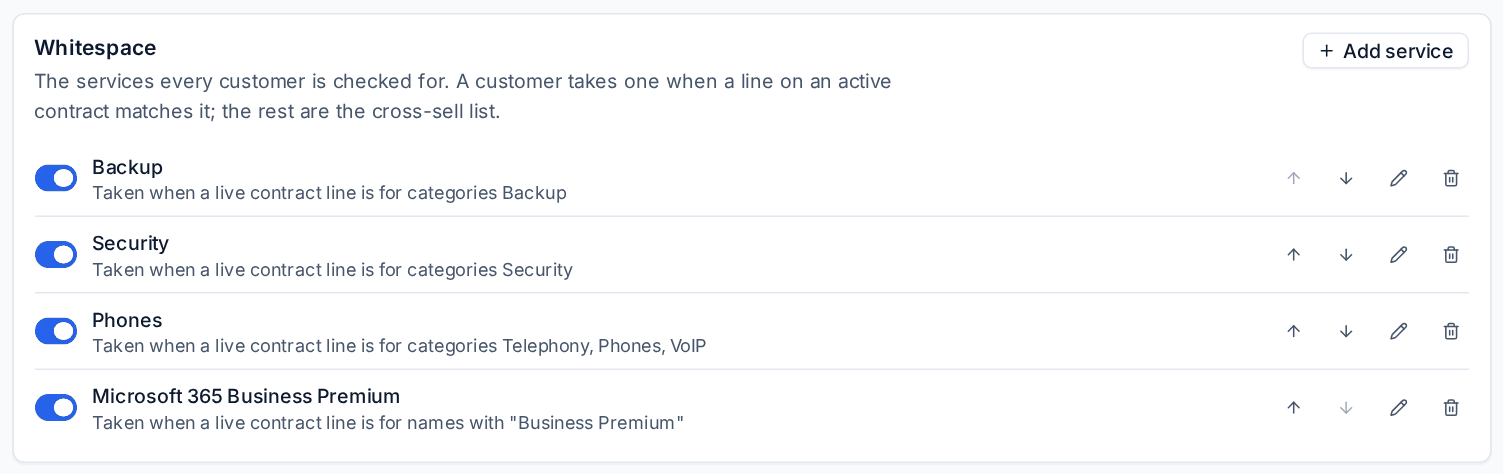
In Settings > Sales, under Whitespace, Add service for each service you sell. Each matches contract lines by catalogue categories, catalogue items, or words in the line's name. A new install starts with Backup, Security, Phones and Microsoft 365 Business Premium; switch each on or off, reorder, change or remove it.
Account plans
For a key account, keep a plan beside their reviews. On the customer's Account plan tab (under Commercial), press Start an account plan and mark it a Key account.
- Summary: what the customer wants to achieve.
- Goals: Add a goal for each, and tick them off as they are done.
- Stakeholders: Add a stakeholder for each contact who matters, with their part (such as "signs off spend") and where they stand: champion, supporter, neutral or blocker.
- Business reviews: the last review held, when the next is due and whether it is booked, and their open recommendations.
- Open opportunities: the deals open with them and their value.
The Account plans tab lists every key account with its account manager, Next review due (overdue first), Last review, goals done and stakeholders.
Recommendations become deals
A recommendation on a customer's business review register, or a card on their roadmap, has Make an opportunity. It makes the deal in one click: its title, description and estimates, owned by the recommendation's owner (else the account manager), closing at the end of the quarter it is planned for. Winning the deal approves the recommendation. See Business reviews.
Every deal made from a suggestion, a whitespace gap or a recommendation shows Where it came from on its page.
Related: Opportunities and pipelines, Customer health score.
Was this page helpful?
Thanks for the feedback.